How Much Server Power Does a WooCommerce Store Need?

%203.png&w=256&q=75)
Quick Answer
A small WooCommerce store runs comfortably on 2 vCPUs and 4GB RAM, a medium store needs 4 vCPUs and 8GB RAM, and a large catalog or high-checkout-volume store needs 8+ vCPUs, 16GB+ RAM, and usually a separate database server. Those numbers assume you are running Nginx or Apache, PHP-FPM, and MariaDB on the same box with a reasonable object cache in front of the database.
The rest of this guide breaks those numbers down by store profile, explains why WooCommerce eats more resources than a brochure WordPress site, and tells you exactly when to stop scaling vertically and start splitting services across servers.
Why WooCommerce Is Different
WooCommerce is more RAM- and CPU-hungry than a brochure WordPress site because most of its important pages cannot be served from full-page cache. A marketing page renders once and gets cached for every visitor; a cart, checkout, or my-account page is unique per session and must be regenerated by PHP on every load. That means every shopper browsing your catalog is triggering live PHP execution and database queries, not a static cache hit.
The product catalog itself adds load too. WooCommerce spreads product data across wp_posts, wp_postmeta, and wp_wc_product_meta_lookup, and every catalog page, filter, or search runs joins across those tables. Cart state lives in wp_woocommerce_sessions and cart fragments refresh via AJAX (?wc-ajax=get_refreshed_fragments) on nearly every page load, which has to bypass any full-page cache to keep totals and stock counts accurate. Add a typical WooCommerce plugin stack — payment gateways, shipping calculators, tax plugins, subscriptions, marketing tools — and you are often running 20-40 active plugins on every request, each with its own hooks firing on `init`, `wp_loaded`, and `template_redirect`.
A brochure site with the same visitor count might run at 5% CPU because 95% of requests hit the cache. A WooCommerce store serving the same traffic can sit at 40-60% CPU because a much larger share of requests are dynamic, uncached PHP executions hitting the database.
Small Stores: Under 100 Products, Low Traffic
A small store — under 100 products, a handful of orders a day, a few hundred daily visitors — runs fine on 2 vCPUs, 4GB RAM, and 40-60GB SSD. This is the entry tier on most VPS providers and it is enough headroom for WordPress core, WooCommerce, a page builder, a handful of extension plugins, and a lightweight theme, with room for MariaDB and PHP-FPM to run alongside it.
At this size, set PHP memory_limit and WP_MEMORY_LIMIT to at least 256M — WooCommerce plus a few plugins routinely exceeds the WordPress default of 40M during checkout or when the admin order screen loads. Enable Redis object caching for database query caching (safe for WooCommerce, unlike full-page caching) and you will rarely see CPU spikes above idle traffic.
Before sizing anything, confirm your cache setup excludes cart, checkout, and my-account pages. Full-page caching those pages breaks cart totals, stock counts, and checkout nonces — it is the single most common WooCommerce misconfiguration, regardless of server size.
Medium Stores: A Few Hundred Products, Steady Traffic
A medium store — a few hundred products, dozens of orders a day, steady traffic with regular concurrent shoppers — needs 4 vCPUs, 8GB RAM, and 80-120GB SSD, ideally NVMe rather than standard SSD once your database grows past a few GB. This is the point where PHP-FPM pool sizing starts to matter: with more concurrent add-to-cart and checkout requests, you need enough pm.max_children to avoid queuing requests behind a saturated pool without oversubscribing available RAM.
A rough rule of thumb: divide available RAM (minus what MariaDB, Redis, and the OS need) by your average PHP-FPM process size, typically 40-80MB per worker for a plugin-heavy WooCommerce install. On 8GB RAM with 2GB reserved for MariaDB and 512MB for Redis, you have roughly 5GB left — enough for 60-120 PHP-FPM workers depending on process size.
At this size, also move WP-Cron off the default pseudo-cron (triggered by page loads) onto a real system cron hitting wp-cron.php hourly, and add database indexes on wp_postmeta.meta_key and the _sku/_price lookups if catalog browsing feels slow — unindexed meta lookups are the most common cause of a sluggish product grid once you pass a couple hundred SKUs.
Large Stores: Thousands of Products or High Concurrent Checkout
A large store — thousands of products, hundreds of daily orders, or traffic spikes during sales events with many shoppers checking out concurrently — needs 8+ vCPUs, 16GB+ RAM, and fast NVMe storage sized to at least 2-3x your database size to leave room for backups and binary logs. At this scale, memory pressure usually shows up first in MariaDB, not PHP-FPM: a large wp_postmeta table with thousands of products and complex catalog filtering needs a bigger InnoDB buffer pool to keep hot data in memory instead of hitting disk.
Set PHP memory_limit to 512M or higher for stores with heavy catalog plugins (advanced product filters, bundles, subscriptions), since bulk operations like CSV product imports and order exports frequently exceed 256M on catalogs in the thousands.
When to Scale Vertically vs. Split Services
Scale vertically first — it is simpler and cheaper up to a point. If CPU or RAM usage is consistently high but MariaDB slow query logs are clean and disk I/O is not saturated, adding vCPUs and RAM to the same server usually solves it. This covers the small-to-medium range and most of the large-store range too.
Move to a dedicated database server when MariaDB and PHP-FPM are actively competing for the same RAM and CPU on a single box — a common symptom is the InnoDB buffer pool getting starved during traffic spikes because PHP-FPM workers spun up and ate the available memory, causing catalog and checkout queries to slow down together. Splitting the database onto its own server (or its own well-resourced instance) lets you tune InnoDB memory independently of PHP-FPM pool sizing, and it is usually the right move once a single server needs more than 16-32GB RAM just to keep both services comfortable.
Add a second web/app server behind a load balancer when a single server's vCPU count is maxed out during normal peak hours, not just during rare sales events — that is a sign of sustained demand rather than a one-off spike, and it is cheaper to horizontally scale PHP-FPM/web capacity than to keep buying bigger single instances indefinitely.
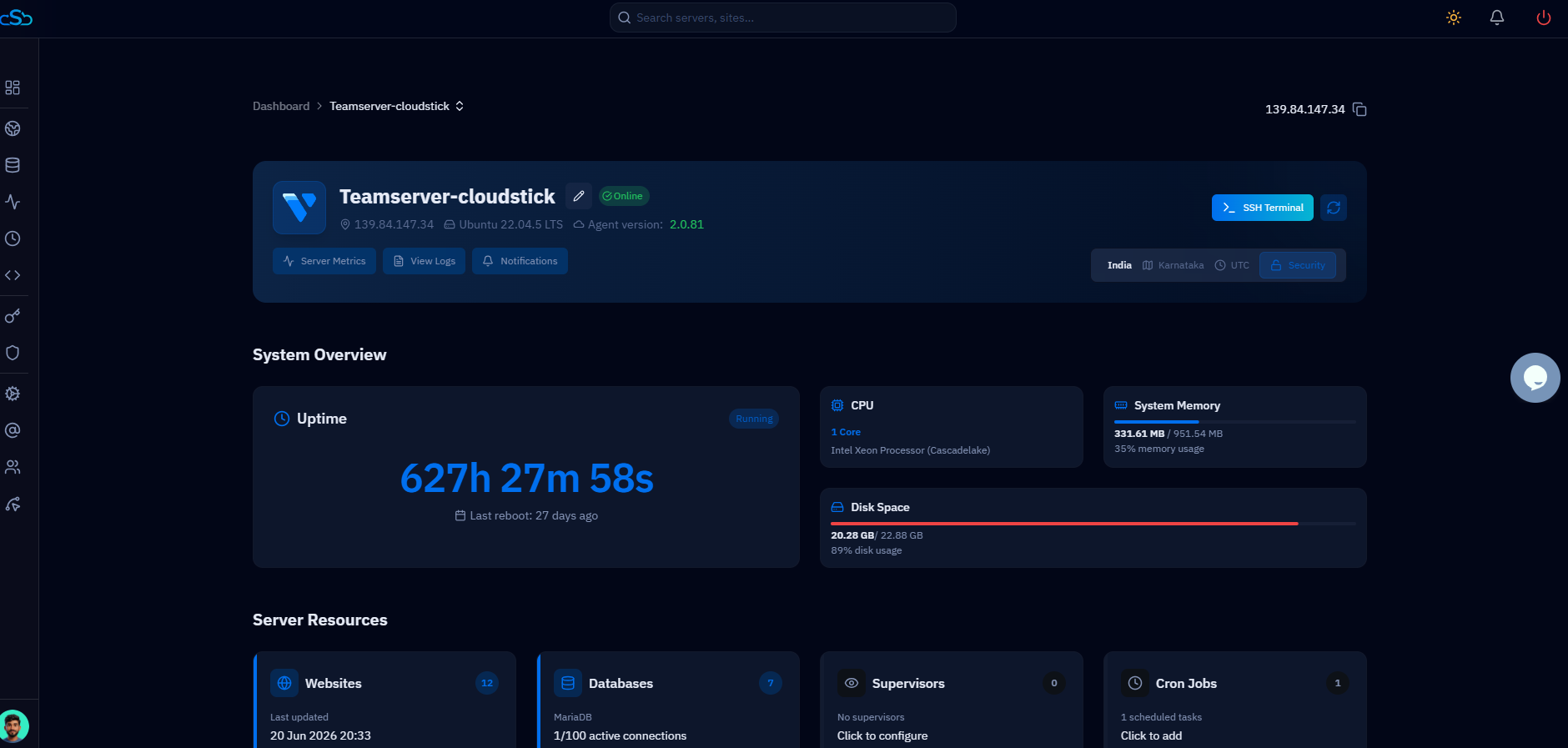
CloudStick's per-site PHP-FPM pool isolation means you can raise pm.max_children and memory_limit for a single high-traffic WooCommerce site through EasyPHP without SSH and without affecting the PHP-FPM pools of any other site on the same server — useful when one store is scaling faster than the rest of your portfolio.
Next Steps: Size for Today, Plan for Growth
Provision for your current store size, not your hoped-for size — WooCommerce servers are easy to resize upward on any major provider without a full migration, so paying for large-store specs on a 50-product catalog just wastes budget. Start at the small or medium tier above, monitor CPU, RAM, and MariaDB slow queries under real traffic, and scale when the metrics — not guesswork — tell you to.
Whichever tier you land on, get the fundamentals right first: Redis object caching, cache-exclusion rules for cart/checkout/my-account, real system cron instead of pseudo-cron, and proper indexing on wp_postmeta. Those four changes typically buy more headroom than the next VPS tier up, and they cost nothing.

