How to Configure Laravel Scheduler with Cron


%203.png&w=256&q=75)
Add the single cron entry Laravel needs
The entire Laravel scheduler runs off exactly one crontab line — no matter whether your app has two scheduled tasks or two hundred. Cron fires the artisan schedule:run command once a minute, and Laravel decides internally which tasks are actually due at that moment. Open the crontab for the system user that owns your application and add the entry:
The five asterisks mean every minute. The cd matters because artisan resolves paths relative to the working directory, and the redirect to /dev/null discards the wrapper output — schedule:run itself prints nothing useful; your individual tasks get their own logging, which we cover below. That is the last time you touch crontab: adding, removing, or rescheduling tasks from here on is a code change, not a server change.
Cron's only job is to tick once a minute. Laravel's job is to decide what happens on each tick. Keeping that split means your schedule lives in version control, gets code-reviewed like any other change, and deploys with the app instead of drifting on the server.
Define your scheduled tasks
Where tasks live depends on your Laravel version: in Laravel 11 and 12 they go in routes/console.php using the Schedule facade, while Laravel 10 and earlier define them in the schedule() method of app/Console/Kernel.php. The Kernel file was removed in Laravel 11's slimmer skeleton, which trips up developers following older tutorials — if your app has no Kernel.php, that is expected, not broken.
Both APIs are otherwise identical. You can schedule artisan commands, queued jobs with Schedule::job(), shell commands with Schedule::exec(), or plain closures. For anything non-trivial, prefer a real artisan command over a closure — commands can be run by hand for debugging and show up with a proper name in the verification tools below.
Frequencies, overlaps, and multiple servers
Laravel's frequency helpers replace cron expressions with readable method names: everyMinute(), everyFiveMinutes(), hourly(), daily(), dailyAt(), weekly(), monthly(), and dozens more — and if you genuinely need a raw expression, the cron() method accepts one directly. Readability is the point: a reviewer can tell at a glance that a report runs weekly on Mondays at two in the morning without decoding five asterisk fields.
Three chainable methods handle the production edge cases. withoutOverlapping() stops a new run from starting while the previous one is still going — essential for tasks that sometimes take longer than their interval, like a report generator that usually finishes in thirty seconds but occasionally takes six minutes. onOneServer() makes a task run on only one machine when several servers share the same crontab entry; it requires a shared cache driver such as Redis, Memcached, or the database, because the lock lives in the cache. And runInBackground() lets long tasks run concurrently — by default the scheduler executes tasks sequentially, so one slow task delays everything scheduled after it in the same minute.
The integer passed to withoutOverlapping() is the lock expiry in minutes — without it, a task that crashes mid-run can leave a stale lock for up to 24 hours, silently blocking every subsequent run. Set it a little above the task's worst-case runtime.
Capture task output in a log file
Because the crontab entry discards everything, per-task logging is your only visibility into what scheduled commands actually printed — chain appendOutputTo() with a path inside your app's storage directory. Its sibling sendOutputTo() truncates the file on every run instead of appending, and emailOutputOnFailure() mails you the output only when a task exits non-zero, which is usually the alert you actually want.
Note that output capturing only works for command and exec tasks, not closures, and it does not combine with runInBackground() on some older Laravel versions — if a background task logs nothing, that interaction is the first thing to check. Keep log files under storage/logs so they rotate with the rest of your application logs and stay inside the directories your PHP user can write to.
Verify the schedule before trusting it
Two artisan commands prove the schedule works before you wait a day to find out it does not. schedule:list shows every registered task, its cron expression, and when it will next run — including the timezone math, which catches the classic mistake of a task defined in app time running at the wrong UTC hour. schedule:test runs a single task immediately, on demand, exactly as the scheduler would invoke it:
For local development, schedule:work runs the scheduler in the foreground, invoking it every minute without any crontab at all. On the server, one final end-to-end check is worth doing after deploy: pick a harmless task, set it to everyMinute() temporarily, and confirm its log file grows — that proves cron, the path, PHP, and permissions all line up in one shot.
Run it as the correct user, and next steps
The crontab entry must belong to the same system user that owns the application files — the user PHP-FPM runs your site as, not root. A scheduler run creates cache entries, compiled views, and log files; if root creates them first, the web process can no longer write to those paths and the site starts throwing permission errors that look completely unrelated to cron. From a security standpoint it is also the least-privilege choice: a scheduled task that only needs to touch one app's files should never execute with root's reach over the whole server.
If you already added the entry to root's crontab by mistake, remove it, re-add it under the app user with crontab -u appuser -e, then fix ownership of anything root created: chown -R appuser:appuser on the storage and bootstrap/cache directories. Until you do, cache writes will keep failing intermittently.
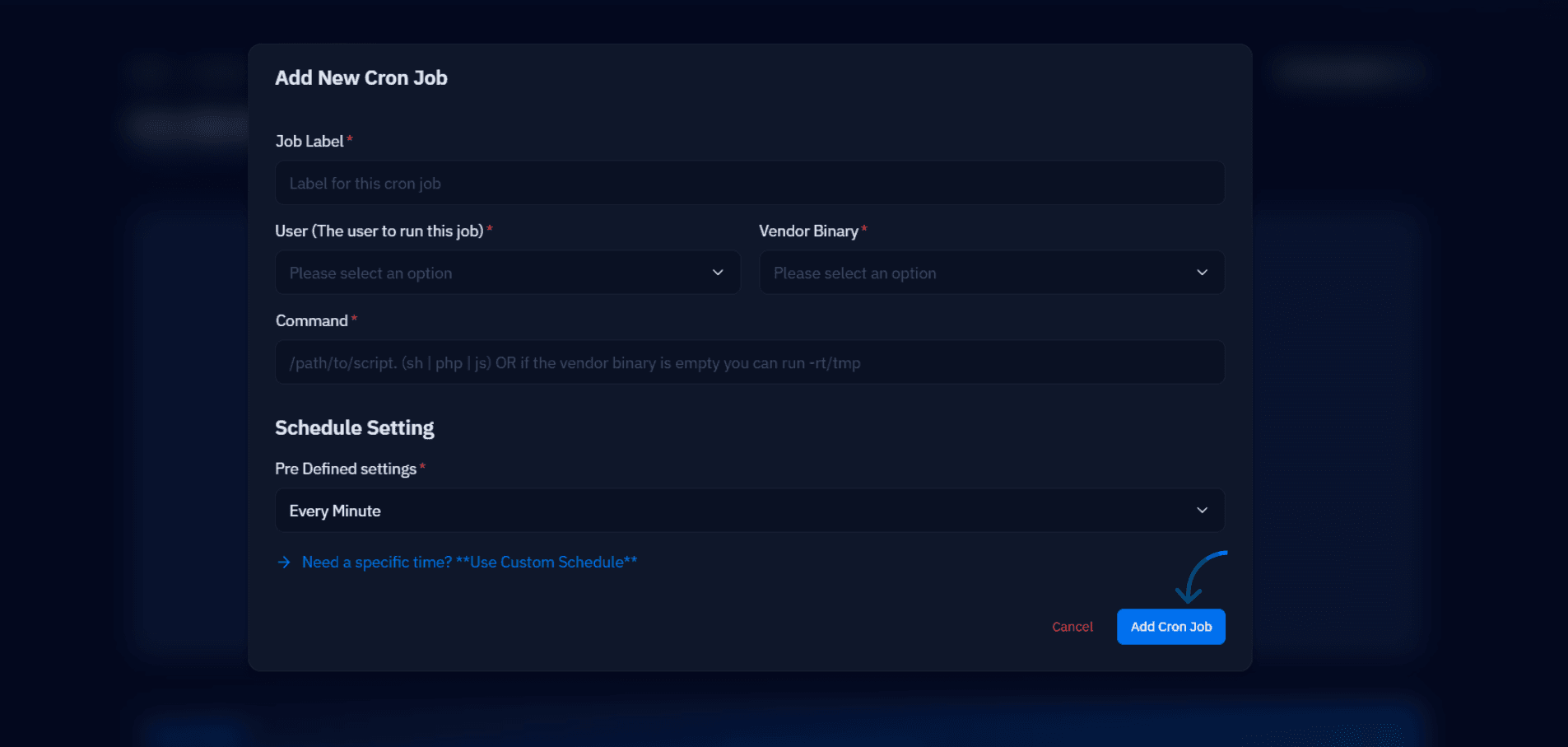
This is one of the places a control panel earns its keep. On a CloudStick server every site already runs as its own isolated system user under /home/<user>/apps/<site>, and the CronJobs section in the dashboard adds the schedule:run entry for a site under that correct user — you pick the site, paste the command, choose the every-minute frequency, and CloudStick writes the crontab line for you. No SSH session, no crontab syntax, and no chance of the entry landing in root's crontab.
Your checklist from here: add the single cron entry under the app user (or via the CloudStick CronJobs UI), define tasks in routes/console.php or Kernel.php depending on your version, chain withoutOverlapping() on anything that can run long, add appendOutputTo() plus emailOutputOnFailure() to every task you would miss if it silently stopped, and confirm the whole chain with schedule:list before you walk away. Once the scheduler is solid, pair it with properly supervised queue workers — the two together cover almost all background work a Laravel app needs.

