How to Create and Manage Sudo Users on a Linux Server

%203.png&w=256&q=75)
Why Sudo Access Matters on a Production Server
Running everything as root is the fastest path to an irreversible mistake. A single mistyped command — rm -rf / instead of rm -rf ./ — can destroy an entire server. The sudo model is the solution: users operate with normal privileges by default and escalate only when a specific command demands it, with every escalation logged.
This separation of privileges also matters for teams. When a developer needs to restart Nginx but shouldn't have full root access, sudo lets you grant exactly that — nothing more. On Ubuntu 24.04, membership in the sudo group grants full administrative access; the sudoers file lets you lock down access to specific binaries per user.
Adding a New Sudo User with adduser and usermod
There are two steps: create the user account, then add it to the sudo group. The adduser command creates a home directory and prompts for a password. usermod -aG sudo appends the user to the sudo group without removing them from other groups.
The group change takes effect immediately for new SSH sessions. If the user is already logged in, they need to log out and back in for the sudo group membership to be recognized.
Editing the Sudoers File Safely with visudo
Never edit /etc/sudoers directly with a text editor. A syntax error in that file can lock you out of sudo entirely. The visudo command opens the file in your editor and validates the syntax before saving — it will refuse to write a broken configuration.
Prefer drop-in files under /etc/sudoers.d/ over editing the main sudoers file. They are included automatically and are easier to manage and audit per user or service.
Restricting Sudo to Specific Commands
Full sudo access is rarely necessary. A deployment user should be able to restart services but never modify system files. A database admin needs access to MySQL but not to the network configuration. The sudoers syntax supports per-command restrictions with full path specification.
/usr/bin/systemctl not systemctl. Without a full path, a user could create a malicious script named systemctl in their PATH and escalate privileges.Auditing Sudo Usage and Access
Every sudo command is logged to /var/log/auth.log on Ubuntu. Each entry records the username, the terminal, the effective user, and the exact command run. This audit trail is your first line of defense when investigating an incident.
For persistent audit logging, consider forwarding auth.log to a centralized log aggregator. Once a log file is deleted on a compromised server, the audit trail is gone — remote logging preserves it.
"The principle of least privilege means every user and process should have only the minimum permissions required to perform their function — nothing more, nothing less."
Managing Server Access with CloudStick Teams
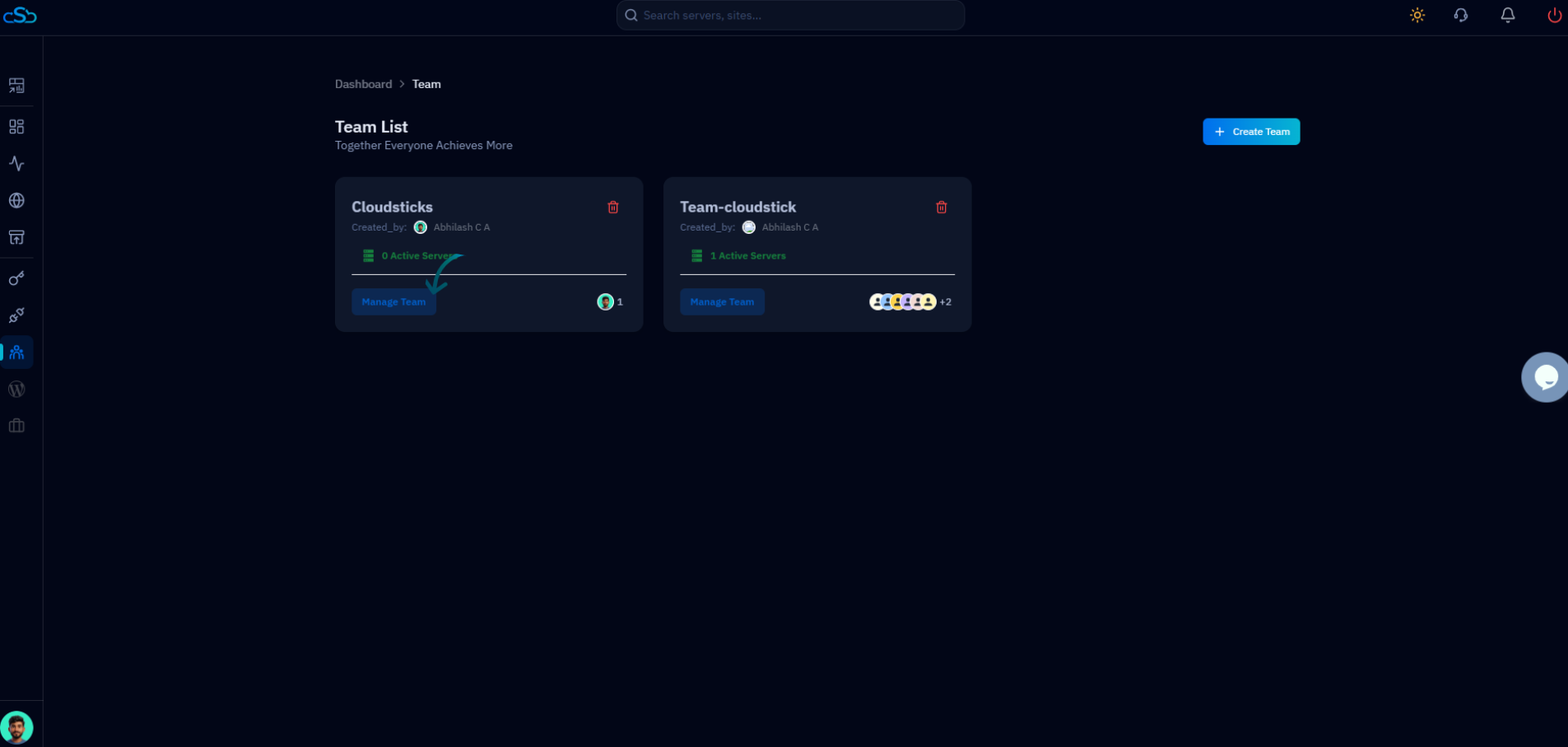
Managing sudo rules manually across multiple servers is tedious and error-prone. CloudStick's Teams feature solves this at scale. You add team members to a server through the dashboard, assign them a role (Admin, Developer, or Viewer), and CloudStick provisions the appropriate SSH key and system user automatically — no manual adduser commands required.
When you remove a team member from a server in CloudStick, their SSH key is revoked and their system access is removed immediately across all servers in the workspace. For agencies managing dozens of client servers, this centralized access management eliminates the risk of orphaned user accounts from former contractors or employees.
Manual sudo management remains essential knowledge for edge cases and direct server access. But for day-to-day team operations, CloudStick's access control layer removes the risk of configuration drift across your server fleet.