How to Force HTTPS Across Your Entire Website

%203.png&w=256&q=75)
Why Forcing HTTPS Is Non-Negotiable
Installing an SSL certificate is only half the job. Without an HTTP-to-HTTPS redirect, visitors who type your domain without https:// or follow an old link still land on the unencrypted version of your site. Google treats HTTP and HTTPS as different URLs, so failing to redirect causes duplicate content issues and loses any link equity pointing to the HTTP version. Chrome marks HTTP pages as "Not secure" in the address bar, and modern browser security features like Secure cookies and Service Workers require HTTPS.
The redirect must be a 301 (permanent) not a 302 (temporary). A 301 tells search engines to transfer all ranking signals from the HTTP URL to the HTTPS version. A 302 does not transfer link equity and implies you might switch back to HTTP someday.
Redirect HTTP to HTTPS in Nginx
The cleanest approach is a dedicated HTTP server block that does nothing except redirect to HTTPS. Avoid placing the redirect inside a location block or using rewrite rules — a dedicated server block is simpler and performs better:
Redirect with .htaccess (Apache)
For Apache-based stacks or servers where Apache handles PHP behind Nginx (like the CloudStick Nginx+Apache stack), .htaccess rules also work for the HTTPS redirect. Place this in your document root:
On servers behind a load balancer or Cloudflare proxy, %{HTTPS} may always be off even for HTTPS requests. In that case check %{HTTP:X-Forwarded-Proto} instead: RewriteCond %{HTTP:X-Forwarded-Proto} !https.
WordPress-Specific Steps
After setting up the server-level redirect, WordPress needs its site URLs updated. If you don't update them, WordPress will generate HTTP URLs in its HTML even though the connection is HTTPS, causing mixed content warnings:
Fix Mixed Content After the Redirect
Mixed content occurs when an HTTPS page loads resources (images, scripts, stylesheets, iframes) over HTTP. Browsers either block these resources or show a security warning. After forcing HTTPS you'll want to audit for mixed content. The browser DevTools console shows blocked resources in red. For a full audit, tools like SSL Checker, Why No Padlock, or the Lighthouse audit in Chrome DevTools will flag every mixed content source. Fix them by updating URLs in your database, theme files, or plugin settings to use https:// or protocol-relative URLs (//example.com/asset.js).
CloudStick Handles This for You
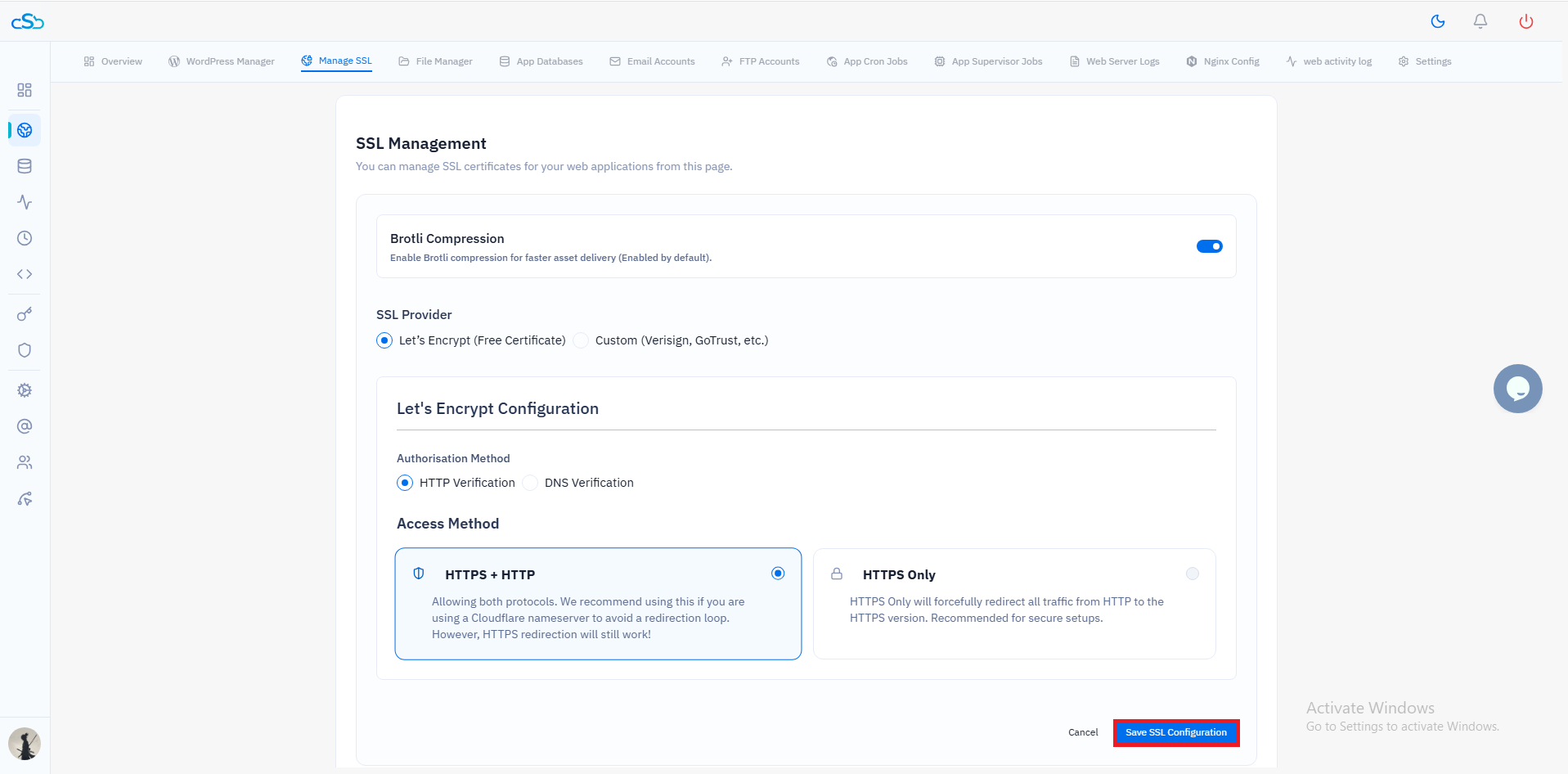
When you enable SSL on a website in CloudStick, the HTTP-to-HTTPS redirect is configured automatically. CloudStick updates the Nginx vhost to add the 301 redirect in the HTTP server block and ensures the /.well-known/acme-challenge/ path remains accessible so future certificate renewals pass. For WordPress sites managed through CloudStick, the site URL update happens as part of the SSL activation flow, eliminating the manual WP-CLI steps. The entire process takes under 30 seconds from the dashboard.