How to Install PHP Extensions You Actually Need

%203.png&w=256&q=75)
Why PHP Extensions Matter
PHP ships with a minimal core. The language itself can parse files, handle strings, and run control flow, but virtually everything a real web application depends on — connecting to a database, encrypting data, processing images, sending HTTP requests, handling international text — is handled by extensions. When an extension is missing, you do not get a graceful error. You get a fatal crash, a blank page, or a plugin that silently refuses to work.
Understanding which extensions your application actually requires — versus which ones are simply recommended by a documentation page written years ago — is a skill that saves both disk space and debugging time. A bloated PHP installation with dozens of unused extensions adds memory overhead to every PHP-FPM worker process, slowing down your server under load.
On Ubuntu, PHP extensions are distributed as separate APT packages. The naming convention follows the pattern php{version}-{extension} — so for PHP 8.3 you would install php8.3-curl, php8.3-mbstring, and so on. This makes it easy to run multiple PHP versions on the same machine and install extensions independently for each one.
Check Which Extensions Are Already Loaded
Before installing anything, find out what is already available. PHP bundles a handful of extensions at compile time that are always present, and your server may have others installed from a previous setup. Running the right diagnostic commands first prevents duplicate installs and helps you understand the current state.
Use the php -m command to list all modules loaded by the CLI. For PHP-FPM, you also want to verify through a web request since FPM can have a different php.ini and extension list than the CLI binary.
The output of php -m is grouped into two sections: extensions compiled directly into PHP, and extensions loaded dynamically from .so files. Both are active, but only the dynamic ones have separate APT packages that can be removed independently.
Essential Extensions for Every Production Server
Not every extension belongs on every server, but there is a core set that nearly every PHP application will require sooner or later. Understanding what each one does helps you make the right decision rather than blindly copying a list from Stack Overflow.
Here is what each commonly recommended extension actually does:
- curl — Enables PHP to make outbound HTTP/HTTPS requests. Required by virtually every API integration, payment gateway, and plugin that fetches remote data.
- mbstring — Provides multibyte string functions for handling UTF-8 and other encodings correctly. Without it, string operations on non-ASCII text silently corrupt data.
- xml — Parses XML documents. Required by many CMS platforms, RSS feeds, SOAP APIs, and sitemap generators.
- gd — Image processing library for resizing, cropping, and generating thumbnails. WordPress uses this for media uploads.
- intl — Internationalization functions for locale-aware formatting, collation, and timezone handling. Important for any site serving multiple languages or regions.
- zip — Read and write ZIP archives. Used by WordPress core during plugin and theme installs.
- bcmath — Arbitrary precision mathematics. Required by WooCommerce and any e-commerce application doing financial calculations.
- opcache — Compiles PHP scripts to bytecode and caches them in memory. This is not optional on production — it delivers a 3–5x throughput improvement with zero code changes.
Installing Extensions on Ubuntu 22.04 and 24.04
Ubuntu's default APT repositories include PHP packages, but they often lag behind the latest stable release. For current PHP versions (8.2, 8.3, 8.4), you should use the Ondrej Sury PPA, which provides up-to-date packages for all supported Ubuntu releases.
The commands below cover adding the PPA if needed, then installing a comprehensive set of extensions for PHP 8.3. Adjust the version prefix for your target PHP version.
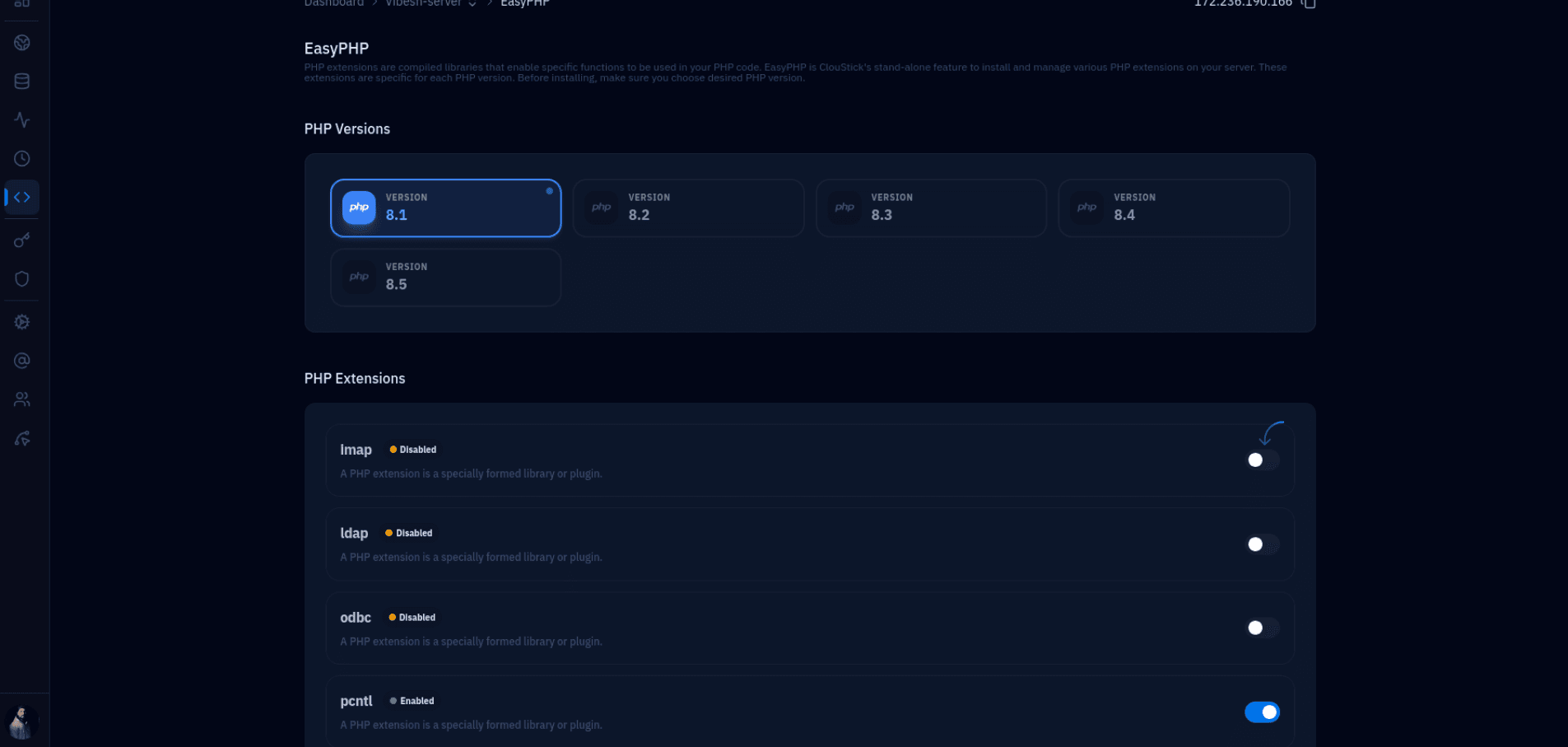
After installing extensions, PHP-FPM must be restarted for the changes to take effect on web requests. The CLI picks up the extensions immediately without a restart, which is why you might see an extension in php -m but still get errors from your web application until you restart the FPM service.
Extensions for WordPress and Popular PHP Applications
Different applications have different extension requirements. Rather than installing everything and hoping for the best, it pays to know exactly what each platform needs.
WordPress itself requires mysqli or mysqlnd, curl, json (bundled since PHP 8), mbstring, xml, and zip. WooCommerce adds bcmath, gd (or imagick for better image quality), and intl. The WordPress health check under Tools > Site Health will flag any missing required extensions and display them as critical issues.
Laravel requires curl, mbstring, openssl (bundled), pdo (bundled), xml, tokenizer (bundled), and ctype (bundled). For queues and caching, you will also want redis if you use Redis as the cache or queue driver. Symfony's requirements are similar but it explicitly needs intl for routing and translation components.
The redis PHP extension is installed from the PECL-backed php8.3-redis APT package (available from the Ondrej PPA). Once installed and with a Redis server running, WordPress sites using the Redis Object Cache plugin will see dramatic reductions in database queries — typically a 40–60% drop in Time to First Byte on database-heavy pages. This extension is worth prioritising for any high-traffic site.
Both gd and imagick handle image processing, but they are not equivalent. GD is a lightweight library that handles basic resize and crop operations. Imagick is a binding to ImageMagick, which supports a much wider format range (WebP, AVIF, SVG, PDF thumbnails) and produces higher-quality output. For sites with serious media workloads, install both — WordPress will prefer Imagick when it is available.
Troubleshooting and Verification After Install
Installing a package does not always mean the extension loads correctly. Several things can go wrong: the wrong PHP version package, a conflicting extension, a missing system library dependency, or a stale PHP-FPM process. Here is a systematic approach to diagnosing issues.
The most common issue is installing a package for the wrong PHP version. If your site runs PHP 8.2 under FPM but you installed php8.3-redis, the extension will not appear in PHP 8.2. Always verify the PHP version your web server is actually using, not just the default CLI version.
The phpenmod and phpdismod utilities manage symlinks inside conf.d directories, pointing to the ini files in mods-available. When a package installs correctly but the extension still does not appear in php -m, check whether the symlink exists under /etc/php/8.3/fpm/conf.d/ — running phpenmod will create it. This is the complete, reliable workflow for managing PHP extensions on any Debian-based Ubuntu server.

