How to Run Multiple PHP Versions on One Server

%203.png&w=256&q=75)
Why Run Multiple PHP Versions
Real-world servers rarely serve a single application. A typical VPS might host a legacy e-commerce store that was built against PHP 7.4, a WordPress multisite that runs best on PHP 8.1, and a new Laravel project that requires PHP 8.3 for its latest package dependencies. The old answer was to spin up a separate server for each version — expensive, wasteful, and a maintenance burden. The modern answer is to run them all on the same machine, each isolated in its own PHP-FPM worker pool.
PHP-FPM (FastCGI Process Manager) makes this possible because each installed PHP version ships its own independent FPM service. PHP 7.4 runs as php7.4-fpm, PHP 8.1 as php8.1-fpm, and so on. Each service listens on a different Unix socket, so your web server (Nginx or Apache) simply points each virtual host at the appropriate socket. There is no conflict, no version switching, no downtime — every site gets exactly the PHP version it needs.
This guide covers the complete setup on Ubuntu 22.04: adding the Ondrej Surý PPA (the only reliable source for multiple PHP versions on Ubuntu), installing two or more PHP variants alongside their FPM services, configuring separate FPM pools, and wiring each Nginx server block to the correct pool. By the end, you will be able to host PHP 7.4, 8.1, 8.2, and 8.3 sites simultaneously on a single machine with full isolation between them.
Add the Ondrej PPA
Ubuntu's default package repositories only carry the PHP version that was current when that Ubuntu release shipped. For Ubuntu 22.04 (Jammy), that means PHP 8.1. If you need PHP 7.4, 8.2, or 8.3 alongside it, you need an external source. The de-facto standard is the PPA maintained by Ondrej Surý, a Debian Developer who has been packaging PHP for Debian and Ubuntu for over a decade. It is widely used in production and updated promptly with security patches.
sudo access. Nginx should already be installed. If you have an existing default PHP installation from the Ubuntu repository, that is fine — the PPA packages coexist with it without conflict.Start by installing the software-properties-common package if it is not already present, then add the PPA and refresh the package index:
After the update completes, you can verify that the PPA is active and confirm what PHP versions are now available by running apt-cache search php8. You should see packages for PHP 8.0, 8.1, 8.2, and 8.3, as well as PHP 7.4 if you search for that specifically.
Install PHP Versions Side by Side
With the PPA active, installing multiple PHP versions is straightforward. Each version is installed independently — they do not overwrite one another. The key packages you need for each version are the base interpreter, the FPM service, and whichever extensions your applications require. Common extensions include mysql, curl, mbstring, xml, and zip. Install them for every version you want to support.
Each FPM service creates its own Unix socket in /run/php/. After installation you should see files like php8.1-fpm.sock, php8.2-fpm.sock, and so on. These sockets are the connection points that Nginx will use. Each service also has its own php.ini at /etc/php/8.1/fpm/php.ini, so you can tune memory limits and upload sizes per version without affecting the others.
Configure PHP-FPM Pools
Every PHP-FPM installation ships with a default pool named www, defined in /etc/php/X.Y/fpm/pool.d/www.conf. For most setups the default pool is sufficient — one pool per PHP version, all sites on that version sharing the same pool. If you need tighter per-site isolation (separate Unix users, separate resource limits), you can create additional pool files in the same pool.d/ directory.
The most important lines in a pool configuration are the socket path, the user and group the workers run as, and the process manager settings. Here is what a minimal custom pool looks like for a site that needs PHP 8.2:
After adding or editing any pool file, reload the corresponding FPM service to apply the changes without dropping existing connections:
If you manage sites through CloudStick, PHP-FPM pools are provisioned and wired up automatically when you create or edit a site — CloudStick's EasyPHP feature lets you pick a PHP version per site from a dropdown and handles the pool configuration, socket paths, and Nginx upstream directives for you, so the manual steps above are only needed when working directly on the server.
Assign a PHP Version to Each Site
With FPM services running and sockets available, you connect a site to its PHP version entirely in its Nginx server block. The fastcgi_pass directive inside the location ~ \.php$ block points to the PHP-FPM socket. To use a different PHP version, you simply change which socket the block references. Nothing else needs to change.
Below are two server blocks on the same machine — one pointing at PHP 8.1 and one at PHP 8.3. They coexist without any conflict because they listen on different domain names and hit different FPM sockets:
After saving your config files, test the Nginx configuration and reload:
/etc/nginx/sites-available/ and symlink it into /etc/nginx/sites-enabled/. This makes it easy to disable a site (unlink the symlink) without deleting its configuration.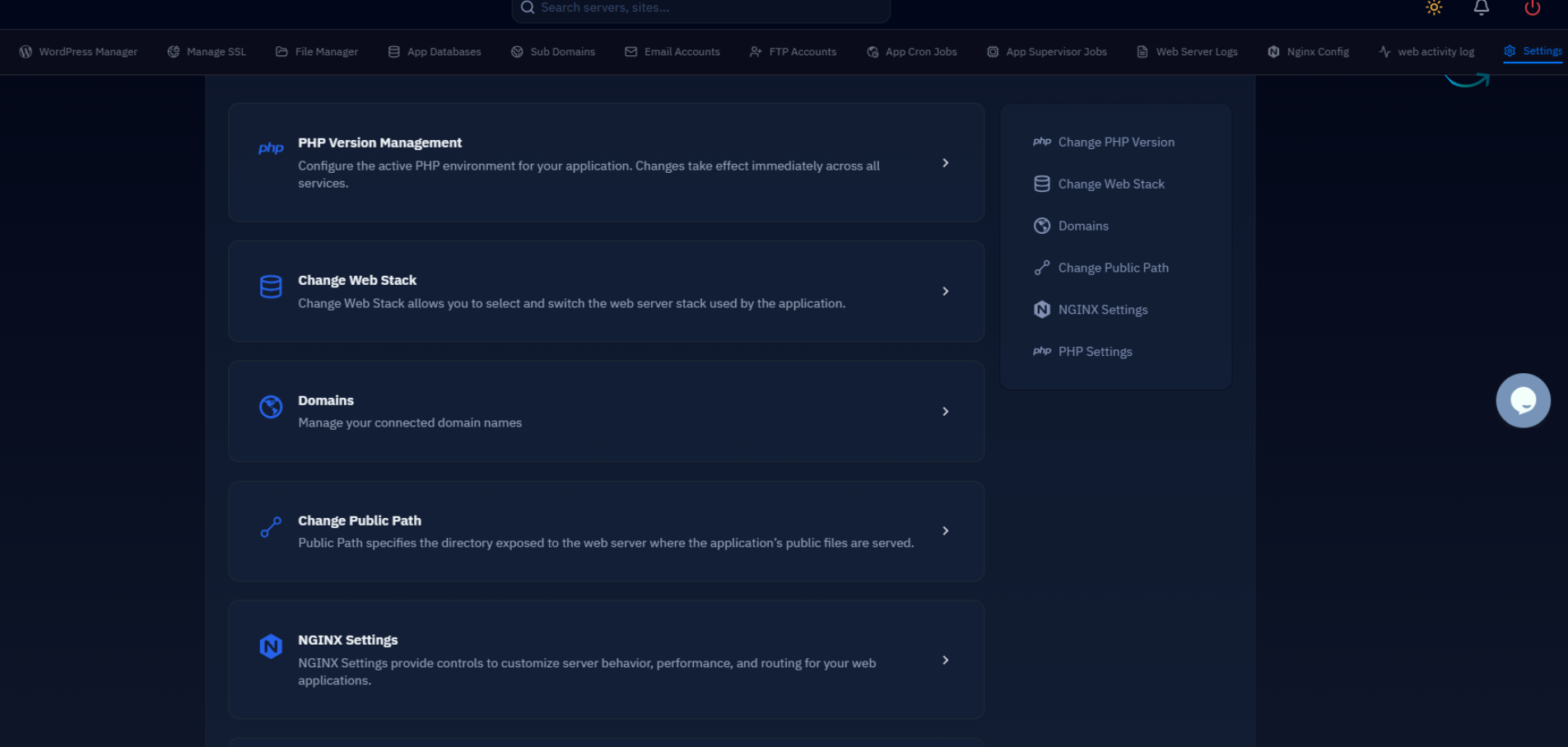
Verify and Switch Versions
Once Nginx is reloaded, you can confirm that each site is being served by the correct PHP version. The fastest method is to drop a temporary phpinfo.php file into each site's web root and load it in a browser. The output header will show the exact PHP version handling the request. Delete the file immediately after verifying — leaving a phpinfo page accessible in production is a security risk.
Switching an existing site to a newer PHP version is a two-step process: update the fastcgi_pass socket in its Nginx server block to point at the new version's socket, then reload Nginx. The old FPM service keeps running for any other sites still assigned to it. No site-wide restart is required, and there is no downtime for any other application on the server.
When moving a WordPress site from PHP 8.1 to 8.2, for example, it is worth running a quick compatibility check first. The WP-CLI plugin list command will tell you if any plugins have flagged compatibility warnings, and PHP 8.2 deprecated dynamic properties — a common source of notices in older plugins. Test on a staging copy before pointing production at the new socket.
Each PHP version also maintains its own PECL extension set, so if you rely on extensions like redis, imagick, or apcu, install them for each version independently using the version-prefixed package name (e.g. php8.2-redis). The system-level php command in your shell (used by Composer, WP-CLI, and similar tools) can be pointed at a specific version at any time using the update-alternatives mechanism, without affecting which version your web server uses for any given site.
Running multiple PHP versions on one server is a mature, well-supported pattern on Ubuntu. With the Ondrej PPA, independent FPM services, and a one-line change in each Nginx server block, you gain the flexibility to run any combination of PHP versions your applications need — with full isolation and no performance overhead between them.

