How to Secure SSH with Keys and Disable Password Login

%203.png&w=256&q=75)
Why Password Authentication Is Risky
Password-based SSH authentication is the most common attack vector against Linux servers. Botnets continuously scan every public IP address for port 22 and attempt thousands of username/password combinations per minute — a technique called brute-force or credential stuffing. If your password is weak, guessable, or reused from another breach, your server is compromised.
Even strong passwords carry risk. They can be phished, leaked in data breaches, intercepted on a compromised machine, or found in shared credential files. A server with password login enabled is always one leaked credential away from full root access. The fix is simple: replace password authentication with SSH key authentication and disable passwords entirely.
How SSH Key Authentication Works
SSH key auth uses asymmetric cryptography. You generate a key pair: a private key that stays on your machine and a public key that gets placed on the server. When you connect, the server issues a cryptographic challenge that only the holder of the private key can solve. No password is ever transmitted.
This approach is fundamentally more secure than passwords for two reasons. First, the private key never leaves your machine — there is nothing to intercept over the network. Second, even if an attacker has your public key (which is meant to be public), they cannot derive the private key from it. Brute-forcing a 256-bit Ed25519 private key is computationally infeasible.
Generate Your SSH Key Pair
Run this on your local machine (not the server). Use Ed25519 — it is faster and more secure than the older RSA default:
A passphrase on your private key adds a second layer of protection. Even if someone steals your key file, they still cannot use it without the passphrase. Use ssh-agent to avoid typing the passphrase on every connection.
Copy Your Public Key to the Server
The easiest method is ssh-copy-id, which handles the correct permissions automatically:
Permissions matter. SSH will silently reject keys if ~/.ssh is world-writable or authorized_keys has permissions wider than 600. This is one of the most common reasons key auth mysteriously fails.
Disable Password Login in sshd_config
Once your key-based login is confirmed working, edit the SSH daemon configuration:
Setting PermitRootLogin prohibit-password rather than no allows emergency root access via key if your non-root user is accidentally locked out. In most production environments, disabling root login entirely is preferable.
CloudStick SSH Key Management
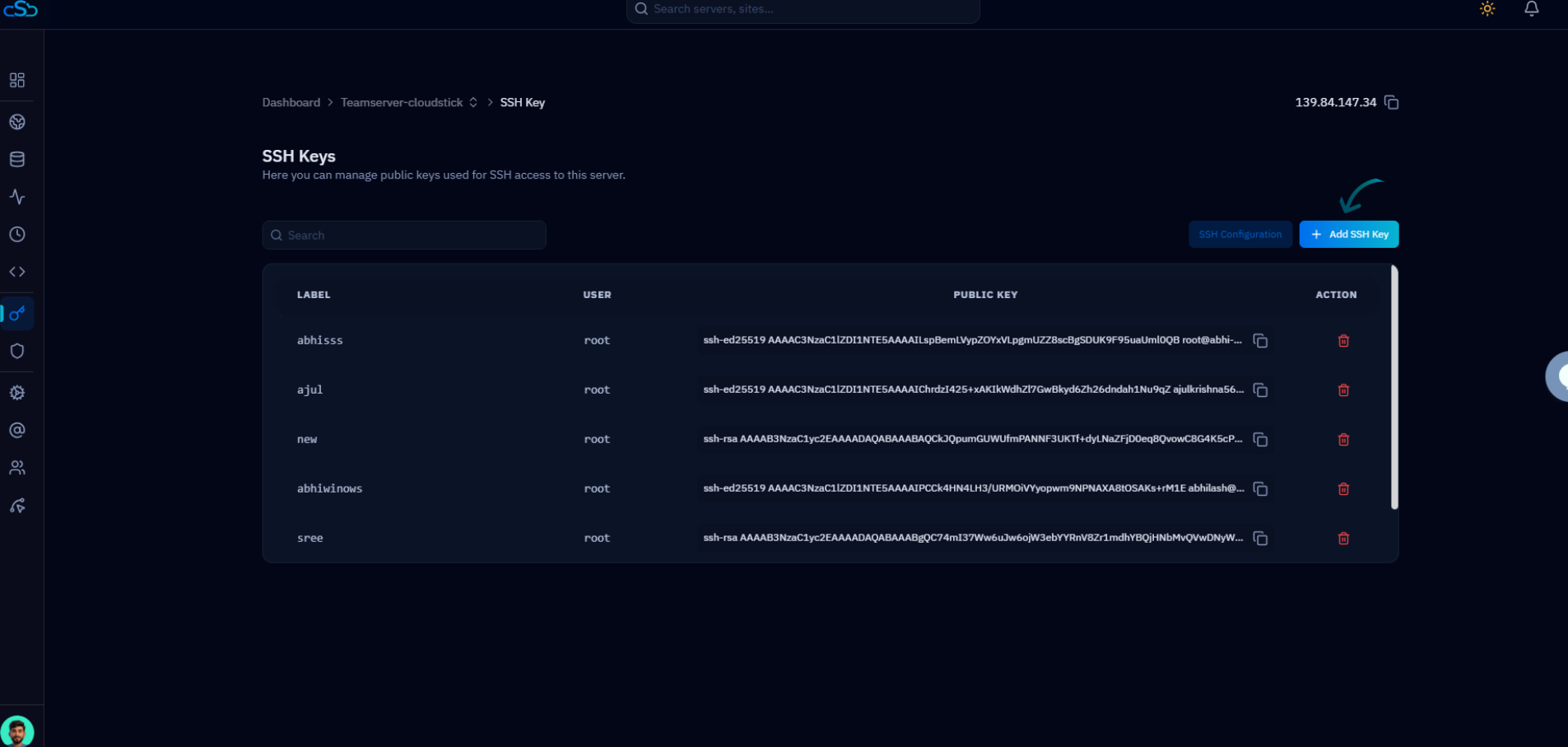
CloudStick installs with password authentication already disabled and SSH keys configured during server provisioning. For servers you manage through CloudStick, the SSH Keys section in the server panel lets you add, revoke, and audit authorized keys for any system user without touching the command line.
The SSH Vault feature stores key references centrally, so when you need to grant or revoke access for a team member across multiple servers, you do it in one place. For existing servers you bring into CloudStick, the SSH Settings Management section (available on Basic plan and above) lets you review and harden your sshd_config settings from the dashboard without direct command-line access.