How to Set Up a Reseller Hosting Workflow as an Agency

%203.png&w=256&q=75)
Buy Wholesale Capacity, Not Retail Hosting
A reseller hosting workflow starts with buying raw compute at wholesale rates, not renting pre-packaged hosting plans from another host. Instead of signing up for shared hosting or a managed WordPress plan you resell at a markup, you provision your own VPS instances directly from a cloud provider like DigitalOcean, Vultr, or Hetzner and run the stack yourself.
This matters for margins. A $48/month VPS with 8GB RAM can comfortably host 15-25 small-to-medium WordPress sites once it is properly configured with per-site PHP-FPM pools and Nginx. Reselling shared hosting plans caps your margin at whatever the upstream host lets you keep; owning the VPS means your only recurring cost is the server bill plus your control panel license, and everything above that is yours.
Provision Your First Reseller VPS
Provisioning starts with a fresh Ubuntu 22.04 or 24.04 VPS, updated and locked down before any client site touches it. Run the baseline checks and firewall rules before installing anything else, so you know exactly what resources you are working with and that only the ports you need are open.
Size your first reseller VPS for 4GB-8GB RAM and 2 vCPUs rather than the cheapest 1GB box. MariaDB, PHP-FPM pools, and Nginx-cs each hold their own memory footprint per site, and a 1GB server will start swapping the moment you cross three or four active WordPress installs. An 8GB box gives you enough headroom to onboard your first 10-15 clients before you need to think about a second server.
Once the box is hardened, install a control panel that manages the Nginx, PHP-FPM, and MariaDB stack for you instead of hand-configuring virtual hosts per client. CloudStick installs its own namespaced Nginx and PHP-FPM builds under /CloudStick/Packages/, so the first server in your reseller fleet is ready to take client sites within minutes of the agent finishing setup, with free Let's Encrypt SSL issued automatically for each domain you point at it.
Put Your Brand on the Control Panel
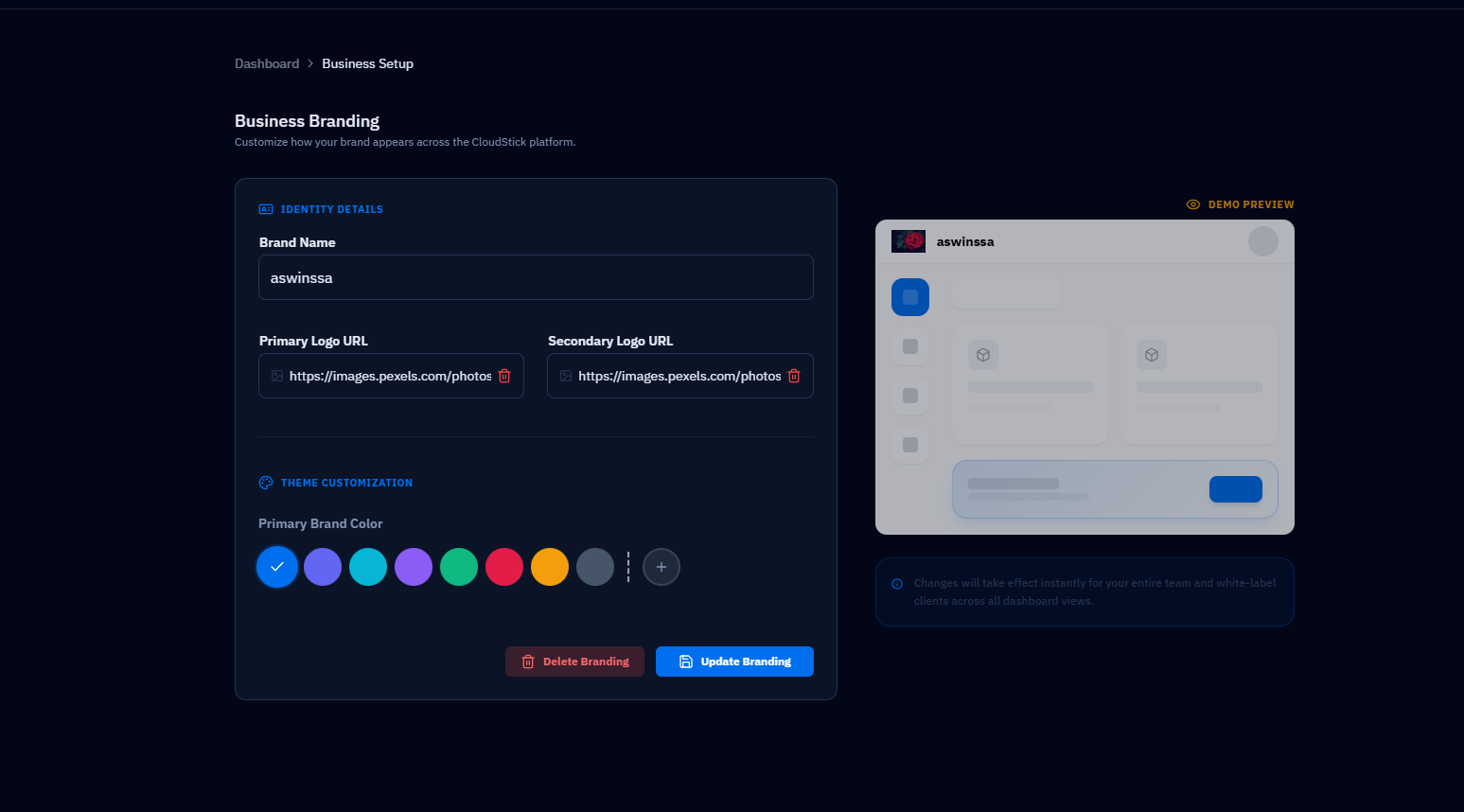
A reseller workflow only feels like your product if clients never see a third-party dashboard. White-labeling the control panel means the login screen, the domain, and the logo your client sees all belong to your agency, not to the underlying infrastructure vendor.
CloudStick's Business plan includes white-labeling specifically for this use case, so agencies can put their own domain and branding on the dashboard clients log into to check their site's uptime, request a restore, or view their backup schedule. Pair that with role-based access control so a client only sees their own site's owner-level controls, not the server-wide settings or other clients' sites sitting on the same box.
Avoid Per-Site Licensing Traps
Per-site licensing is the single biggest margin killer in a reseller hosting business, and it is exactly what panels like cPanel and Plesk charge on. Every WordPress site you add to a shared server increases your license bill, which means your cost structure grows in lockstep with your client count instead of staying flat.
CloudStick prices per server, not per site, so packing 20 client sites onto one well-sized VPS costs the same license fee as hosting two. That single difference changes the reseller math entirely: your margin per client goes up as you fill a server, instead of eroding, and you can quote clients flat, predictable pricing without worrying that a busy month of onboarding will spike your own infrastructure bill.
Scale to Multiple Servers as Clients Grow
A single VPS runs out of headroom well before your client roster does, so the reseller workflow needs a plan for adding servers without adding chaos. Once your first box fills up with 20-30 sites and you notice CPU or memory pressure during traffic spikes, the next step is spinning up a second VPS from the same wholesale provider rather than migrating everyone to a bigger, more expensive single box.
Standardizing the setup across servers is what keeps this manageable: same PHP version, same Nginx and PHP-FPM stack, same backup schedule on every VPS you add. Managing that fleet from one login instead of juggling separate control panel accounts per server is where a multi-server plan pays off — CloudStick's PRO plan supports unlimited servers under a single account, so your team manages every client's site, SSH access, and SSL certificates from one dashboard regardless of which VPS it actually lives on.
Next Steps for Your Reseller Workflow
Start small and prove the model on one VPS before you commit to a fleet. Provision an 8GB server, install your control panel, white-label the dashboard, and onboard three or four clients using a standardized checklist for DNS, SSL, and initial WordPress install so every onboarding takes the same 10-15 steps regardless of which client it is.
Once that first server is comfortably full and your onboarding process is repeatable, adding the second and third VPS is a matter of repeating the same steps rather than rethinking the whole workflow — the reseller model scales by cloning what already works, not by reinventing it for every new client.

