How to Set Up HTTP/2 and HTTP/3 on Your Server

%203.png&w=256&q=75)
HTTP/2 vs HTTP/3: What Changes?
HTTP/1.1 opens a separate TCP connection for each request, or queues requests through a single connection serially. HTTP/2 introduced multiplexing — multiple requests and responses travel over a single TCP connection simultaneously, eliminating head-of-line blocking and reducing connection overhead. For pages loading 20-50 assets (typical WordPress with plugins), HTTP/2 reduces load time by 30-50% compared to HTTP/1.1.
HTTP/3 replaces TCP with QUIC (a UDP-based transport layer developed by Google). QUIC solves TCP's fundamental head-of-line blocking at the transport layer, not just the application layer. It also enables 0-RTT connection resumption, reducing latency for returning users. HTTP/3 is particularly beneficial for users on unreliable mobile networks where packet loss degrades TCP performance severely.
Enable HTTP/2 in Nginx
HTTP/2 support is built into Nginx since version 1.9.5. Enabling it requires just adding http2 to the listen directive on port 443. HTTP/2 requires SSL — browsers only negotiate HTTP/2 over HTTPS (via ALPN extension).
Nginx 1.25+ uses the standalone http2 on directive instead of the old listen 443 ssl http2 syntax. Ubuntu 24.04 ships Nginx 1.24.x — check your version with nginx -v. For Nginx 1.24, use the old syntax: listen 443 ssl http2;
Configure HTTP/3 with QUIC
HTTP/3 support requires Nginx 1.25+ compiled with QUIC support. The mainline Nginx packages from nginx.org include QUIC support. HTTP/3 runs over UDP port 443, so you need to allow UDP traffic through your firewall in addition to TCP.
Why SSL Is Required for Both Protocols
HTTP/2 technically allows cleartext operation (h2c), but every major browser only negotiates HTTP/2 over TLS via ALPN. In practice, you need a valid SSL certificate to enable HTTP/2 for browser clients. HTTP/3 has TLS 1.3 integrated into the QUIC protocol itself — it is always encrypted, there is no cleartext HTTP/3 mode.
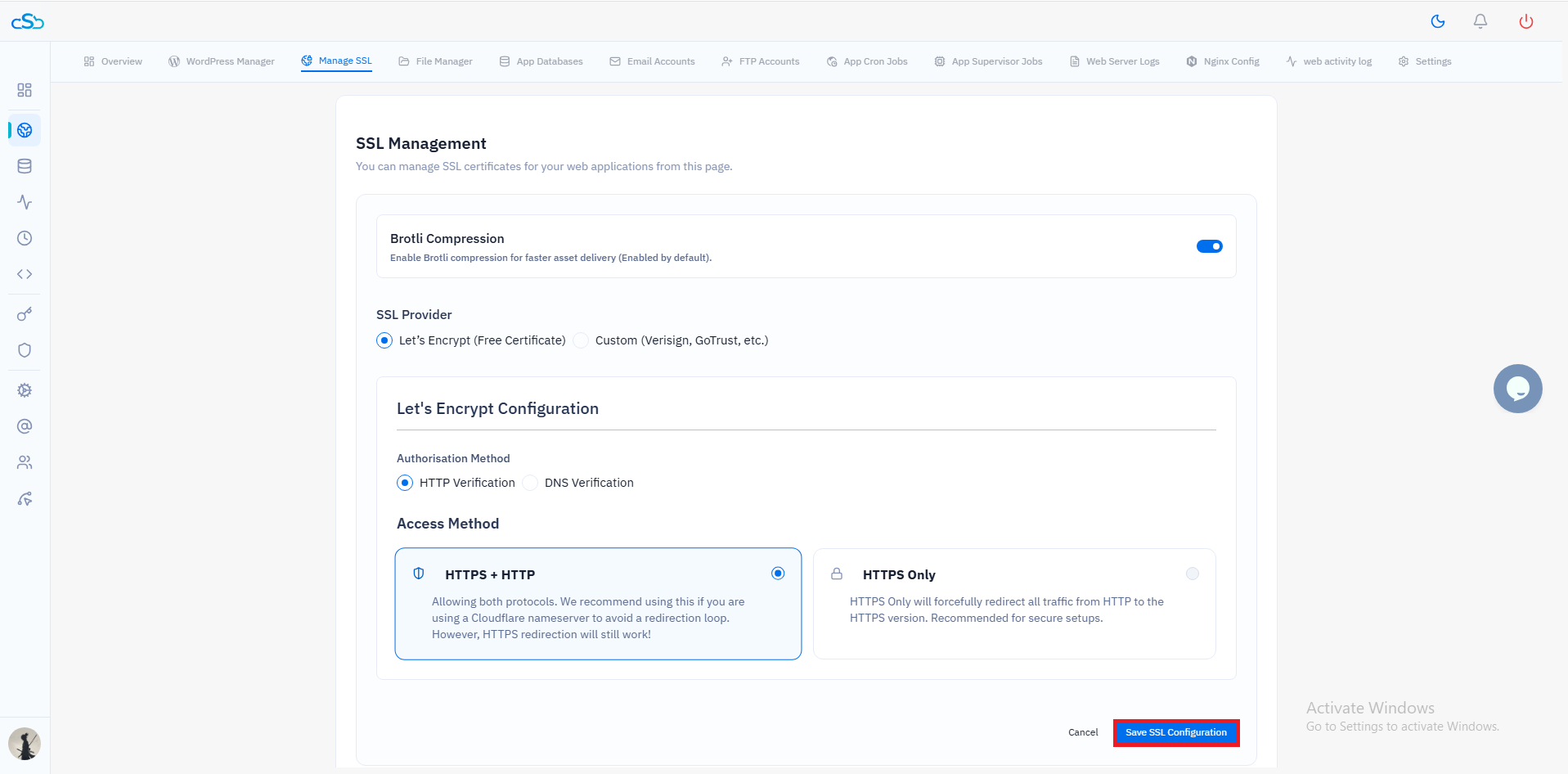
This means enabling HTTP/2 and HTTP/3 forces you to have SSL set up first. If you are running CloudStick, SSL provisioning via Let's Encrypt is a one-click operation — CloudStick handles certificate issuance, Nginx configuration, and automatic renewal. After SSL is active on your domain, add the http2 directive and you are done.
Test Which Protocol Is Negotiated
Use curl with the --http2 flag or check the protocol version in Chrome DevTools Network tab. In the Network panel, right-click the column header, enable the Protocol column, and look for h2 (HTTP/2) or h3 (HTTP/3) next to your requests.
Real-World Performance Gains
For a typical WordPress site loading 30-50 assets (CSS, JS, fonts, images), switching from HTTP/1.1 to HTTP/2 measurably reduces page load time. Google's own data shows HTTP/2 reduces latency by 30-50% for asset-heavy pages. The improvement is most visible on high-latency connections (mobile, international visitors) where connection setup overhead is most significant.
HTTP/3 shows the biggest gains on lossy networks. On reliable broadband connections the improvement over HTTP/2 is modest. On mobile networks with 1-3% packet loss rates, HTTP/3's QUIC transport recovers from packet loss without stalling the entire connection — making it significantly faster for mobile visitors in markets with variable network quality.