WooCommerce on VPS vs Managed Hosting: A Cost Breakdown

%203.png&w=256&q=75)
What Managed WooCommerce Hosting Actually Costs
Managed WooCommerce plans look cheap at the entry tier and get expensive fast once you cross their order or traffic caps. A typical starter plan runs $25-$40/month for one site capped around 10,000-25,000 monthly visits and a few hundred orders, with overage fees or a forced upgrade once you exceed either number. Growth tiers that support real order volume — 1,000+ orders/month, tens of thousands of sessions — commonly land in the $100-$300/month range, and enterprise tiers for high-volume stores can run $500-$1,000+/month per site.
The pricing model itself is the issue, not the base rate. Managed platforms meter visits, orders, or storage because they're selling shared infrastructure with a support team behind it — so a good sales month can push you into a higher tier mid-cycle, and running two or three stores multiplies the plan cost linearly with zero economy of scale.
The Real Cost of a VPS
A VPS sized for a real WooCommerce store — 4 vCPU, 8GB RAM, NVMe storage — costs $40-$80/month from most reputable providers, and that single server can comfortably host several WooCommerce sites at once, not just one. Compare that to a managed platform charging per site: three stores on managed hosting at $100/month each is $300/month, while three stores sharing one $60/month VPS is $60/month, with room to spare for a fourth or fifth.
There are no order caps, no visit caps, and no forced upgrade when a sale goes well. You do need adequate PHP memory_limit and WP_MEMORY_LIMIT — commonly 256M+ once a store has a full catalog plus a few plugins — but that's a one-time configuration change, not a recurring bill.
The raw server bill is genuinely a fraction of managed pricing. The catch — and it's a real one — is that a bare VPS ships with nothing WooCommerce needs pre-configured: no web server, no PHP-FPM, no TLS, no backups, no firewall. Someone has to build and maintain all of it.
How a Control Panel Closes the Gap
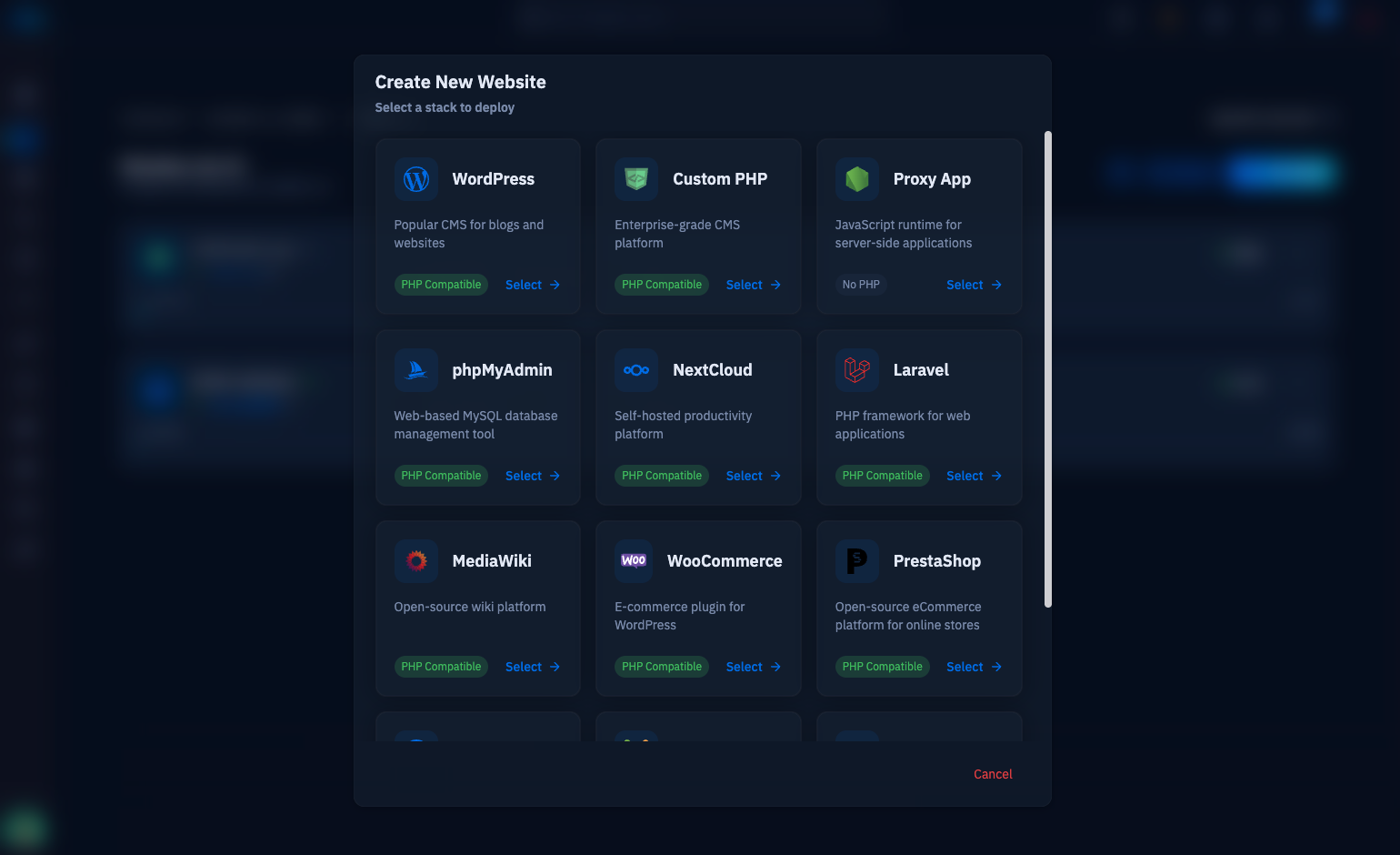
A control panel like CloudStick removes most of the manual work without removing the flat, uncapped VPS pricing underneath it. Instead of SSH-ing in to compile Nginx and configure PHP-FPM pools by hand, CloudStick's one-click WordPress install provisions the site, an isolated system user, and a dedicated PHP-FPM pool in one step — and because each site runs in its own pool, a compromised or misbehaving store can't touch another site's files or processes, even when several stores share one server.
SSL, backups, and admin access — the three tasks that eat the most unplanned time on a bare VPS — are handled directly. CloudStick issues free Let's Encrypt certificates and auto-renews them, so there's no calendar reminder to expire the checkout page's TLS by accident. Per-database backup scheduling with retention means you can set daily backups on the WooCommerce database once and forget it, rather than writing and testing your own mysqldump cron job. On the Business plan, WordPress Magic Link gives you passwordless admin access when you need to debug a store fast, without hunting for a lost password at the worst possible time.
If you're consolidating multiple WooCommerce sites onto one VPS, use CloudStick's Visual Database Manager to keep each store's database backup schedule separate — you can inspect a slow-loading product page's query pattern directly in wp_postmeta without opening phpMyAdmin or SSH.
None of this changes the underlying math from the cost sections above — CloudStick's own pricing is per-server, not per-site, so it doesn't reintroduce the caps you were trying to escape. What it removes is the labor line item: the panel absorbs the routine maintenance that managed hosting bundles into its markup, while the server bill stays at VPS rates.
When Managed Hosting Still Wins
Managed hosting is the right call when there is genuinely zero DevOps capacity on the team, not just when it's inconvenient. An agency running one small store for a client with no in-house server knowledge, and no plan to hire for it, is paying for something real: a support line to call when the site goes down, and a platform team that already handles the OS-level patching in the background.
It also makes sense for a very small store still validating an idea, where a $25/month plan is cheap insurance against spending a weekend on server setup for a business that might not exist in six months. The math in this article favors a VPS once you have more than one site, expect real order volume, or already have someone comfortable running a control panel — below that threshold, paying the managed premium for someone else's on-call rotation is a reasonable trade.
Run the Numbers for Your Store
The decision comes down to three numbers: your current managed hosting bill, a comparable VPS price, and a realistic estimate of monthly maintenance hours. If the managed bill is already climbing past $150-$200/month because of order volume, and you or someone on the team can spend a few hours getting comfortable with a control panel, a VPS plus CloudStick typically pays for itself within the first billing cycle — especially once you're running more than one site.
Start by provisioning a server and using CloudStick's one-click WordPress install to get a WooCommerce staging copy running in minutes, migrate a low-risk store first, and watch it through one full backup cycle and one SSL renewal before moving anything order-critical over.

