Best cPanel Alternatives for Developers and Agencies


%203.png&w=256&q=75)
Why People Are Leaving cPanel
In 2019, cPanel changed its pricing model from a flat monthly fee per server to per-account pricing. A hosting environment with 100 cPanel accounts went from roughly $15/month to over $200/month overnight. For small agencies and developers managing client sites, this was a significant budget shock. cPanel has since adjusted those tiers slightly, but the damage to trust was done — and many operators began seriously evaluating alternatives for the first time.
Beyond pricing, cPanel carries real resource overhead. It runs a large collection of background services — cphulkd, cpanellogd, tailwatchd, and others — that collectively consume several hundred megabytes of RAM even on an idle server. On a VPS with 2 GB of RAM, that overhead meaningfully reduces the memory available to your actual application. Developers who want a lean stack tuned for their specific workload often find cPanel's opinionated file layout and default configurations get in the way rather than helping.
The interface is also showing its age. The Jupiter theme brought visual improvements, but the underlying architecture — dozens of individual CGI pages, a legacy file manager, and a settings structure inherited from the early 2000s — makes it feel heavy compared to modern panels built as single-page applications. For teams used to tools like Vercel, Forge, or CloudStick, cPanel's UX friction is a real productivity cost.
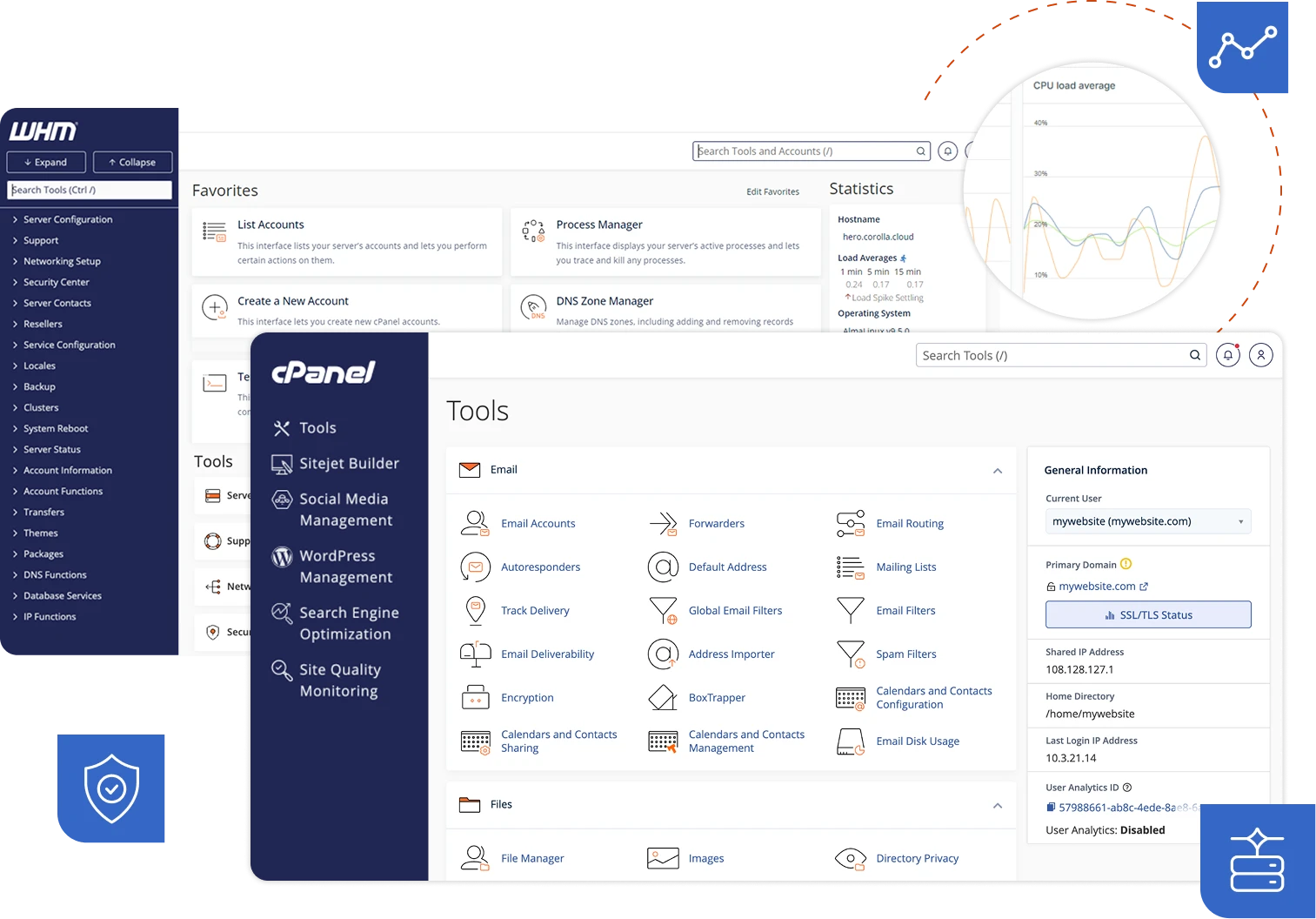
That said, cPanel is not going away. It has broad hosting company support, a mature ecosystem, and millions of existing users. The question is not whether cPanel is bad — it is whether there is something better suited to your specific workflow. In 2026, there are several compelling options worth knowing.
CloudStick: The Modern Pick
CloudStick is a server control panel built specifically for developers, agencies, and DevOps teams who want cPanel-level functionality without cPanel-level complexity or cost. It connects to your VPS on any provider — DigitalOcean, Hetzner, Vultr, AWS Lightsail, Linode — and gives you a clean dashboard to manage every layer of the server from one place.
The pricing is flat: $9/month per server, regardless of how many sites, domains, or databases you run on it. That single price covers DNS management, Let's Encrypt SSL with automatic renewal, email hosting, MySQL and MariaDB databases, automated backups with S3 or Backblaze destinations, FTP accounts, firewall rules, SSH key management, cron jobs, and PHP version switching. Everything cPanel does, CloudStick does — on a per-server model instead of a per-account model.
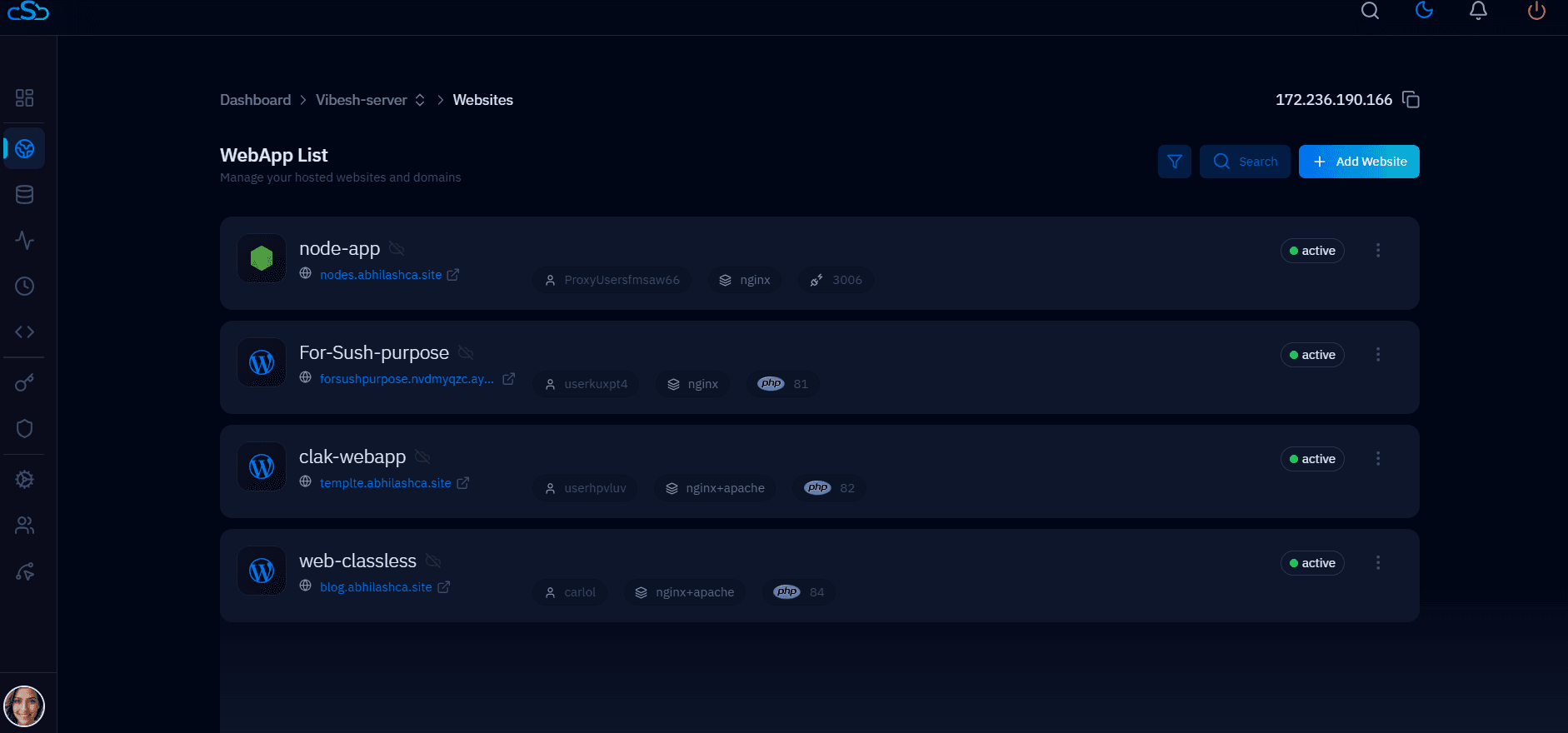
Where CloudStick diverges from cPanel most noticeably is in its lightweight footprint. The agent that runs on the server is lean, and the panel itself is a modern React application with fast, consistent page loads. There is no legacy CGI overhead, no Java processes, no multi-hundred-megabyte service stack. On a 1 GB VPS, CloudStick leaves the vast majority of memory for your sites.
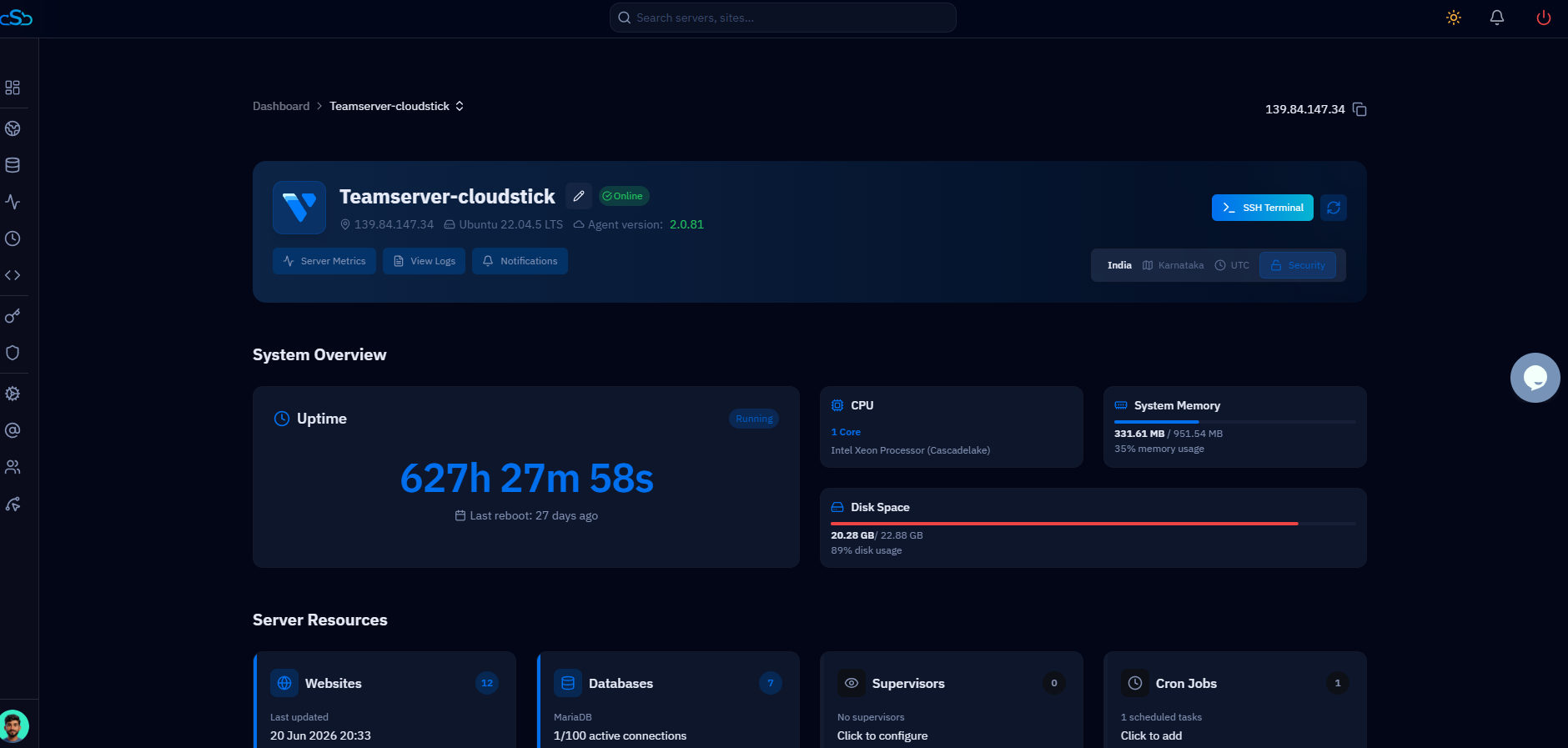
Switching from cPanel to CloudStick doesn't mean losing functionality — it means gaining a modern interface that doesn't charge you per account.
RunCloud and Ploi
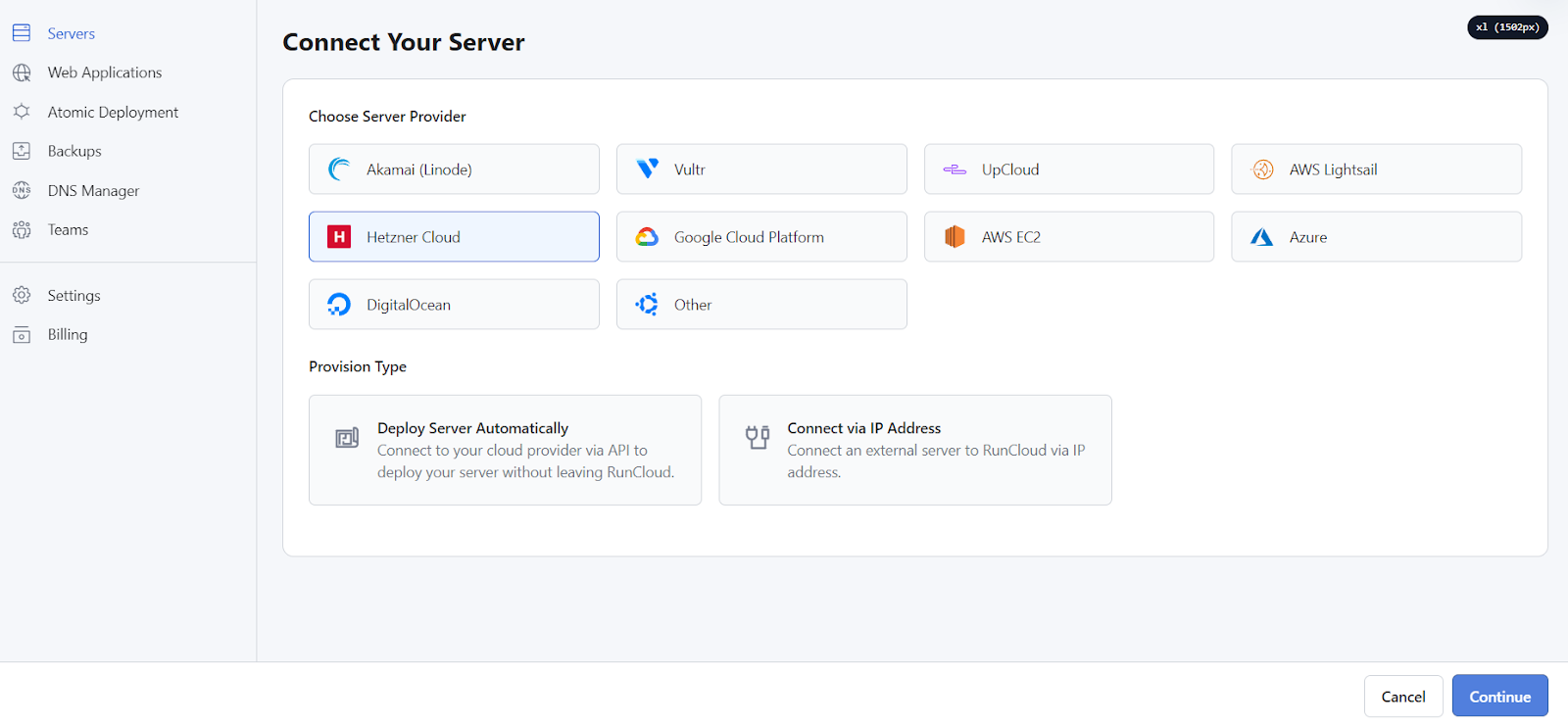
RunCloud targets developers who want a clean, performance-focused server manager with a polished UI. At $8/server/month on its Basic plan, it covers web application management, Nginx and Apache configurations, PHP version switching, SSL, SSH key management, and deployment via Git. It is fast, opinionated toward performance, and well-maintained. The notable gap is email: RunCloud does not include built-in email hosting. If your sites need to send or receive mail, you will need an external provider like Mailgun, Postmark, or Google Workspace. For developers who route transactional email through an API anyway, this is not a problem — but agencies migrating from cPanel who relied on cPanel's email accounts will need to factor in the extra cost and configuration.
Ploi is strongly optimized for PHP and Laravel deployments. At $8/server/month, it offers site provisioning, database management, SSL, deployment pipelines with zero-downtime releases, and native Laravel queue and scheduler management. If you run a portfolio of Laravel applications, Ploi's deployment tooling is genuinely excellent — Git push deploys, automatic composer install, artisan migrate, and post-deploy hooks work out of the box. Ploi also lacks built-in email. Like RunCloud, it is not a drop-in cPanel replacement for full-stack hosting — it is a specialist tool for application deployment.
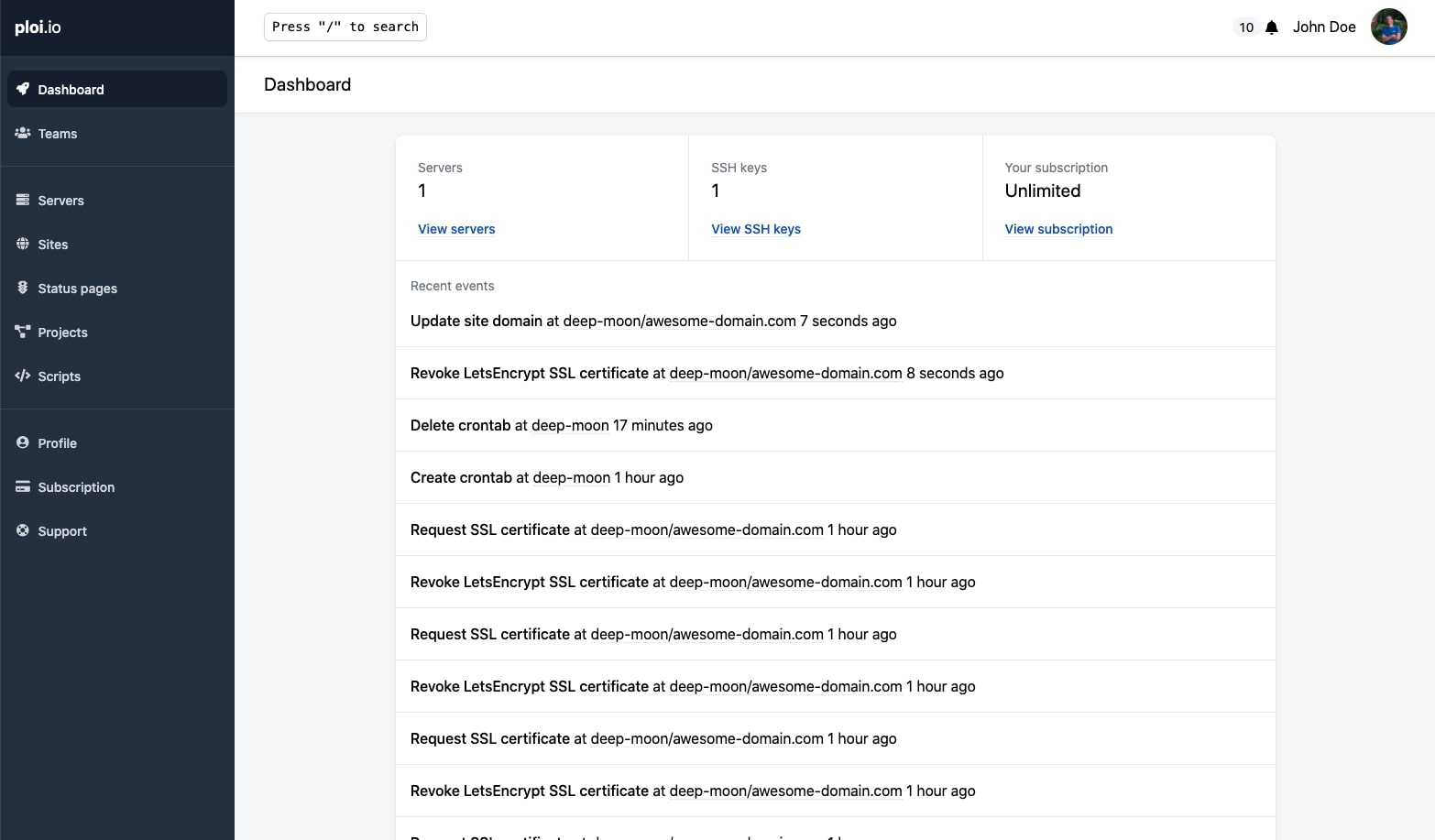
Both RunCloud and Ploi are strong products. The practical consideration is scope: if you need a panel that handles DNS, email, FTP, backups, and firewall management alongside site provisioning, CloudStick covers the full surface in a single $9/month subscription. If you only need application deployment with no email requirements, RunCloud and Ploi are worth considering.
Open-Source: HestiaCP, CyberPanel, Webmin
Free control panels are appealing for cost-conscious setups, but each comes with tradeoffs that matter in production.
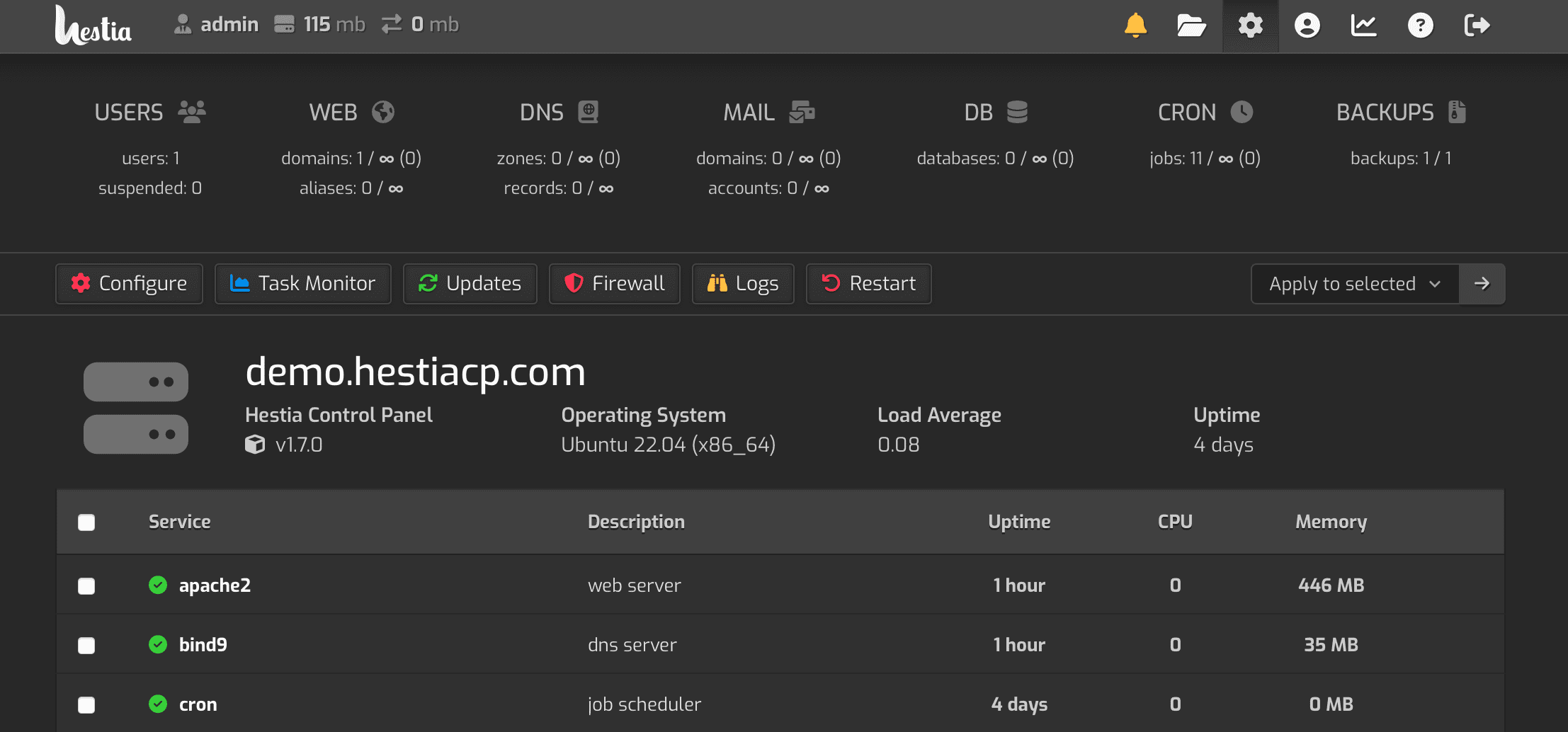
HestiaCP is a fork of VestaCP with active community development. It is free, supports Nginx and Apache, includes email, DNS, databases, and a basic file manager. The interface is functional but dated. The main issues for agencies are scalability and support: there is no official support channel beyond community forums, and debugging edge cases (particularly with Dovecot or SpamAssassin configuration) requires deep Linux knowledge. HestiaCP is a solid choice for a personal server or low-stakes hosting, but support risk on production client sites is real.
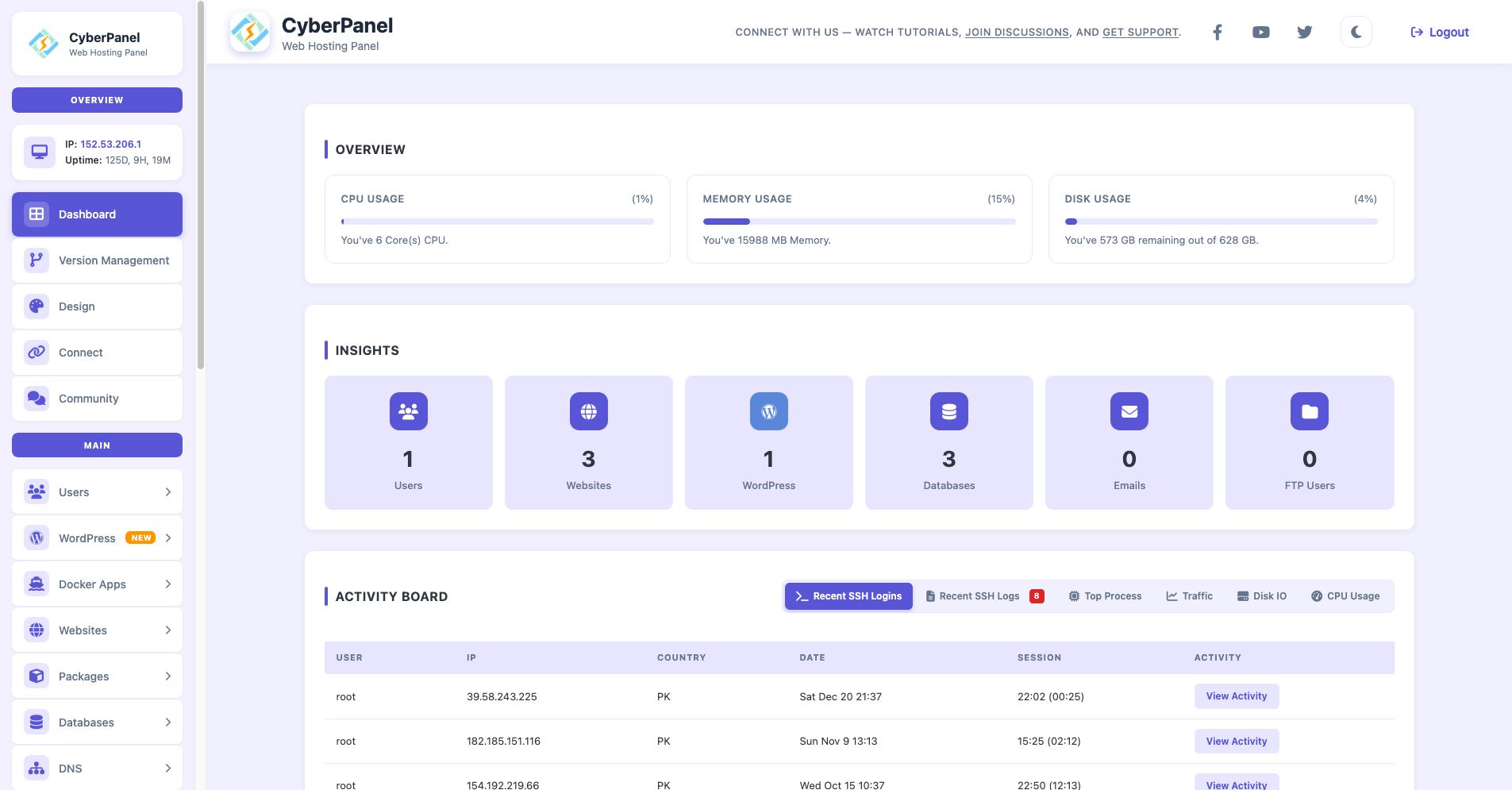
CyberPanel runs on OpenLiteSpeed (free tier) or LiteSpeed Enterprise (paid). The free tier is genuinely capable — it includes WordPress management, SSL, email, FTP, and a file manager — and LiteSpeed's caching advantages for WordPress are real. The tradeoff is that OpenLiteSpeed configuration is less straightforward than Nginx for developers familiar with standard reverse-proxy setups. The free tier also has commercial limitations and the paid CyberPanel tiers remove the cost advantage.
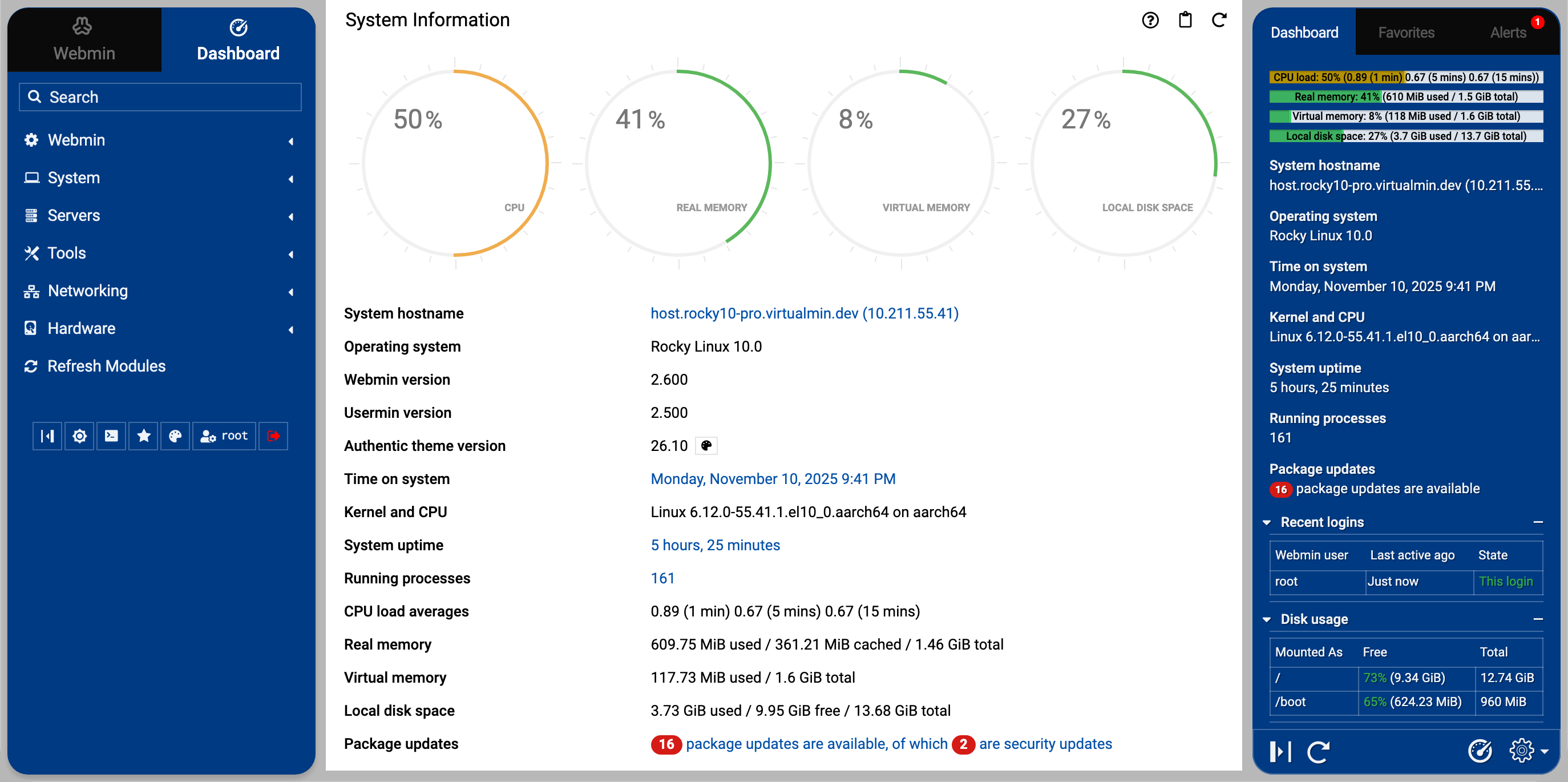
Webmin is the granddaddy of open-source server management tools, dating to the late 1990s. It is free, supports virtually every Linux service, and has a module ecosystem covering DNS, email, databases, and more. However, the interface reflects its age, the default configurations are not optimized for modern stacks, and setting up a production-ready LEMP environment with Webmin requires substantial manual configuration. Webmin is best suited to system administrators who want a GUI on top of a server they already know how to configure manually.
How to Choose
The right panel depends on three factors: what services you need, how much Linux administration you want to do yourself, and your budget.
If you are an agency managing client sites that need DNS, email, SSL, backups, and databases — and you want to spend zero time debugging panel quirks — CloudStick at $9/server/month is the most complete solution at its price point. The per-server pricing model means your cost is predictable regardless of how many clients you onboard. Adding a tenth client site does not change your bill.
If you are a Laravel shop and deployment automation is the primary concern, Ploi is purpose-built for that workflow. If you need high-performance WordPress hosting and are comfortable with LiteSpeed configuration, CyberPanel's free tier is worth evaluating. If budget is the dominant constraint and you have the Linux expertise to debug issues yourself, HestiaCP or Webmin can work — just understand that the time cost of self-support can easily exceed the price of a paid panel.
One useful frame: what is your hourly rate? If debugging a Dovecot TLS handshake issue in HestiaCP costs you two hours at $75/hour, the $9/month CloudStick subscription pays for itself in the first incident.
Migration Guide
Migrating from cPanel to CloudStick is a structured process. It is not one-click, but it is well-defined and can be done with zero downtime by keeping your old server live until DNS has fully propagated on the new one.
Before starting the migration, take a full cPanel backup from WHM (Home › Backup › Generate Full Backup). Download the backup archive to your local machine or an external storage location. Do not proceed until you have a verified backup you can restore from if anything goes wrong.
The migration breaks into four stages: provision the new server with CloudStick, transfer files and databases, configure DNS and SSL, and validate before cutting over. Here is the full sequence:
Email migration is the most involved part. If your cPanel accounts use email hosting, export mailboxes via IMAP sync (tools like imapsync or OfflineIMAP work well) and configure the equivalent email accounts in CloudStick's email section before updating MX records. Keep the old server's MX records live until you have confirmed mail delivery on the new server, then switch MX records and monitor for 24 hours.
Once DNS has propagated fully and you have validated all sites, databases, email, and SSL certificates on the new server, you can decommission the cPanel server. The migration is complete.

