CloudStick vs Cloudways: Honest Feature and Pricing Comparison

%203.png&w=256&q=75)
Two Different Products
Cloudways and CloudStick solve fundamentally different problems. Cloudways is managed cloud hosting — they provision a server from DigitalOcean, Vultr, AWS, or Google Cloud on your behalf, apply their own OS configuration, and let you deploy applications through their interface. You never get a raw server; Cloudways manages the operating system, security patches, and underlying infrastructure for you.
CloudStick is a control panel for servers you own. You provision a VPS from any provider — DigitalOcean, Hetzner, Vultr, AWS EC2, or any bare-metal host — and CloudStick installs its management agent on that server. You retain full root access. The operating system is yours. CloudStick sits on top as a management layer, not a managed layer.
This distinction matters enormously for cost, control, and scalability. You are not comparing apples to apples — but the overlap in use cases (deploying WordPress, managing PHP sites) makes this comparison worth doing honestly.
Pricing Model Differences
Cloudways charges for the underlying server (passed through from the cloud provider) plus a management fee on top. A 2GB DigitalOcean Droplet costs $12/month through Cloudways — you pay $12 to Cloudways, who pays the Droplet cost and keeps the margin. Their plans add $11–$80+/month on top of server costs depending on features.
With CloudStick, you pay the cloud provider directly for the server — typically $4–6/month for a 2GB Hetzner or DigitalOcean VPS — and pay CloudStick separately for panel access. CloudStick Basic is $9/month covering one server. Combined, you spend $13–15/month for a single managed server. At scale with CloudStick Pro ($19/month, unlimited servers), you could manage 10 servers for $19 + the direct server costs — versus Cloudways charging the management premium on every server individually.
Control & Root Access
Cloudways restricts root SSH access on its managed servers by design. You can SSH in, but the OS is configured by Cloudways and you work within their constraints. Installing custom software, modifying Nginx configuration, or changing PHP settings outside their interface can cause support issues and may be overwritten on system updates.
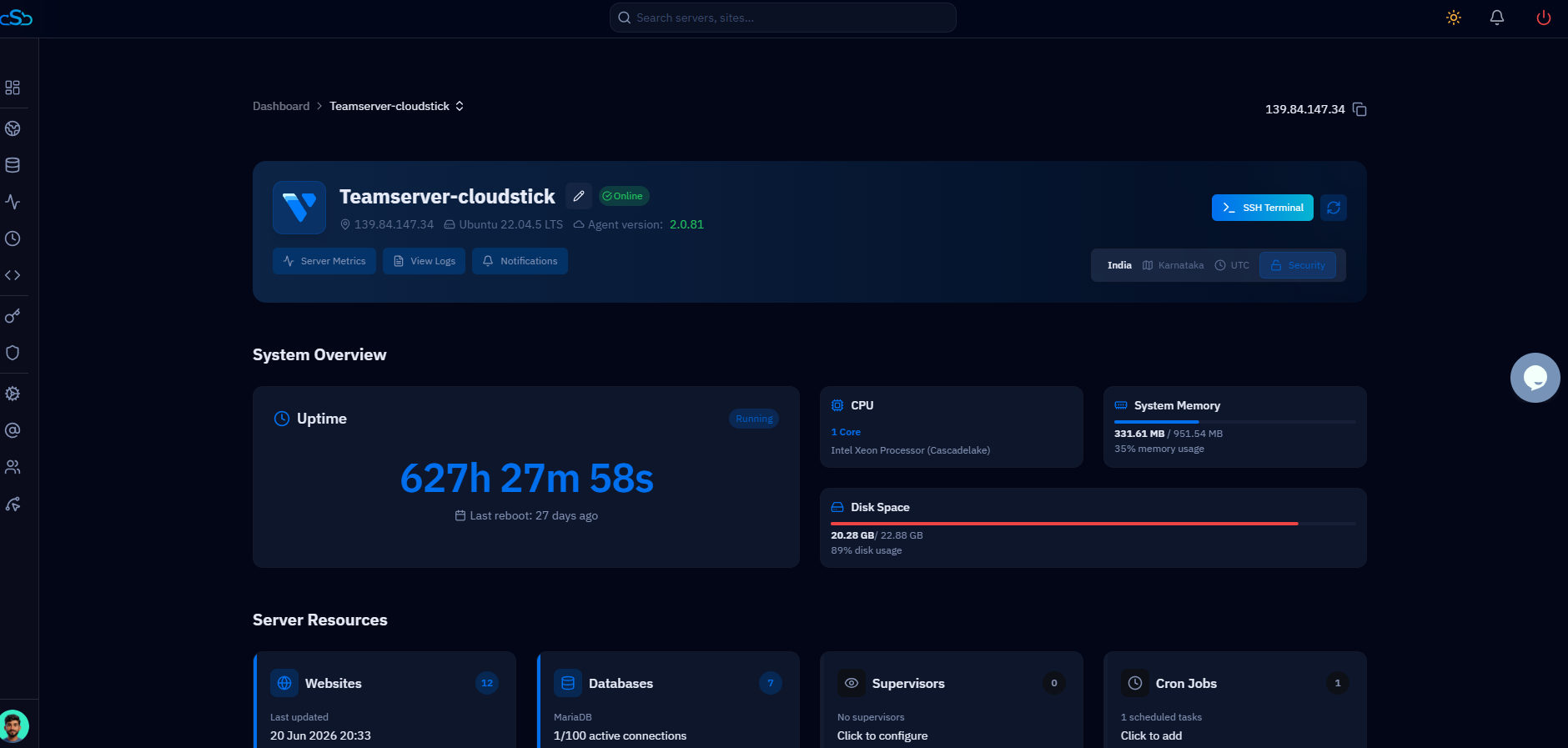
CloudStick gives you complete root access. You own the server and its configuration. CloudStick's dashboard sits on top of a standard Ubuntu server — if you want to SSH in and run custom commands, deploy Docker containers, or install software outside the panel, nothing stops you. CloudStick manages the web stack without locking you out of the OS.
To use CloudStick you need a VPS or dedicated server running Ubuntu 22.04 LTS. You provide the server; CloudStick installs its agent via SSH and takes over management from there. If you prefer not to provision your own server, CloudStick also offers a turnkey option where they provision an optimized server for you.
WordPress Experience
Cloudways has strong WordPress tooling: one-click cloning, staging environments, and automatic backups are built in. Their Breeze caching plugin is optimized for their stack. For developers who want a simple "deploy WordPress, get a fast site" experience with minimal configuration, Cloudways delivers.
CloudStick matches this with one-click WordPress installation, a full WordPress Manager (plugin management, user management, auto-updates, debug mode), and adds features Cloudways lacks: the Business plan includes WordPress Magic Link (instant admin login without a password) and WordPress Templates (deploy pre-built site configurations). Email hosting is built in on all paid CloudStick plans — Cloudways requires external email services.
Performance & Stack
Cloudways uses Apache with Nginx as a reverse proxy, PHP-FPM, Varnish cache, Redis, and Memcached — a well-tuned stack that performs well out of the box. For most WordPress sites, you get good performance without configuring anything.
CloudStick installs its own custom-compiled Nginx (nginx-cs) and PHP-FPM packages — completely separate from any system packages — giving you a clean, optimized stack. You get the same Redis and caching capabilities but with full control over configuration. On equivalent hardware, a CloudStick-managed server on Hetzner (which is significantly cheaper per GB of RAM than Cloudways' DigitalOcean pricing) will often outperform a Cloudways instance at the same price point simply because you get more server for your money.
Who Should Use Which
Choose Cloudways if you want someone else to handle OS-level management entirely and you're comfortable paying a premium for that abstraction. It's a good fit for solo developers launching their first production app who don't want to think about server security, updates, or stack configuration.
Choose CloudStick if you want cost efficiency at scale, retain server ownership, need built-in email hosting, or plan to offer managed hosting to clients under your own brand. For an agency running 5–20 servers, the cost difference alone — often 50–60% less with CloudStick — justifies the minimal extra work of provisioning your own VPS. The CloudStick dashboard handles everything from SSL to backups to firewall management without requiring SSH access for day-to-day tasks.
The decision comes down to control vs convenience. Cloudways trades control for simplicity. CloudStick trades managed-for-you for far lower costs and full ownership. For teams with even basic server knowledge, CloudStick's value proposition is hard to ignore.

