CloudStick vs RunCloud: Which Server Control Panel Is Right for You?

%203.png&w=256&q=75)
What Each Panel Offers
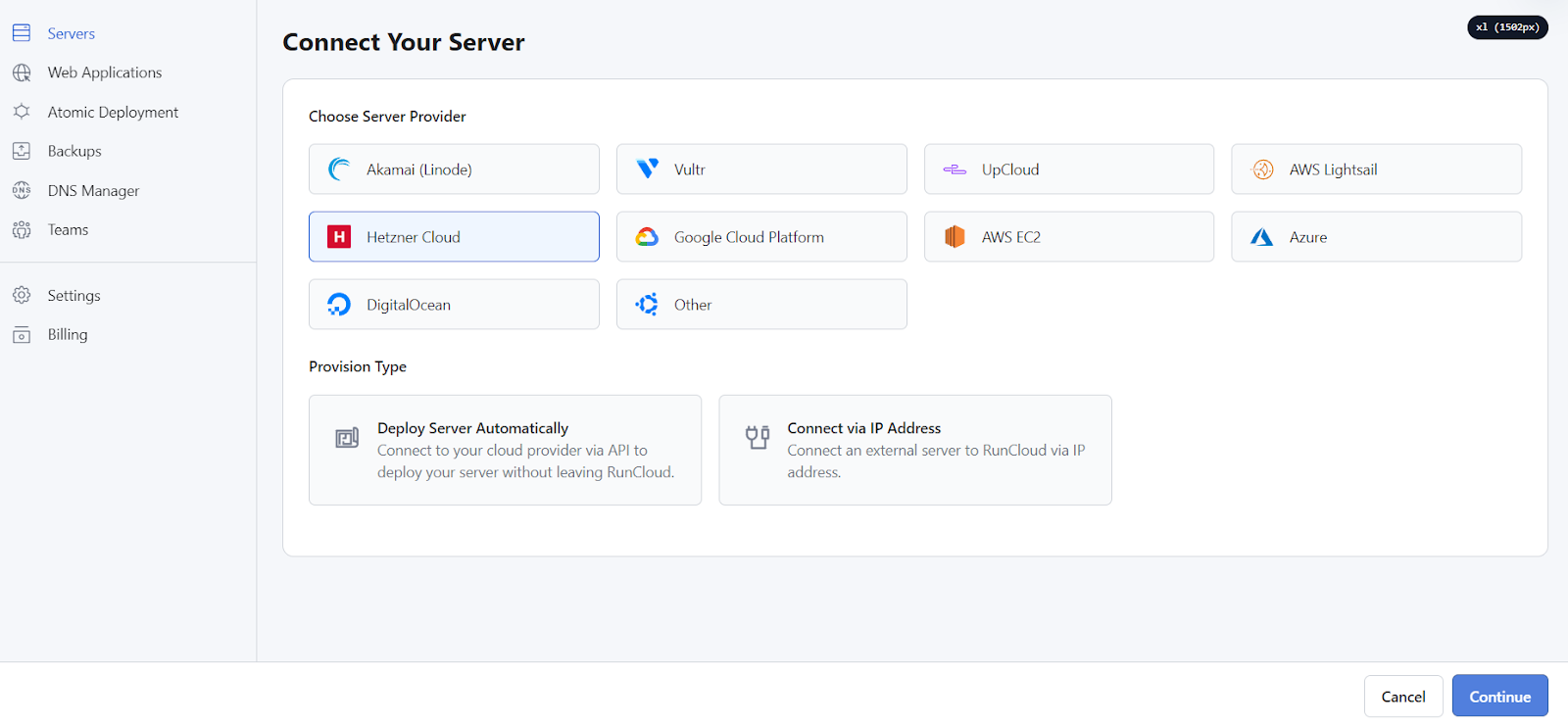
Both CloudStick and RunCloud are SaaS server control panels built around the same core idea: connect your VPS from any cloud provider and manage Nginx, PHP-FPM, databases, and SSL from a web dashboard — no SSH required for daily operations. The fundamental architecture is similar. Both install an agent on your server and tunnel management commands through their cloud backend. Both support Ubuntu servers and let you deploy WordPress sites with a few clicks.
Where they diverge is in scope, pricing model, and which workflows each one optimises for. RunCloud has been around since 2017 and built a solid reputation in the Laravel and WordPress developer community. CloudStick launched as a more affordable, feature-complete alternative, targeting agencies and developers who want everything — including email hosting, advanced firewall controls, and white-label reselling — without paying extra per site or feature.
Pricing Comparison
CloudStick starts at $9/month for one server with unlimited websites. RunCloud's Basic plan is $8/month but is limited to one server and lacks several features available on CloudStick's entry tier — including professional email hosting, advanced firewall rules, and SSH key management.
At the multi-server tier, CloudStick Pro is $19/month for unlimited servers. RunCloud's equivalent (Business plan) runs $40/month and still only allows 5 servers. For agencies managing 10+ servers, this pricing gap is significant. CloudStick charges a flat rate regardless of how many servers you connect; RunCloud charges per server tier.
Feature Breakdown
Both panels handle the essentials well: Nginx virtual hosts, PHP-FPM pool management, Let's Encrypt SSL, MySQL databases, Git deployment, and cron jobs. The differences emerge at the edges.
CloudStick includes built-in professional email hosting (Dovecot/Postfix with DNS management) on all paid plans. RunCloud does not offer email hosting — you handle that separately, typically through a third-party service. For agencies delivering complete hosting to clients, this matters: CloudStick covers email under the same dashboard without routing through another service.
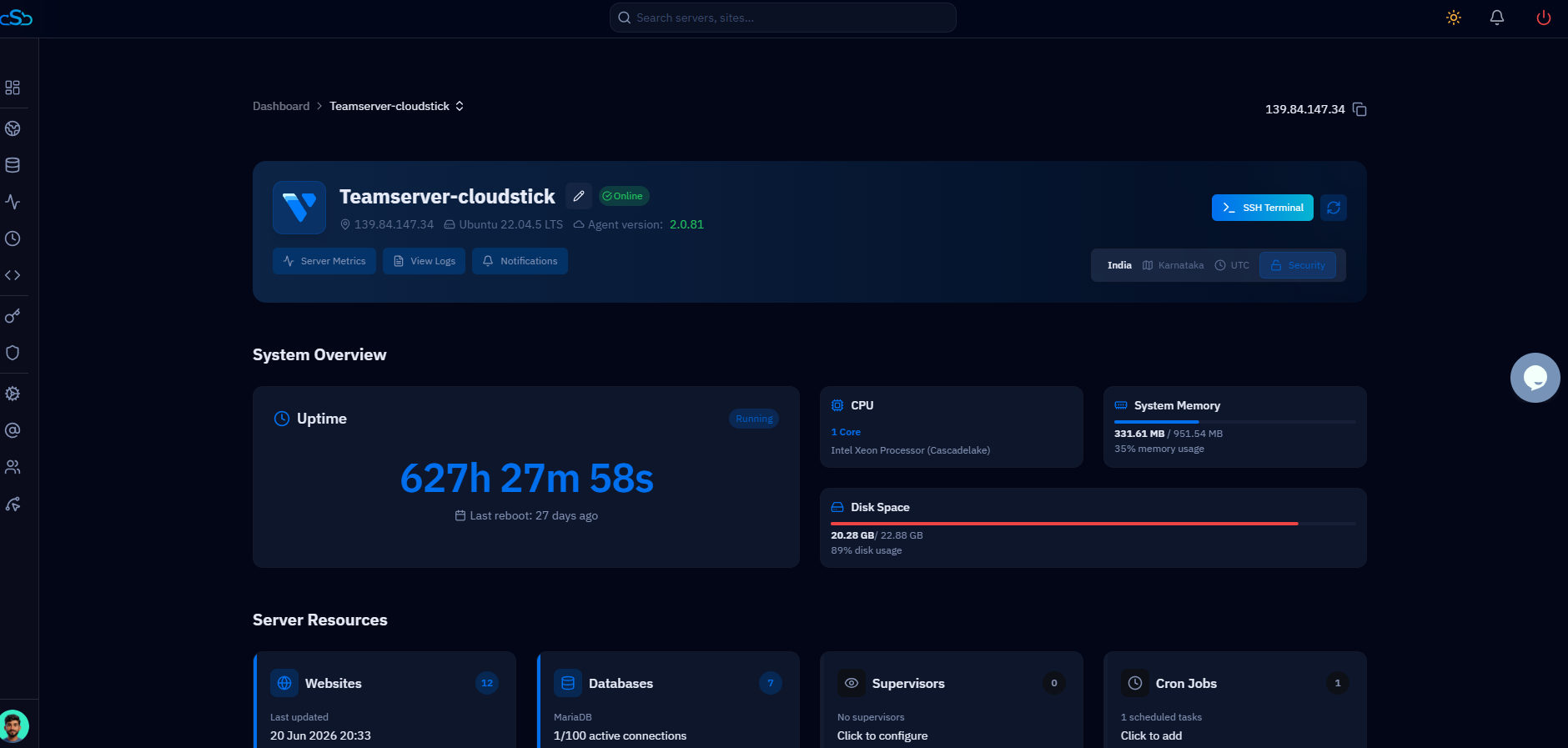
CloudStick also ships with a visual database manager built into the dashboard — no need for phpMyAdmin installed as a separate vhost. RunCloud offers phpMyAdmin as an add-on. CloudStick's firewall management (CSF) is deeper, with IP whitelisting, Fail2ban rules, and brute-force shields all configurable from the UI. RunCloud's firewall interface is more basic.
CloudStick's EasyPHP module lets you install and remove PHP extensions (imagick, redis, memcached, etc.) from the dashboard with one click — no terminal required. RunCloud requires SSH access to manage PHP extensions manually.
WordPress & PHP Support
Both panels offer one-click WordPress installation and support multiple PHP versions per site. CloudStick goes further with its WordPress Manager: a dedicated section showing all WordPress installs on the server with plugin management, user management, auto-update configuration, debug mode toggle, and — on the Business plan — Magic Link login (log into WordPress admin without a password) and WordPress Templates (deploy pre-configured WP setups instantly).
RunCloud has solid WordPress support but doesn't match the depth of CloudStick's WordPress Manager. For agencies delivering WordPress hosting at scale — where you need to manage dozens of sites efficiently — CloudStick's toolset saves meaningful time. The ability to update plugins across multiple WordPress installs from one screen, or deploy a pre-built template to a new client site, reduces per-site setup time significantly.
Team & Collaboration
CloudStick includes team seats on all paid plans: 2 seats on Basic, 4 on Pro, 10 on Business. RunCloud's team features are restricted to higher tiers and cost more per seat. For small agencies with 2–4 developers, CloudStick's Pro plan at $19/month covers the whole team; RunCloud would require the Business plan at $40/month to get comparable team access.
CloudStick's Business plan also includes white-label — rebrand the dashboard with your agency's logo and domain, then offer it to clients as your own control panel. RunCloud does not offer white-label at any tier. For agencies who want to sell managed hosting under their own brand, this is a decisive feature that has no RunCloud equivalent.
Which One to Choose
RunCloud is a solid panel with a mature community and good documentation. If you manage 1–5 servers with mostly Laravel or Node.js apps and don't need email hosting or a visual database manager, RunCloud's Basic or Pro plan works well.
CloudStick is the stronger choice if you manage many servers, run WordPress sites at scale, need email hosting under the same roof, want a visual DB manager, or plan to offer managed hosting to clients. At $19/month for unlimited servers, the math becomes obvious for anyone managing more than 5 servers: RunCloud would cost $40–$80/month for the same server count, while CloudStick stays at $19. The white-label option on the Business plan at $49/month has no RunCloud equivalent at any price.
For agencies managing multiple client servers with WordPress, email, and team collaboration needs, CloudStick delivers more at a lower price per server. Start with the 7-day free trial at cloudstick.io to test it against your current RunCloud setup.

