CloudStick vs Plesk: Which Control Panel Wins in 2026?

%203.png&w=256&q=75)
Two Control Panels, Two Philosophies
Plesk and CloudStick both manage web servers, but they were built at different points in the history of the internet and for fundamentally different assumptions about how developers work. Understanding that gap is the fastest way to figure out which one belongs on your infrastructure in 2026.
Plesk was founded in 2001 and has been through multiple corporate ownership changes — most recently Oakley Capital, the same firm that also owns cPanel. Its architecture reflects two decades of accumulated feature additions: extensions, service plans, subscriptions, reseller management, and a multi-tier hierarchy designed for traditional web hosting companies running shared hosting environments. Plesk supports both Linux and Windows servers, which is one of its genuine differentiators for Windows workloads.
CloudStick was built in the era of VPS hosting, cloud providers, and developer-led infrastructure decisions. It is a SaaS product — the control panel itself runs on CloudStick's infrastructure, not on your server. Your server runs only the CloudStick agent (a lightweight Go binary). The management interface is a modern web application that connects to your servers via the agent, rather than a PHP application running on the managed server itself.
This architectural difference drives almost every other difference between the two products: resource usage, pricing model, UI design, and the kinds of workflows each supports naturally. Plesk is built for hosting companies managing shared server environments with many clients. CloudStick is built for developers and agencies managing their own VPS fleet directly.
Pricing and Licensing
Plesk uses per-domain licensing. Its plans are tiered by the number of domains you can host: Web Admin at approximately $10/month covers up to 3 domains. Web Pro at approximately $20/month covers up to 30 domains. Web Host at approximately $40/month covers unlimited domains. These prices are per server — so an agency running 5 servers on the Web Host plan is paying $200/month in Plesk licensing before a dollar is spent on actual server infrastructure.
CloudStick charges per server plan, not per domain. The Pro plan at $19/month covers unlimited servers and unlimited websites. A developer managing 5 servers, each hosting 20 sites, pays the same $19/month as a developer managing 1 server with 3 sites. The licensing cost is completely decoupled from the number of domains or sites — it only scales if you decide to move to a higher plan for additional features.
The Plesk pricing structure punishes scale. Every additional server you bring under management adds another $40/month (on the Web Host plan). If you manage 10 servers for client hosting, you are looking at $400/month in Plesk licensing. Under CloudStick Pro, that same infrastructure costs $19/month. The difference compounds quickly and represents real money that could go toward better server hardware or hiring.
It is worth noting that Plesk does offer discounts through hosting provider partnerships, and annual licensing reduces the effective monthly rate by roughly 20%. CloudStick also offers yearly billing with similar savings. But the fundamental model difference — per-server-per-domain-tier versus flat-rate — means CloudStick remains dramatically cheaper at any meaningful scale.
Feature Comparison
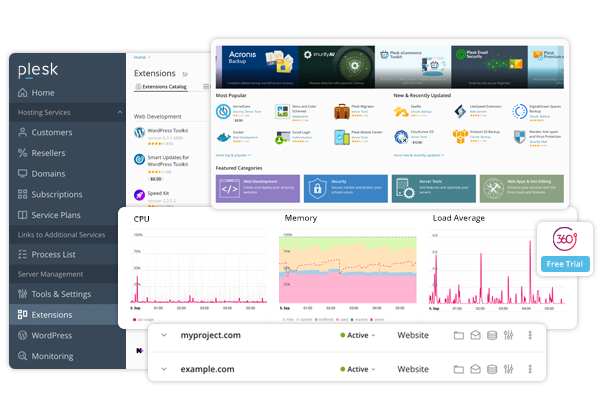
Plesk's feature set is genuinely broad. It covers website management, email, DNS, databases, FTP, backups, SSL, and server-level management. It also has an extensions marketplace where third-party modules can be installed — adding Git, Docker, Advisor, and performance tools on top of the base installation. For administrators who want a single panel that does everything and prefer a familiar interface, Plesk delivers.
CloudStick matches the core feature set — DNS management via Cloudflare integration, professional email hosting, Let's Encrypt and wildcard SSL, MySQL databases with a visual manager, FTP/SFTP access, automated backups, and server firewall configuration — without requiring extensions or add-ons. Everything is built in and updated as part of the CloudStick platform.
Where CloudStick pulls ahead in specific areas: Git deployment is a native feature on all paid plans, without requiring a Plesk Git extension. Supervisor job management (for Node.js apps, Laravel queue workers, and background processes) is built in. The visual database manager is included without any additional module. SSH terminal access is available directly in the browser dashboard.
Where Plesk genuinely leads: Windows server support is Plesk's most unique advantage — CloudStick only supports Linux (Ubuntu 22.04 LTS). Plesk also has a more mature extension ecosystem for developers who need specialized add-ons. For legacy Windows/.NET hosting environments, Plesk remains the only established control panel option.
For Linux-based PHP and WordPress hosting — which represents the vast majority of web workloads in 2026 — CloudStick covers all the ground Plesk covers and does so with a significantly lighter footprint and a more modern operational workflow.
WordPress Management
WordPress powers over 43% of all websites on the internet. For any control panel comparison in 2026, how each product handles WordPress is one of the most consequential evaluation criteria for most developers and agencies.
Plesk offers WP Toolkit — a proprietary WordPress management extension available as an add-on or bundled with certain plans. WP Toolkit handles one-click WordPress installs, updates, cloning, staging, and basic security scanning. It is a capable tool and one of Plesk's most popular features. However, the full WP Toolkit feature set (including staging and security scanner) is locked behind higher-tier plans.
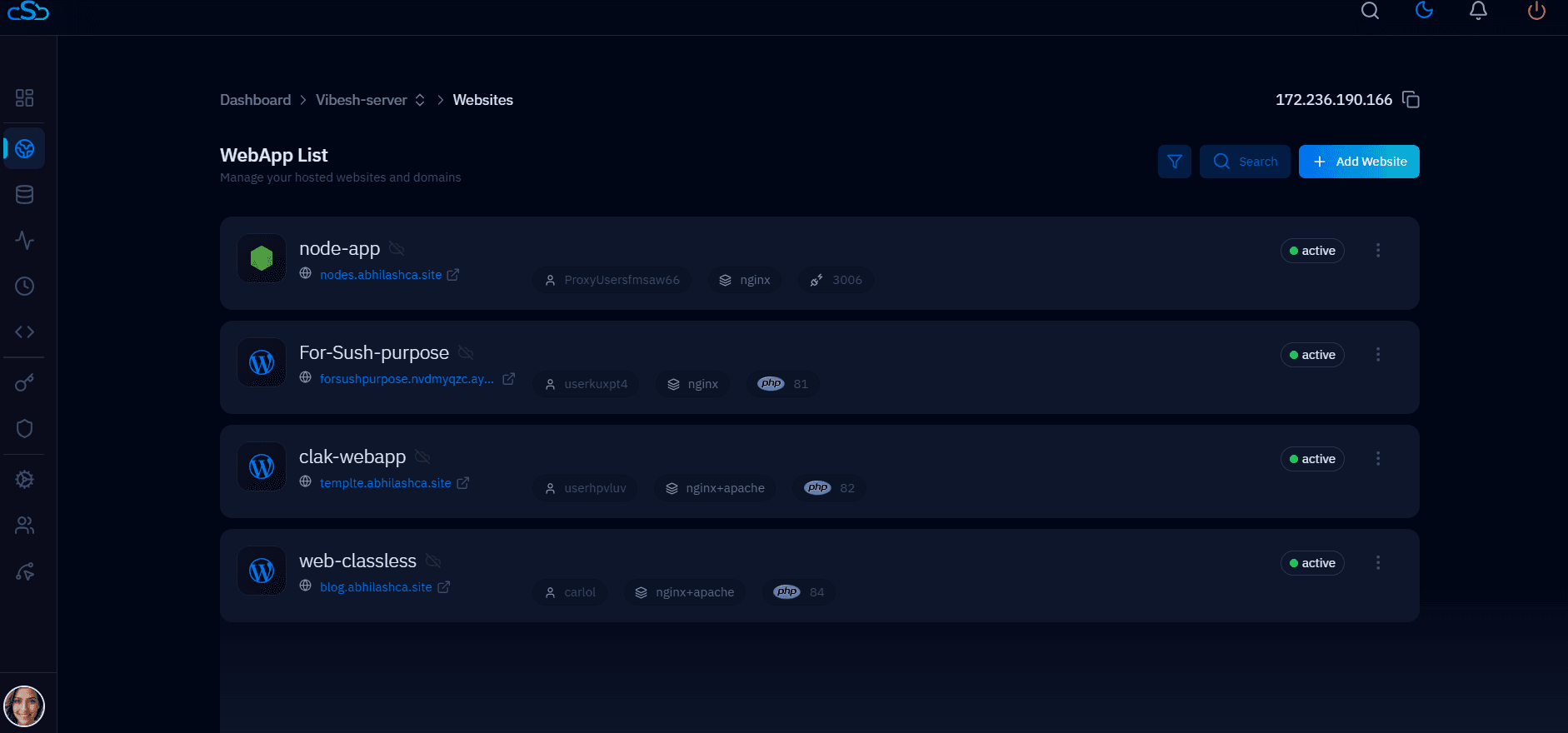
CloudStick's WordPress Manager is a native, built-in feature on all plans. One-click WordPress installation provisions the full stack: database, system user, Nginx vhost, PHP-FPM pool, and Let's Encrypt SSL in a single operation. From the WordPress Manager you can manage plugins, themes, and users, toggle debug mode, run updates, and monitor the site without leaving the dashboard.
The Business plan adds two features that put CloudStick significantly ahead for agencies: WordPress Magic Link allows instant one-click login to any WordPress admin panel without entering credentials — invaluable when managing dozens of client sites. WordPress Templates let you define pre-configured WordPress setups (specific plugins, themes, settings) and deploy them as a starting point for new client sites, dramatically reducing the time to launch a new project.
WooCommerce sites, WordPress multisite networks, and high-traffic WordPress deployments all work on CloudStick's Nginx + PHP-FPM + MariaDB stack. Each site runs in its own isolated PHP-FPM pool with its own system user — a security model that prevents cross-site contamination on multi-tenant servers and limits the blast radius if a single site is compromised.
Security and Hardening
Plesk includes a security panel with basic hardening recommendations, fail2ban integration, and an SSL/TLS configuration tool. The Imunify360 and Imunify AV security products (from the same Oakley Capital portfolio) are available as paid add-ons through the Plesk extensions marketplace, providing antivirus scanning and WAF capabilities for an additional monthly fee per server.
CloudStick's security approach is built into the foundation of every server it manages. CSF (ConfigServer Security & Firewall) is pre-configured and running on every CloudStick server from day one. SSH hardening is applied automatically at install — key-based authentication is configured, password login is disabled, and sysctl optimizations are applied at the OS level. Each PHP-FPM pool explicitly disables dangerous PHP functions (exec, system, shell_exec, passthru, proc_open, all posix_* functions) and enforces open_basedir restrictions per site.
A control panel that applies security configuration as an afterthought — through optional add-ons or manual checklists — is a control panel that ships insecure servers by default. CloudStick bakes CSF, SSH hardening, PHP function restrictions, and per-site isolation into the base installation. You do not have to remember to configure security; it is already done when the server comes online.
Firewall management in CloudStick is handled through the Firewall section in the server panel's left-hand navigation. You can add, modify, and remove CSF rules, whitelist or block IPs, and manage fail2ban rules from the dashboard without touching the command line. The firewall UI is straightforward — IP addresses, ports, protocols, and action (allow/deny) — without the dense configuration screens that Plesk presents for the same tasks.
SSL management is zero-friction on CloudStick. Let's Encrypt certificates are provisioned automatically when a site is created if the domain resolves to the server, and auto-renewed before expiry. Wildcard certificates and custom certificate installation (for extended validation or organization-validated certificates) are both supported. Cloudflare SSL proxying is also handled through the Cloudflare integration, with the correct SSL mode set automatically based on your Cloudflare proxy configuration.
Security updates for the server OS are managed through CloudStick's automated update system. Unattended security patches are applied automatically, keeping the underlying Ubuntu installation current without requiring manual intervention. Service management (restarting Nginx, PHP-FPM, MariaDB, Redis) is available from the dashboard when updates require it.
The Verdict for 2026
Plesk is a mature, battle-tested control panel that has earned its place in hosting company infrastructure over two decades. For organizations that need Windows server support, have an existing Plesk-based business, or require the specific capabilities of the Plesk extensions marketplace, it remains a valid choice. Plesk's longevity means deep documentation, broad hosting provider integration, and a large community of administrators who know it well.
For developers and agencies starting fresh in 2026 — or actively looking to reduce licensing overhead — CloudStick wins on every dimension that matters for modern Linux hosting. The pricing alone is decisive: an agency managing 5 Linux servers pays $200/month under Plesk Web Host and $19/month under CloudStick Pro. Over a year, that is $2,172 in savings per agency.
The performance difference follows from the architecture. Plesk runs on the managed server itself, consuming RAM for its own processes. CloudStick's agent has a minimal footprint — the management interface runs in the cloud, not on your server. On equivalent hardware, a CloudStick-managed server allocates more RAM to your web applications and less to management overhead.
The UX difference is equally significant. Plesk's interface, while improved in recent versions, carries the weight of two decades of feature additions. Finding a specific setting can require navigating multiple layers of menus. CloudStick's dashboard is organized around the way developers actually think about their infrastructure: servers, then sites, then the specific setting you need. The left-hand navigation in the server panel puts every major capability one click away.
CloudStick offers a 7-day free trial on all plans with no credit card required. If you are currently paying for Plesk and managing Linux servers for PHP/WordPress workloads, the trial is a low-risk way to validate whether CloudStick can replace your existing setup. Most developers find the transition takes an afternoon — connect a server, migrate a test site, validate the full stack, then systematically move remaining sites over the following days.
The control panel landscape has not changed much in two decades, which is exactly why CloudStick stands out. It is not a modernized version of Plesk or cPanel — it is a ground-up rethink of what a server control panel should look like when built for the cloud era. For 2026, that architecture advantage is the one that matters most.

