Common DNS Mistakes That Take Your Site Offline


%203.png&w=256&q=75)
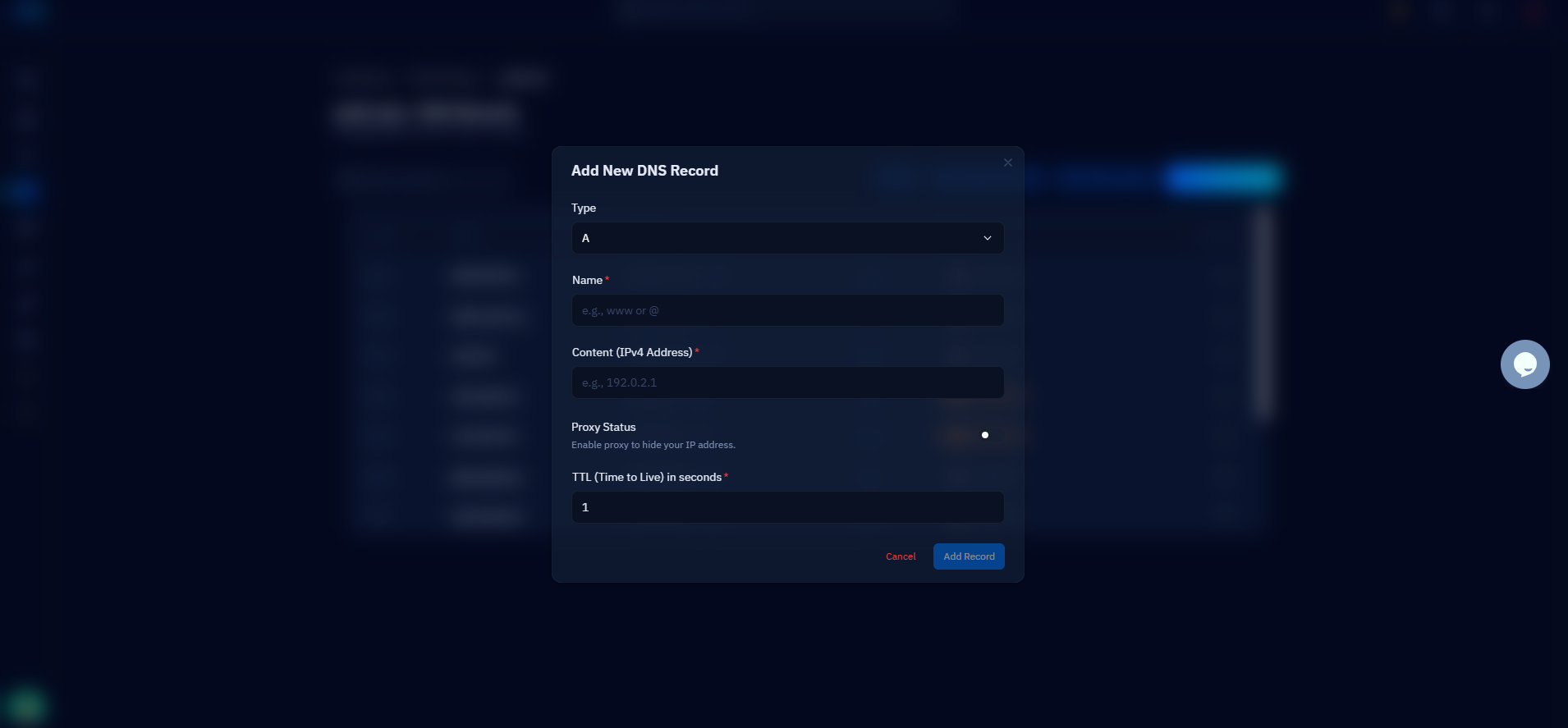
Changing A records without lowering the TTL first
Lower the TTL before you change the record — not at the same time, and definitely not after. TTL (time to live) tells every resolver on the internet how long it may cache your record, and many zones still carry the default of 86400 seconds. If your A record has a 24-hour TTL and you point it at a new server, resolvers that cached the old answer one minute before your change will keep serving the dead IP for a full day. There is no command that flushes other people's caches; once a high-TTL answer is out there, you wait.
The fix is a two-step dance. At least 24 hours before the cutover, drop the TTL on the records you plan to change to 300 seconds — the old 86400-second answers need time to age out of caches first. Then make the IP change, confirm the new value resolves everywhere, and raise the TTL back to something sensible like 3600 so resolvers are not hammering your nameservers forever. Check what resolvers currently see before you touch anything:
Migration slips: missing www, forgotten subdomains, and typos
Export the full zone before you migrate, and diff it against the new one after — that single habit prevents the most common migration outage. When a domain moves to a new DNS host or server, people faithfully recreate the apex A record and stop there. The result: example.com loads, www.example.com returns NXDOMAIN, and half your visitors — plus every old backlink pointing at www — hit an error page. The same fate hits the subdomains nobody remembers until they break: api, mail, staging, the CRM on app.example.com, the DKIM selector TXT records your email signing depends on.
Typos are the quieter cousin of deletion: an A record pasted with one wrong octet, a CNAME target missing its trailing domain, a hostname spelled wwww. These pass the "did I create the record?" check while still sending traffic nowhere. Verify every record by resolving it, not by eyeballing the zone editor. This is also where a single source of truth pays off: CloudStick's Cloudflare DNS integration manages your records from the same dashboard as the server itself, so when you create or migrate a website the matching records are handled in one place — no juggling between a registrar panel, a DNS host, and a server console, which is exactly how orphaned and half-copied records happen.
Duplicate SPF records and broken MX kill email quietly
A domain gets exactly one SPF record — publishing two does not double your protection, it voids it. RFC 7208 is explicit: multiple TXT records starting with v=spf1 produce a permanent error, and receiving servers treat that permerror as a failed check. This mistake almost always sneaks in through tooling: you add a transactional email service, its setup wizard says "add this SPF record", and you paste a second v=spf1 line next to the one your mail host already published. Both are individually valid; together they get your mail spam-foldered or rejected. The fix is to merge every sender into a single record: v=spf1 mx include:_spf.google.com include:sendgrid.net ~all.
Email failures are the slowest DNS outages to notice. A dead website triggers complaints within minutes; broken MX or SPF just means messages silently bounce or land in spam, and you often find out days later from a customer who "never got the invoice". After any DNS or hosting move, send a real test email to and from the domain — do not assume mail survived because the website did.
MX records break in the same migrations that break www. Your mail may live at Google Workspace while the website moves to a new VPS — but if the new zone was rebuilt from memory instead of an export, the MX records pointing at Google are gone, or worse, now point at the web server which is not running a mail service. Run dig example.com MX +short after every move and confirm the answers match your actual mail provider, priorities included.
Expired domains and lame delegations
The most total DNS failure is also the most preventable: the domain, or the DNS hosting under it, simply expired. When a domain lapses, the registrar typically swaps your nameservers for parking pages within days, and every record you ever created stops resolving at once — web, mail, API, everything. The same thing happens when a paid DNS hosting plan lapses while the domain itself is fine. Turn on auto-renew at the registrar, keep the payment card current, and put the expiry date on a shared calendar anyway — auto-renew fails silently when a card expires, and the renewal grace period is the only thing between you and someone else registering your domain.
The subtler version is a lame delegation: your NS records point at nameservers that do not answer authoritatively for your zone. It happens when you switch DNS providers but leave an old nameserver in the delegation, or decommission a server that was still listed as ns2. The nasty part is that it looks intermittent — resolvers that happen to query the healthy nameserver get answers, resolvers that hit the lame one get SERVFAIL, so the site is "down for some people". Check that every nameserver in dig example.com NS +short actually returns your records when queried directly, and remove any that do not.
CNAME at the apex and proxy blind spots
Never put a CNAME on the bare domain. The DNS specification forbids a CNAME from coexisting with any other record at the same name — and the apex of your zone always has other records: the SOA, the NS records, usually MX and TXT. A CNAME at example.com therefore either gets rejected by a strict DNS host or, on a permissive one, shadows your MX and TXT records and breaks mail and SPF in one move. If a platform tells you to "CNAME your domain to us", use the workarounds built for this: ALIAS/ANAME records, or CNAME flattening as Cloudflare does — these resolve the target behind the scenes and publish a plain A record, keeping the apex legal.
Proxied records create the opposite problem: they hide the truth while you troubleshoot. With Cloudflare's orange-cloud proxy enabled, dig returns Cloudflare edge IPs, never your origin — so DNS looks perfectly healthy while the real fault is the origin A record behind the proxy pointing at a server you retired last month. When a proxied site is down, do not stop at dig: check the origin IP configured in the DNS panel itself, and test the origin directly with curl --resolve example.com:443:203.0.113.10 https://example.com/ to bypass the proxy and see what your server actually returns.
Catch DNS problems before your users do
Every mistake in this article is visible in advance to anyone who looks — the difference between a non-event and an outage is whether you looked before your users did. dig is the whole toolkit: query your critical records against both a public resolver and your authoritative nameservers, and the answers should match. A five-line check covers the apex, www, mail, and delegation:
Then automate the looking. An external uptime check on https://www.example.com catches most DNS failures within a minute, because a hostname that stops resolving fails the check just as loudly as a crashed server — add a second check on the bare domain so a broken www redirect cannot hide. Wrap the dig commands above in a cron job that alerts on empty or changed output, and put your domain expiry date somewhere a human will see it. Your practical next step: run that five-line dig check against your own domain right now, before any migration is on the calendar. If www, MX, and both nameservers all answer correctly today, you have a baseline — and the day something drifts, you will know before the support tickets arrive.

