How to Reduce DNS Propagation Wait Time

%203.png&w=256&q=75)
Propagation is cache expiry, not a broadcast
There is no process called DNS propagation. Nothing gets pushed anywhere when you edit a record — your change is live on the authoritative nameserver the second you save it. What you are actually waiting for is cache expiry: every resolver that looked up your domain recently is holding the old answer, and it will keep serving that old answer until the record's TTL (time to live) runs out. A resolver that cached your A record with a 14400-second TTL will not ask your nameserver again for four hours, no matter what you changed in the meantime.
The infamous "allow 24 to 48 hours" warning is a relic — a worst-case number registrars quote to cover nameserver delegation changes and badly behaved resolvers. For an ordinary record change, the real wait is exactly one TTL from the moment the last resolver cached the old value. That reframing is the whole trick: you cannot make caches expire faster after the fact, but you absolutely can make the TTL small before you change anything. Everything below follows from that.
Lower the TTL before you change anything
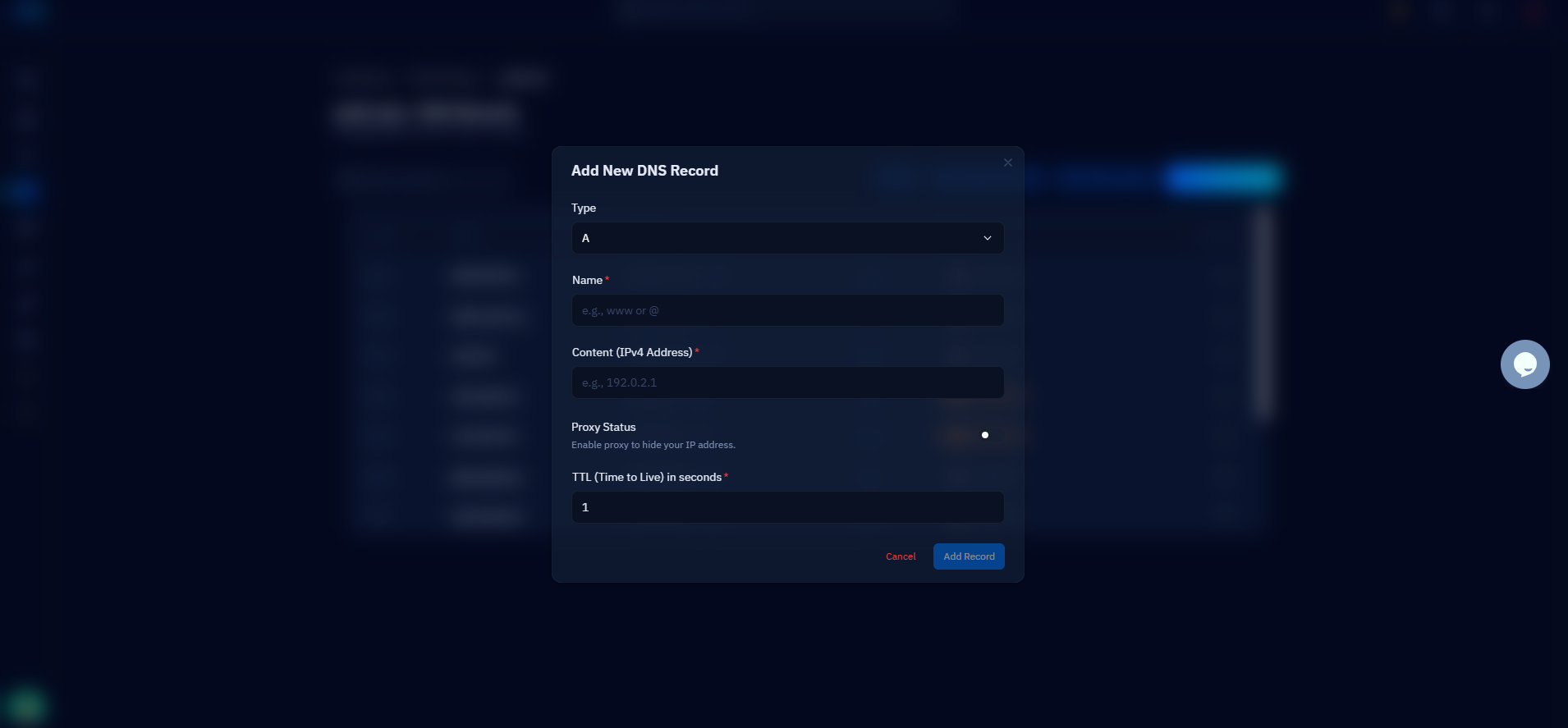
Drop the TTL to 300 seconds at least one full old-TTL period before the migration. The timing matters and it is where most people slip: lowering the TTL is itself a record change, and resolvers holding the old record — with the old TTL — will not see your new 300-second value until their existing cache entry expires. If your record sits at 14400 today and you want to migrate at 9 a.m., set the TTL to 300 no later than 5 a.m. — four hours ahead, one full old-TTL period. Do it the previous evening and you can stop doing arithmetic. First, check what your current TTL actually is:
Once the old TTL has fully elapsed, every resolver on the internet is refreshing your record at most every five minutes. Now when you flip the A record to the new server, the worldwide switchover completes in about five minutes instead of half a day. That is the entire secret to "fast propagation" — it is planned in advance, not sped up afterwards.
If your DNS is on Cloudflare, you can skip most of this waiting entirely. With CloudStick's Cloudflare integration, records for your sites are managed through the Cloudflare API — and any record with the proxy (orange cloud) enabled effectively updates near-instantly, because Cloudflare's edge answers DNS itself and routes traffic to whatever origin you set. Change the origin IP in the dashboard and visitors follow within seconds, no TTL arithmetic required.
Check what resolvers actually see
Do not judge propagation by refreshing your browser — query the big public resolvers directly and compare their answers. dig lets you point a query at any resolver with the @ syntax, so you can see exactly what Cloudflare's 1.1.1.1 and Google's 8.8.8.8 are handing out right now, and what your authoritative nameserver says the truth is:
In this snapshot, Cloudflare has the new IP and Google is still serving the cached one — normal mid-propagation behavior, and the TTL column of a full dig answer tells you exactly how many seconds Google will keep doing it. When the authoritative server shows the old value, the problem is not propagation at all: your change never saved, or you edited the wrong zone. Checking authority first saves you from waiting patiently on a change that never happened.
Flush your local DNS cache
If dig shows the new IP but your browser still loads the old server, the stale cache is on your own machine. Your operating system keeps its own DNS cache in front of whatever resolver you use, and it honors the TTL it captured — flushing it forces a fresh lookup immediately:
On older Ubuntu releases the same flush is spelled systemd-resolve --flush-caches — it is the legacy name for the resolvectl command. Two caveats: browsers keep a short internal DNS cache of their own, so restart the browser (or test in a private window) after flushing, and remember this only fixes your view. Flushing your laptop does nothing for your visitors' resolvers — it is a diagnostic step, not a propagation accelerator, which is why the TTL work in the previous sections is what actually shortens the wait.
Test the new server before DNS moves
The fastest propagation of all is the change you never have to roll back. Before touching public DNS, point your own machine at the new server with an /etc/hosts entry — it overrides DNS entirely for your computer only, so you can browse the site on the new server, log in, submit forms, and confirm SSL works while the rest of the world still sees the old one:
Walk through the whole application this way — homepage, admin login, checkout, anything that touches the database. Only when everything works do you flip the real A record, and because you already lowered the TTL, the flip itself takes minutes. Remove the hosts entry afterwards, or future-you will spend an afternoon debugging why your machine sees a different site than everyone else's.
Nameserver changes, restoring TTL, and next steps
One class of change genuinely is slow, and no TTL trick fixes it: switching nameservers at your registrar. NS delegation lives in the parent TLD zone — the .com servers, not yours — and those delegation records commonly carry TTLs of 24 to 48 hours that you cannot edit. This is where the old warning comes from. The workaround is sequencing: recreate every record on the new DNS provider first, verify the new nameservers answer correctly with dig @, and only then change the delegation. Both providers serve identical answers during the overlap, so the slow handover is invisible to visitors.
Last step: once the migration has settled for a day, raise the TTL back to 3600 or 14400. A permanent 300-second TTL means every resolver re-queries your nameservers constantly, which adds lookup latency for visitors and leaves you more exposed if your DNS provider has an outage — long TTLs let cached answers ride through it. The full playbook fits on an index card: lower TTL one old-TTL period ahead, test the new server via /etc/hosts, flip the record, verify with dig against 1.1.1.1 and 8.8.8.8, flush your local cache, restore the TTL. Run it in that order and DNS propagation stops being a two-day mystery and becomes a five-minute, fully observable step in your migration.

