How Agencies Can Save Hours with Server Automation

%203.png&w=256&q=75)
Where Agency Hours Actually Disappear
Agency time doesn't vanish on big, visible projects — it leaks out through small, repetitive server tasks done once per client, multiplied across every site the agency hosts. Issuing an SSL certificate takes five minutes. Setting up a backup schedule takes another five. Neither feels expensive in isolation.
The expense shows up at scale. An agency running 40 client sites across a handful of servers isn't doing these tasks once — it's doing them 40 times, then again every time a certificate expires, a backup job silently fails, or a new client signs on. The fix isn't working faster on each task; it's removing the task from the human queue entirely, so the people on the team spend their week on client work instead of server chores that a machine can run just as reliably, and usually more consistently than a tired developer at 5pm on a Friday.
Manually Issuing SSL Per Site
Issuing SSL by hand means running certbot or a similar ACME client per domain, then remembering to renew it before the 90-day Let's Encrypt window closes. Miss a renewal on one client's checkout page and the browser throws a "not secure" warning during a sale — an incident that costs more support time than a year of manual renewals combined.
CloudStick issues a free Let's Encrypt certificate the moment a site is created and auto-renews it before expiry, so SSL drops off the agency's task list entirely instead of sitting on a recurring calendar reminder per client.
Configuring Backups One Client at a Time
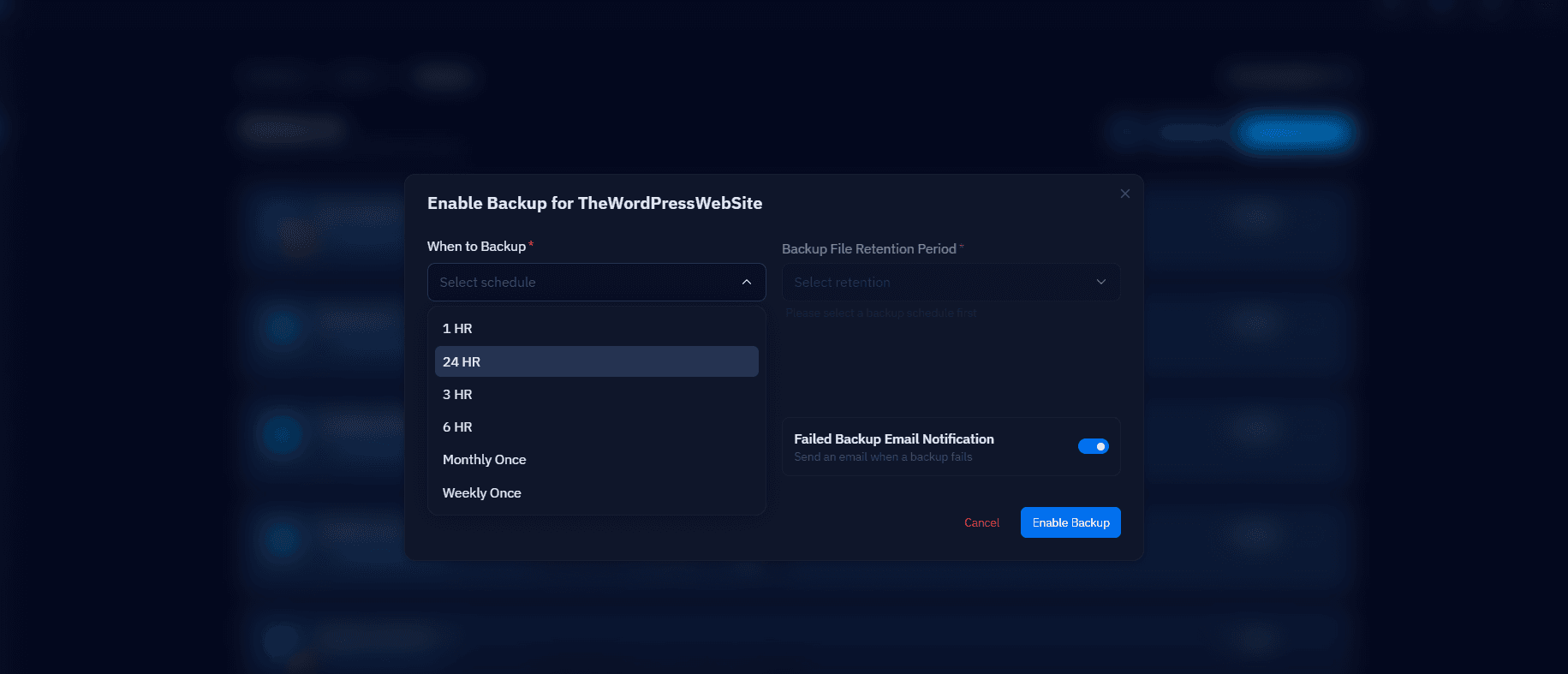
Setting up a backup job by hand means writing or copying a cron entry, picking a schedule, deciding on retention, and pointing it at storage — then repeating that for every database on every client site. Retention is the part that gets skipped under time pressure, which is exactly the part that matters when a client asks for a restore from three weeks ago and finds only yesterday's backup on disk.
CloudStick's per-database backup scheduling lets an agency set daily, weekly, or custom intervals with retention rules once per site through the Visual Database Manager, and browse or restore from the archived backup history without SSH — no cron file to write, and no client-by-client inconsistency to audit later.
Checking Server Health Across a Fleet
Logging into each server to check disk space, CPU, and memory is the task agencies most often skip until something breaks. Doing it properly means SSHing into every box, running df -h and top, and mentally tracking which server was at 80% disk last time you looked — a process that doesn't scale past three or four servers before it just stops happening.
A centralized dashboard that surfaces disk, CPU, and memory for every server in one place turns a per-server SSH ritual into a five-second scan, which is the difference between catching a disk-full incident before it takes a site down and finding out about it from an angry client email.
Installing WordPress for Every New Client
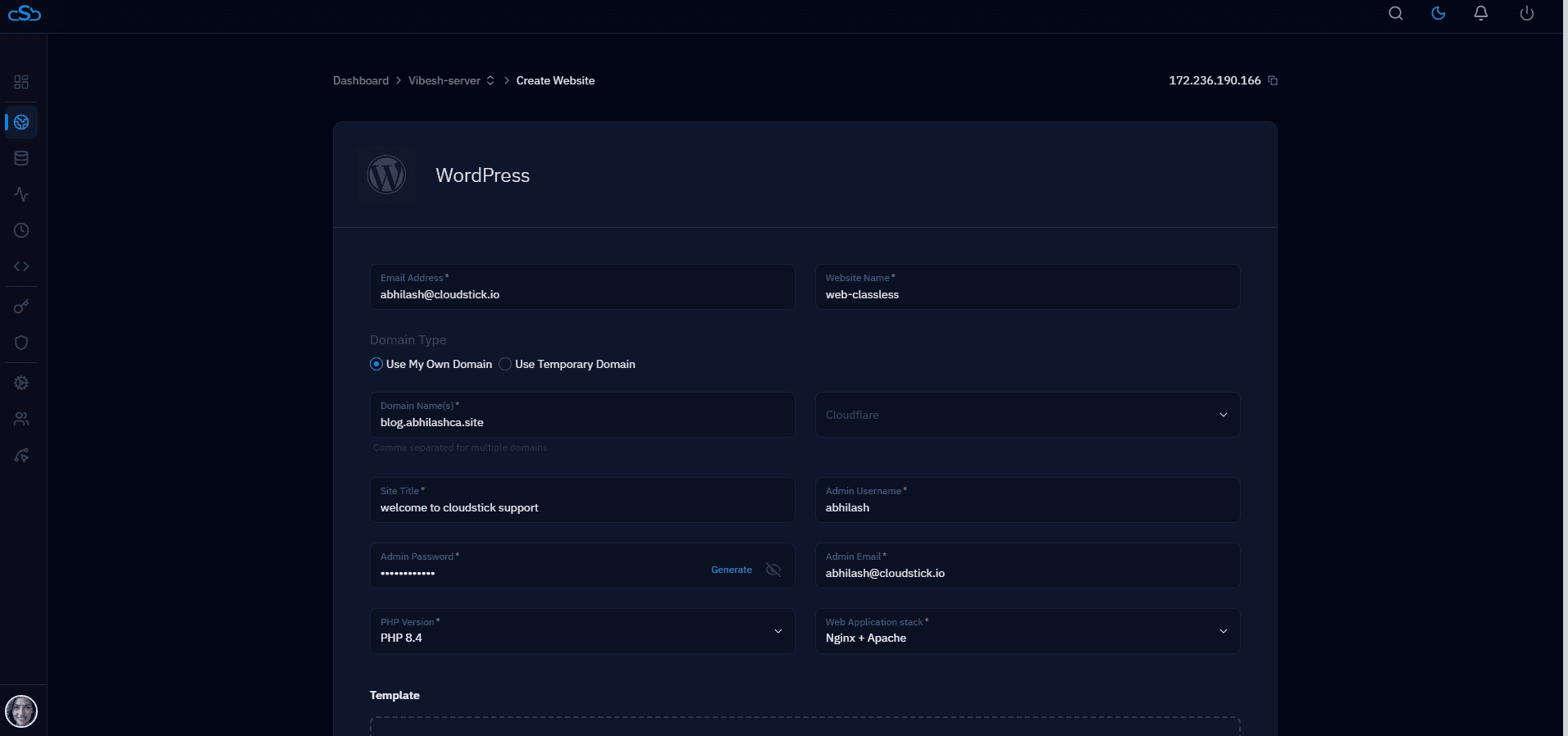
Manually provisioning WordPress for a new client means creating the system user, the database, the PHP-FPM pool, downloading WordPress core, running the install wizard, and setting file permissions — 10 to 15 steps repeated identically for every signup. Doing this from memory invites drift: one client ends up on PHP 8.1 because that's what was on the server that day, another gets a slightly different pool configuration.
CloudStick's one-click WordPress install creates the system user, database, and isolated PHP-FPM pool in a single step, so a new client server is ready to hand over in minutes instead of the better part of an hour — with the same configuration every time.
Consistency here isn't cosmetic — it's what makes the next support ticket fast to diagnose, because the agency already knows exactly how every client site was set up.
Doing the Math on What Automation Saves
Run the numbers on a mid-size agency managing 50 client WordPress sites: manual SSL renewal checks take roughly 5 minutes per site per quarter, manual backup configuration takes 10 minutes per site at setup plus periodic verification, and manual server health checks take 15 minutes per server per week across, say, 8 servers. Add a conservative 2 new client onboardings a month at 45 minutes of manual WordPress setup each, and the agency is spending upwards of 12-15 hours a month on tasks that a control panel with auto-renewing SSL, scheduled backups, a centralized stats dashboard, and one-click WordPress install reduces to a handful of clicks — closer to 1-2 hours of actual review time.
That's roughly 10-13 hours a month, or the better part of two working days, given back to the team every single month without hiring anyone or changing how the agency delivers client work. Multiply that across a year and it's easily 120+ hours — enough to onboard a dozen more clients, build a new service line, or simply stop billing internal server upkeep against project margins. The gain compounds as the client list grows, because manual per-site work scales linearly with headcount of sites while a control panel's automation scales at a flat cost per server.
Not everything should live inside the control panel, though. Cross-site tasks like updating every plugin across every client site in one pass are still better handled with a script, because the logic (which sites, which plugins, how to log failures) is specific to how each agency runs its business. This is a WP-CLI loop that updates plugins on every site directory under a standard CloudStick-style home layout:
The split is the useful takeaway: let the platform own the repetitive, high-risk, per-site plumbing — SSL, backups, health monitoring, provisioning — and reserve scripting for the business-specific logic that a general-purpose panel can't guess for you. That combination is what actually gets hours back on the calendar every week, not just moves the same work somewhere else.