The Agency Guide to Managing Servers at Scale

%203.png&w=256&q=75)
Know the two scaling paths
Every agency hits the same fork in the road: keep piling client sites onto the one server you started with, or start splitting them across more than one. Both are valid — the mistake is picking one and sticking with it out of habit rather than reassessing as your client count grows.
Vertical scaling means resizing the VPS you already have — more vCPUs, more RAM, faster disk — while keeping every client site on the same box. It's the path of least resistance: no new DNS, no new SSH keys, no new control panel login to distribute. Horizontal scaling means provisioning a second (or third, or tenth) server and moving some clients onto it. It costs more setup time up front but buys you fault isolation: a runaway WooCommerce sale on one server can't take down every other client's site.
If you've been reading through this series — standardizing setups, scripting onboarding, automating backups — you've already built the habits that make either path easy. This article is about the decision layer on top of those habits: when to add capacity, how to keep a growing team from stepping on each other, and how to see all of it from one screen instead of five.
When a second server beats vertical scaling
Resize first if the symptom is resource pressure, not risk concentration. If memory and CPU are running consistently hot across most sites, and the client mix is still small and low-conflict, a bigger VPS from your host is the cheaper fix — no migrations, no new firewall rules, no re-pointing DNS. Before deciding, check the actual numbers rather than guessing from a slow page load:
A load average sitting well above your core count (here, 3.85 on a 2-core box) with under 10% memory free is a resize candidate, not yet a split-the-fleet problem. Add a second server once any of these show up instead: one client's traffic spikes or plugin misbehavior repeatedly degrades performance for every other site on the box; a client contractually requires geographic or compliance isolation from your other accounts; you're approaching a single server's practical ceiling for site count (PHP-FPM pools, MySQL connections, and open file limits all add up per site, not just RAM); or you want a clean blast radius — if server A has a security incident, server B's clients are unaffected.
Before provisioning a second server, confirm your onboarding is already scripted (SSH key distribution, PHP version, backup schedule). Adding a server multiplies whatever setup process you have — manual or automated — so fix the process before you fix the capacity.
Give your team role-based access, not blanket access
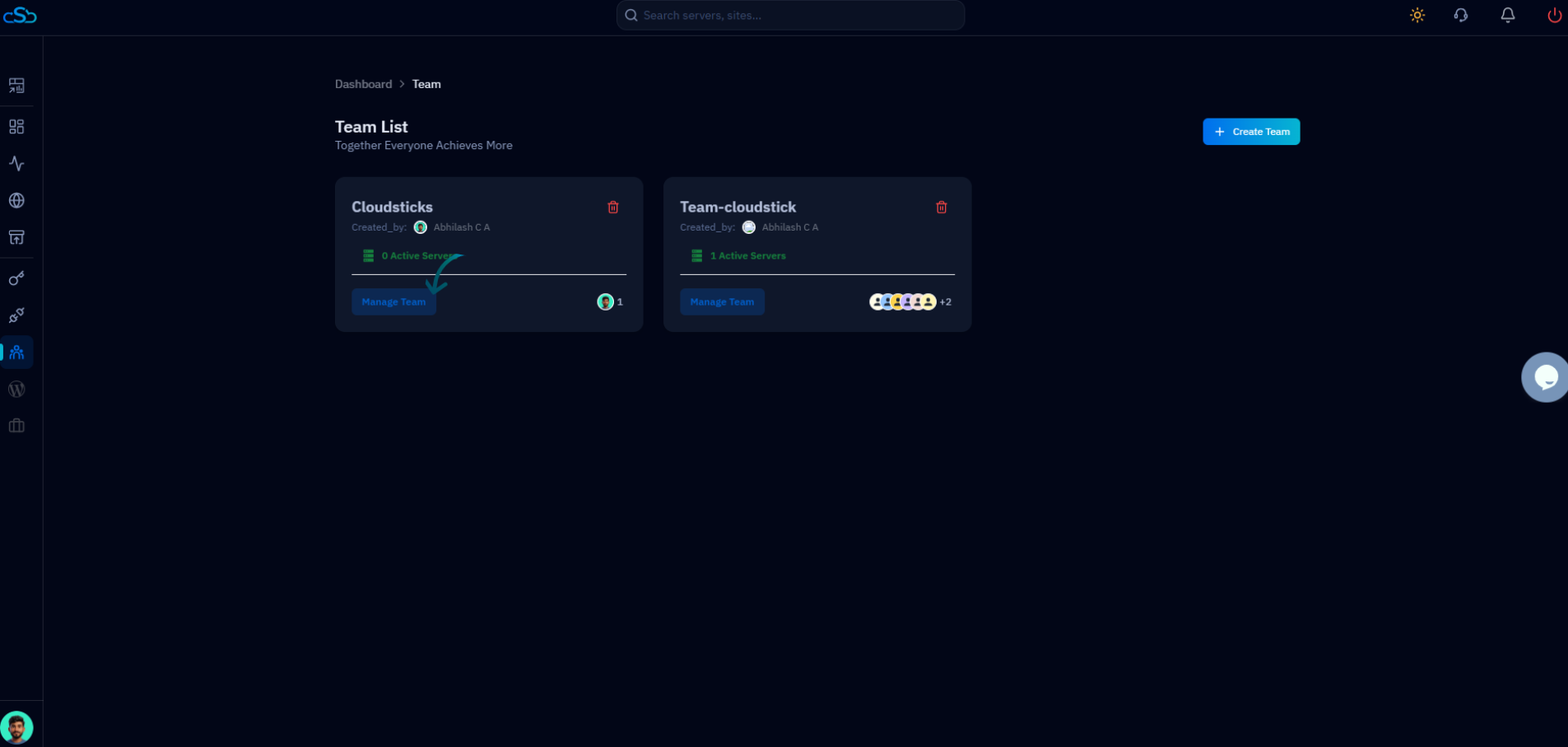
Every account you add to server access is another way an incident can happen, so headcount growth needs an access model, not shared root passwords. A one-person shop can get away with a single SSH key and one control panel login. The moment you hire a second developer or a support person, that shortcut becomes the biggest gap in your setup — a junior contractor with full root on every client server is a liability whether or not anything ever goes wrong.
Role-based access control solves this by scoping what each teammate can see and touch: a support hire can restart a site's PHP-FPM pool or pull a backup without being able to change server-wide firewall rules or see other clients' billing; a junior developer can get owner-level access to the three sites they're assigned without visibility into the rest of the portfolio; and a client, if they ever need direct access, can be scoped to only their own site — never the server or your other clients' work.
The practical trigger is headcount, not tenure: the day you add a second person who touches production, define what they need access to and grant exactly that — not "give them my login" as a stopgap you never revisit.
Stop checking five dashboards — centralize monitoring
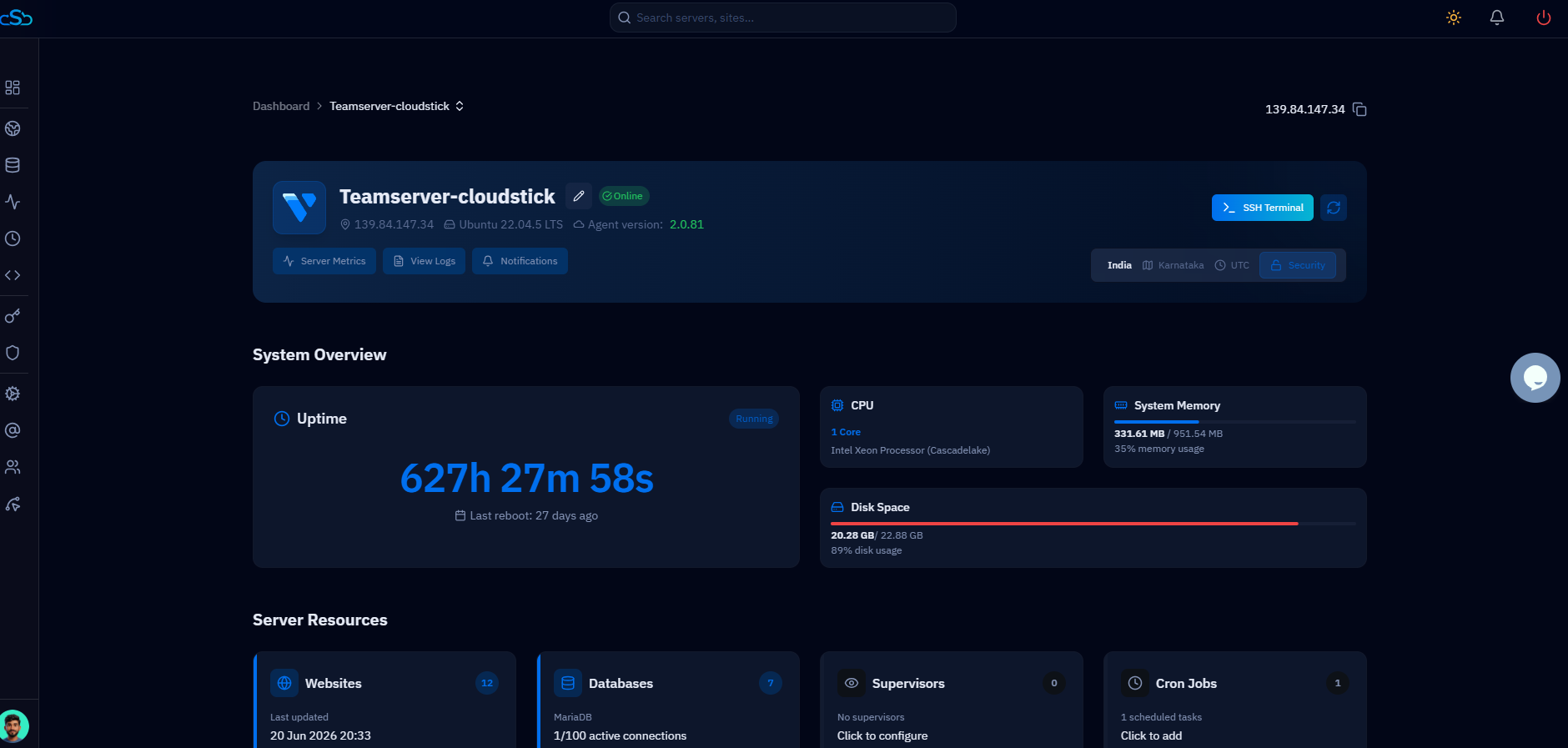
Per-server dashboards don't scale past two or three boxes, because "is everything okay?" turns into a login-and-check ritual you have to repeat for every server, every morning. That's fine at one server. At five, it's a part-time job, and it's exactly the kind of manual, repeatable task this series has been arguing you should automate.
The fix is a single pane of glass: one login that lists every server on the account, with disk, CPU, and site status visible without drilling into each one individually. CloudStick's dashboard works this way by default — every server you manage sits under the same account, so a quick scan of the server list tells you which box is running hot or low on disk before a client notices, rather than you finding out from a support ticket.
Pair that with per-site backup schedules and retention (CloudStick's Visual Database Manager lets you check backup status per database without SSH) and a monthly review of the server list catches disk-fill and failed-backup problems long before they become a client-facing outage.
Treat multi-server as a capability tier, not an afterthought
Managing one server and managing a fleet are different jobs, and your tooling should reflect that distinction explicitly rather than pretend it isn't there. A single-server plan is built around the assumption that you log in, check one thing, and move on. Once you're running multiple servers for multiple clients, you need the account-level view described above, team seats that span every server rather than being re-created per box, and a pricing model that doesn't punish you for the number of servers you run.
This is the concrete reason CloudStick separates plans by server count instead of site count: BASIC covers a single server, while PRO supports unlimited servers under one account — so an agency that outgrows one box adds a second, third, or tenth server without re-buying the product or duplicating logins per server. Combined with no per-site fees, the cost of scaling out stays predictable as your client list grows, instead of turning every new client into a new line item.
Before your next client signs, decide in advance which server they land on based on current headroom — not "whichever one I remember has space." A written rule (e.g., "add to server X until 70% memory, then provision new") keeps the decision from being made under pressure during onboarding.
Where to go from here
Scaling a server-management practice is a sequence, not a single decision: standardize your setups, automate the repeatable onboarding steps, then layer on the access and monitoring controls covered here once headcount and server count justify them. Trying to add role-based access before you've standardized your stack just means enforcing permissions on inconsistent configurations — fix the foundation first.
A practical checklist for this stage: audit your current server(s) for headroom before the next client signs; define at least two access roles (admin, support) even if you only have two people; put every server you manage under one account-level view instead of separate logins; and confirm your plan doesn't cap the number of servers you can run as you cross from one to several.
None of this needs to happen at once. Do it in the order your client list forces it — but do it before an incident forces it for you.

