How to Deploy a Next.js App to Your Own Server

%203.png&w=256&q=75)
Why self-host Next.js at all
Next.js does not need Vercel — it needs Node.js. Every feature the framework ships, from server components to API routes to image optimization, runs on a plain Node server you can put on a $10 VPS. The reasons teams move off the hosted platform are consistent. Cost at scale: a site that outgrows the free tier starts paying per seat and per usage, and a traffic spike that would cost nothing on your own hardware shows up on an invoice. Function timeouts: serverless platforms cap execution time, so a slow report, a long-running export, or a chatty LLM stream hits a wall that simply does not exist on a persistent server. Data locality: when your database, your uploads, and your app live on the same machine — or in the same rack — queries stop crossing the public internet, latency drops, and compliance conversations about where data physically sits get much shorter.
The trade is that you own the operational pieces the platform was quietly doing for you: building, process supervision, TLS, caching, and deploys. This guide covers each one, on Ubuntu 24.04, with Node 20 or newer installed.
“Vercel is a convenience layer, not a dependency. The output of next build is a Node.js server — and anything that runs Node can run your app.”
next start vs standalone output
The naive deploy is next build followed by next start, and it works — but it requires the entire node_modules directory on the server, dev dependencies and all, which for a typical app means hundreds of megabytes of packages just to serve requests. The better answer is standalone output. One line in next.config.js tells the build to trace exactly which files the server actually imports and copy only those into a self-contained folder:
The two cp commands are the step everyone forgets. The standalone folder deliberately excludes .next/static (the hashed JS and CSS bundles) and public/ (your images and fonts), because Vercel-style deployments push those to a CDN. Self-hosting, you copy them in yourself — skip it and the site loads as unstyled HTML with a console full of 404s. Once copied, .next/standalone is the entire deployable artifact: server.js, a pruned node_modules, and your assets. The server reads PORT and HOSTNAME from the environment, so binding to 127.0.0.1:3000 is an environment variable, not a code change.
Run the server under PM2
node server.js dies with your SSH session and stays dead after a crash or a reboot, so production needs a process manager. PM2 is the standard choice for Node, and an ecosystem file keeps the configuration in the repo instead of in someone's shell history:
Two details matter here. Cluster mode with two instances gives you a worker per core on a small VPS and — more importantly — makes zero-downtime reloads possible later, because PM2 can cycle one instance while the other keeps serving. And pm2 save plus pm2 startup writes a systemd unit so the whole process list resurrects itself after a reboot; a supervised app that does not survive a kernel update is only half supervised.
Nginx in front, with real caching
Never expose port 3000 to the internet. Nginx terminates TLS, sets the proxy headers Next.js needs to generate correct URLs, and — the part most guides skip — serves the hashed static bundles itself so a Node worker never wakes up for a JavaScript file. Every file under /_next/static has a content hash in its name, which means it can be cached forever with an immutable header: if the content changes, the URL changes.
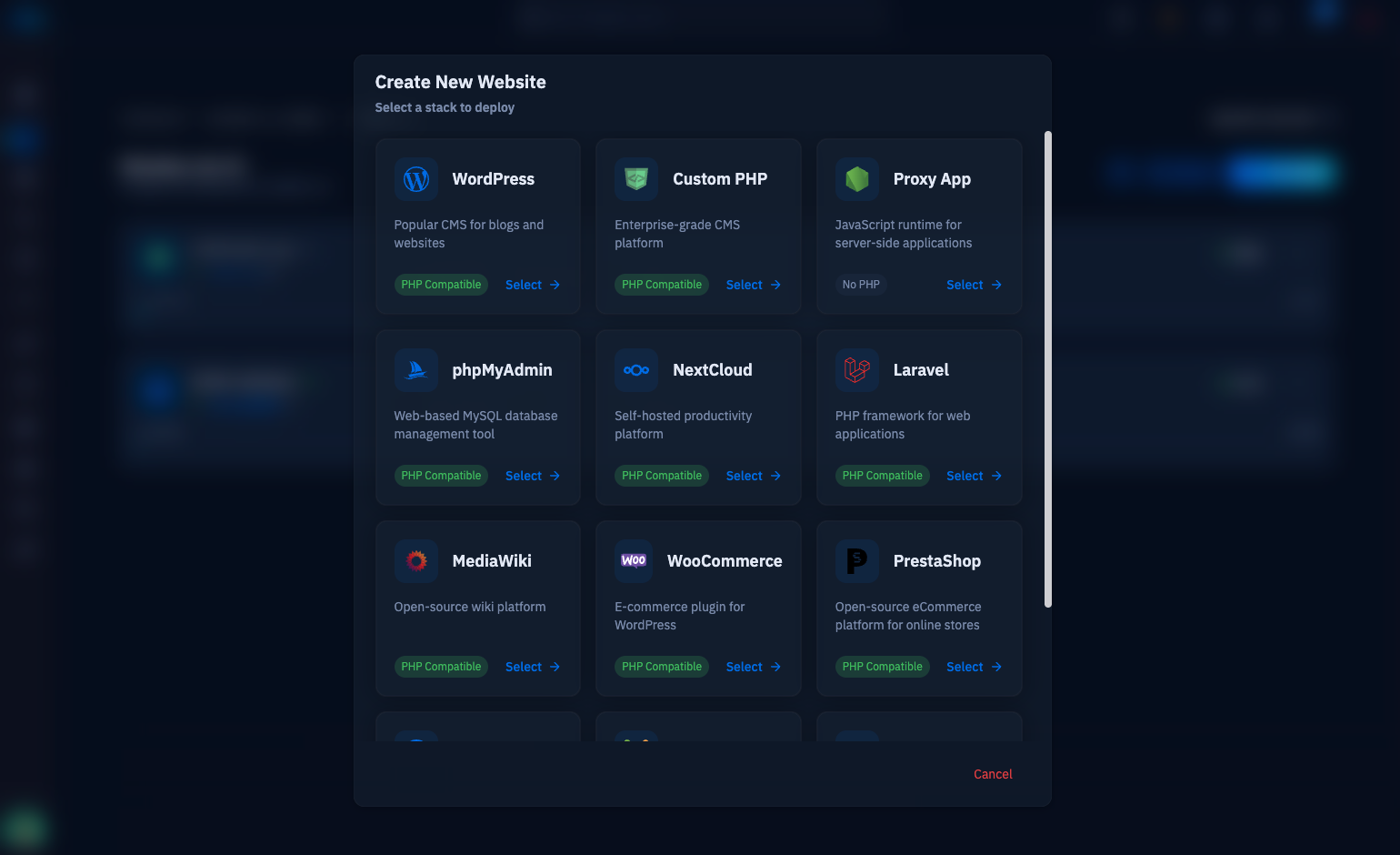
The Upgrade and Connection headers keep hot-module WebSockets and any realtime features working through the proxy, and X-Forwarded-Proto is what stops Next.js from generating http:// links behind TLS. This proxy-to-a-port arrangement is exactly what CloudStick's proxy web application type automates: nginx-cs terminates TLS with a free Let's Encrypt certificate, applies the vhost and headers, and forwards to whatever port your app listens on — CloudStick proxies Next.js apps the same way, and the pattern is battle-tested enough that this very setup is how production Next.js sites run on CloudStick-managed servers.
Environment variables: build time vs runtime
Next.js has two kinds of environment variables and confusing them is the most common self-hosting bug. Server-side variables — database URLs, API secrets, anything read in server components or route handlers — are resolved at runtime from the actual process environment, so changing them is as simple as editing the env block and reloading PM2. Anything prefixed NEXT_PUBLIC_ is different: those values are inlined into the JavaScript bundles at build time, string-substituted directly into the client code. Change NEXT_PUBLIC_API_URL on the server and restart all you like — the browser keeps receiving the old value until you run next build again.
Two practical consequences. First, a build is environment-specific: a bundle built with staging NEXT_PUBLIC_ values cannot be promoted to production, so build on (or for) the machine that will serve it. Second, never put a secret in a NEXT_PUBLIC_ variable — it ships to every visitor's browser in plain text, which is the kind of leak that turns up in a security audit six months later. Keep secrets unprefixed and server-side, where the standalone server reads them from the environment PM2 provides.
Zero-downtime reloads and next steps
Deploys should never show users an error page, and with cluster mode they do not have to. pm2 reload restarts instances one at a time — the old worker keeps answering requests until the new one is listening — which is why the ecosystem file above set exec_mode to cluster. A minimal deploy script is four lines:
One caveat worth knowing: building in place means there is a brief window where a visitor holding old HTML requests old asset hashes after the new build replaced them. Because the Nginx alias serves whatever is in .next/static, the fix is either to keep it simple and accept a rare hard-refresh, or to graduate to a releases-and-symlink layout where each build lands in its own directory and the symlink flips atomically after the copy step.
From here, wire the deploy script to a git push (a post-receive hook or CloudStick's Git Deployment both work), watch memory for the first week with pm2 monit, and load-test one page with a tool like wrk so you know your real headroom. The result is a Next.js deployment with no function timeouts, no per-seat pricing, and no surprises on the invoice — running on hardware you control, behind an Nginx config you can read in one screen.

