How to Set Up Nginx as a Reverse Proxy for Node.js

%203.png&w=256&q=75)
Why Node.js should never listen on port 80
Your Node app should listen on a high port like 3000, bound to localhost, and Nginx should be the only thing facing the internet. The first reason is mechanical: ports below 1024 are privileged on Linux, so binding Express to port 80 means running Node as root — and a single vulnerable dependency then hands an attacker a root shell instead of an unprivileged one. The second is TLS: certificates, renewals, cipher configuration, and HTTP-to-HTTPS redirects are solved problems in Nginx, and reimplementing them inside every Node process is work you repeat per app and get wrong at least once.
The remaining reasons compound. Nginx serves static files — images, CSS, client bundles — straight from disk far more efficiently than the Node event loop, which should be spending its time on application logic, not shovelling bytes. And a reverse proxy is the only clean answer to the one-IP, many-apps problem: your VPS has a single public address, but Nginx can route example.com to port 3000, api.example.com to port 4000, and a staging build to port 5000, all decided by the Host header. Every serious Node deployment ends up behind a proxy; this guide sets one up properly the first time.
You need an Ubuntu 24.04 VPS with root or sudo access, Nginx installed (sudo apt install nginx), a Node.js app that starts and responds on a local port, and a domain with an A record already pointing at the server’s IP. The DNS part matters: Let’s Encrypt validation in the TLS step will fail if the domain does not yet resolve to this machine.
Bind the app to localhost
Bind to 127.0.0.1, not 0.0.0.0 — this is the detail most tutorials skip. An app listening on 0.0.0.0:3000 is reachable from the internet at http://your-ip:3000, straight past Nginx, past your TLS, and past any rate limiting or headers the proxy adds. Binding to loopback makes the proxy the only door:
The curl check from the server itself is your baseline: if the app does not answer on loopback, nothing you do in Nginx will fix it, and you will waste an hour debugging the wrong layer. Confirm this works before touching a single config file. In production you will run the process under PM2 or systemd rather than a bare node server.js, but the binding rule is identical either way.
The Nginx server block
One server block does the whole job. Create /etc/nginx/sites-available/example.com with the following, then symlink it into sites-enabled:
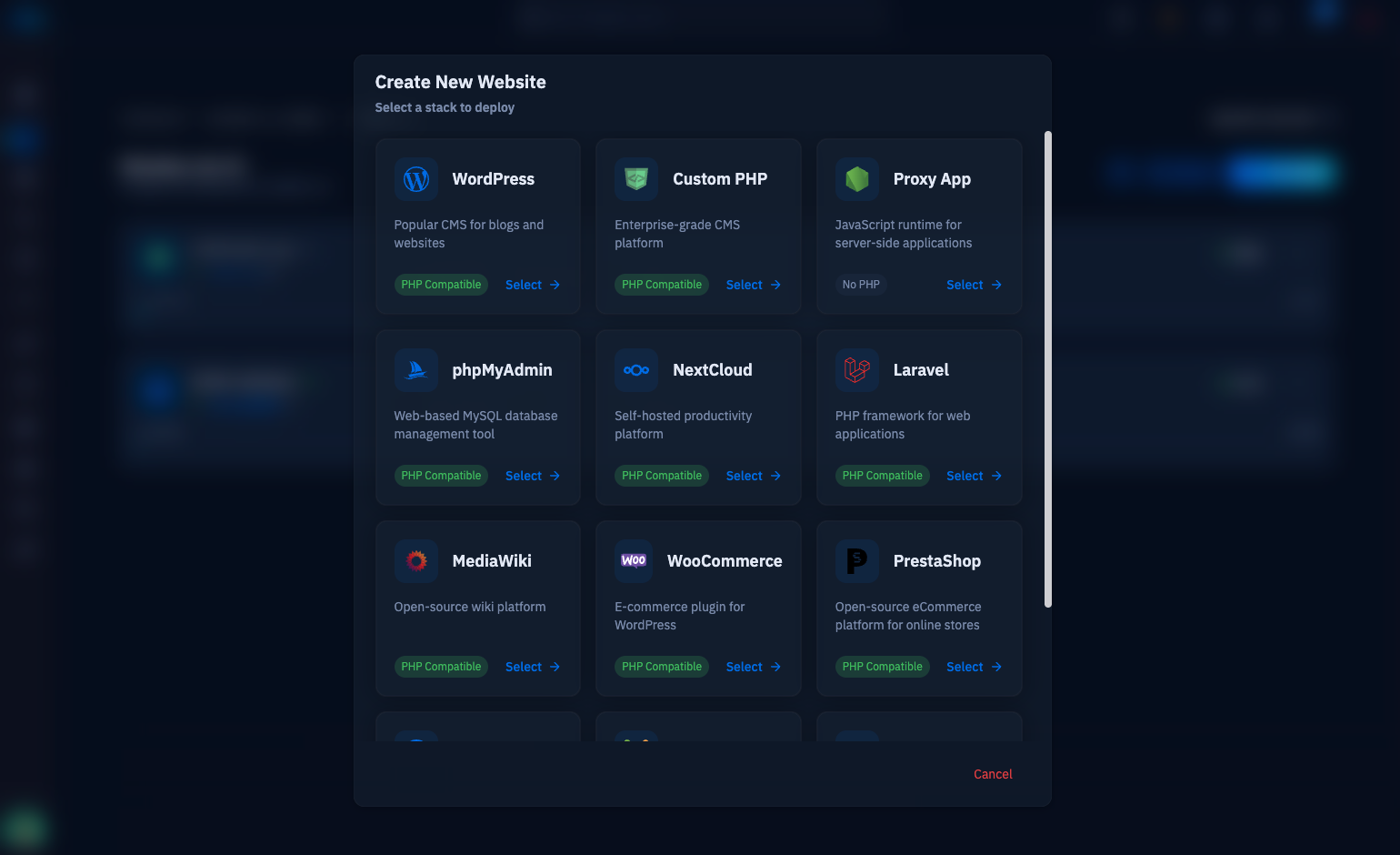
proxy_pass is the heart of it: every request arriving for example.com is handed to the Node process on loopback port 3000, and the response streams back through Nginx. Note that this is exactly the pattern CloudStick automates — create a site with the proxy web application type, give it the port your app listens on, and nginx-cs generates the vhost, the forwarded headers, and the TLS configuration for you. Doing it by hand once, as here, is still worth it: you will know precisely what the panel is writing on your behalf.
WebSockets and forwarded headers
Three lines in that block exist purely so WebSockets survive the proxy. Nginx speaks HTTP/1.0 to upstreams by default, and a WebSocket handshake is an HTTP/1.1 Upgrade request — so proxy_http_version 1.1 is mandatory. The Upgrade and Connection headers are hop-by-hop, meaning Nginx deliberately drops them unless you re-add them with proxy_set_header. Miss any of the three and Socket.IO silently degrades to long-polling while plain WebSocket connections fail with a 400 — a bug that costs real debugging time because plain HTTP requests keep working perfectly.
The X-Forwarded headers solve a different problem: from Node’s perspective, every request now comes from 127.0.0.1. X-Real-IP and X-Forwarded-For carry the visitor’s true address, and X-Forwarded-Proto tells the app whether the original request was HTTPS — without it, frameworks generate http:// redirect URLs and mark secure cookies incorrectly. In Express, add app.set('trust proxy', 1) so req.ip and req.protocol read these headers instead of the raw socket. Skip that line and your rate limiter will throttle all users as a single client at 127.0.0.1.
Add TLS with Let’s Encrypt
Certbot’s Nginx plugin turns HTTPS into two commands. It reads your server block, obtains a certificate for the names in server_name, rewrites the block to listen on 443 with the certificate paths, and adds the port-80 redirect:
This is the payoff of terminating TLS at the proxy: the Node app itself never touches a certificate. Traffic is encrypted from browser to Nginx, decrypted, and forwarded over loopback — which is safe because loopback traffic never leaves the machine. Renewal is automatic; certbot installs a systemd timer that renews certificates before their 90-day expiry and reloads Nginx. Verify it is armed with sudo certbot renew --dry-run, and you never think about certificates again.
Buffering, timeouts, and testing
The defaults are right for normal request-response traffic, so know them before you override them. proxy_buffering is on, which lets Nginx absorb a response quickly from Node and spoon-feed it to slow clients — your Node process is freed sooner, which is exactly what you want. proxy_read_timeout defaults to 60 seconds: if Node takes longer than that to send anything, the client gets a 504. The two cases that need overrides are long-running endpoints and streaming. Server-sent events in particular break under buffering, because Nginx holds the chunks Node is trying to push:
Make nginx -t a reflex: it validates the entire configuration and refuses to let a typo take the site down, and systemctl reload applies changes without dropping a single connection. Then test from outside in — curl -I https://example.com should return 200 over HTTP/2, http:// should answer 301 to HTTPS, and http://your-ip:3000 should time out, proving the app is unreachable except through the proxy. From here, put the Node process under PM2 so it survives crashes and reboots, and if you are running more than one app, the next article below shows how the same pattern scales to many ports behind one Nginx.

