How to Deploy a Symfony Application on a VPS

%203.png&w=256&q=75)
Confirm the server meets Symfony 7 requirements
Symfony 7 requires PHP 8.2 or newer plus the ctype, iconv, and intl extensions — verify all four before you copy a single file to the server, because a missing extension surfaces as a fatal error on the very first request, not as a helpful warning during install. If you have deployed Laravel to a VPS before, everything in this guide will feel familiar: same Nginx front end, same PHP-FPM pool, same Composer workflow. Only the framework-specific commands change.
Check the PHP version and the three required extensions in one pass:
ctype and iconv ship enabled in nearly every PHP build, but intl frequently does not — on a stock Ubuntu install you add it with sudo apt install php8.3-intl and reload PHP-FPM. On a CloudStick server the same PHP site type you use for Laravel works for Symfony unchanged, and EasyPHP installs intl (or any other extension) per PHP version in a click, so this entire section becomes a thirty-second checkbox rather than a package hunt. Add pdo_mysql if you plan to use Doctrine with MySQL or MariaDB.
Lock down production environment variables
Production Symfony runs with APP_ENV=prod and APP_DEBUG=0 — anything else leaks stack traces, environment values, and the profiler toolbar to the public internet. Set both in a .env.local file on the server (never committed to Git), alongside your real DATABASE_URL, MESSENGER_TRANSPORT_DSN, and a fresh APP_SECRET.
Then compile the whole set into an optimized PHP file. Symfony parses .env files on every request unless you do this; composer dump-env prod merges every .env layer into a single .env.local.php that PHP opcaches like any other file:
Two rules from the security side. First, regenerate .env.local.php on every deploy — it is a snapshot, so an edit to .env.local alone changes nothing until you dump again. Second, keep the file readable only by the site user (chmod 640); it now contains every secret your app has in plain PHP.
Install dependencies and warm the cache
The production install is three commands, run in the release directory in this exact order: install dependencies without dev packages, clear the old cache, warm the new one. Warming matters more in Symfony than in most frameworks because the container, routes, and Twig templates are all compiled — if you skip cache:warmup, the first unlucky visitor pays the compilation cost, and on a busy site dozens of requests pile onto a cold cache simultaneously.
The --no-dev flag does double duty: it keeps debug bundles, the profiler, and test tooling off the production box entirely (smaller attack surface, smaller vendor directory), and --optimize-autoloader converts PSR-4 lookups into a class map so autoloading skips the filesystem. These three commands, plus the env dump above, are your repeatable deploy script — put them in a shell script or a CloudStick Git deployment hook so every release runs them identically.
Configure Nginx for Symfony
The document root must be the public/ directory, never the project root — that single line decides whether your .env, var/, and vendor/ directories are reachable over HTTP. From there the server block needs only two location rules: send everything that is not a real file to index.php, and hand index.php itself to PHP-FPM.
Do not remove the internal directive or the final return 404 block. Together they guarantee that index.php can only be reached through an internal Nginx rewrite and that no other .php file in the tree — an uploaded shell, a stray test script, a vendor file — can ever be executed by URL. Omitting them is one of the most common ways a hardened Symfony deploy quietly becomes an exploitable one.
Note also $realpath_root instead of $document_root: it resolves symlinks before handing the path to PHP-FPM, which is what makes symlink-swap zero-downtime releases work correctly with opcache. If you followed our Laravel Nginx guide, this block is the same shape — only the try_files fallback string differs.
Set var directory permissions and run migrations
The only directory Symfony writes to at runtime is var/ — cache in var/cache, logs in var/log — so the PHP-FPM user needs write access there and nowhere else. On a properly isolated setup where PHP-FPM runs as the same system user that owns the files (the CloudStick per-site default), this works with no permission changes at all. If your FPM pool runs as www-data against files owned by a deploy user, fix ownership on var/ specifically rather than loosening the whole project:
The --no-interaction flag matters because migrations run from a deploy script, not a terminal — without it, Doctrine waits for a confirmation prompt that never comes and the deploy hangs. Run migrations after the code is in place but before traffic hits the new release, and take a database backup first on anything that drops or renames columns. Never run bin/console as root: files it creates in var/cache become root-owned and the next FPM request fails with a permission error.
Run Messenger workers under Supervisor
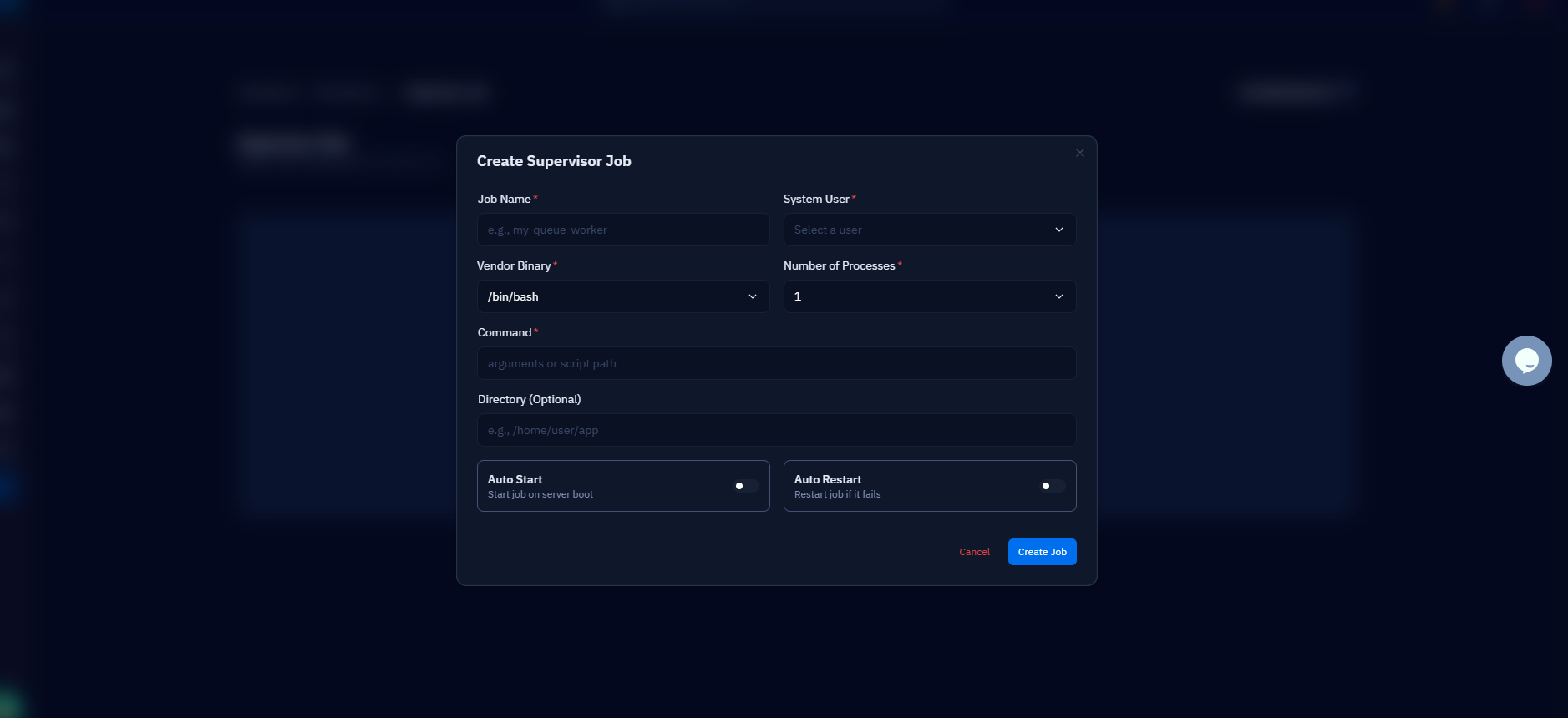
Symfony Messenger workers are long-running processes that die on deploys, memory leaks, and lost database connections — exactly like Laravel queue workers — so they need a process supervisor to restart them. The messenger:consume command is Symfony's equivalent of queue:work, and the Supervisor recipe is nearly identical:
The --time-limit=3600 flag makes each worker exit cleanly after an hour so Supervisor restarts it with fresh code and no accumulated memory; after each deploy, run php bin/console messenger:stop-workers so running workers finish their current message and restart immediately instead of serving stale code for up to an hour. CloudStick's Supervisord Management sets this up from the dashboard — you define the command, user, and process count in a form and it writes and reloads the Supervisor config, the same workflow it uses for Laravel queue workers.
Route failed messages to a dedicated failure transport in config/packages/messenger.yaml and check it after each deploy with php bin/console messenger:failed:show. A silent pile of failed messages is the Messenger equivalent of a full failed_jobs table — invisible until a customer asks where their email went.
Deployment checklist and next steps
A repeatable Symfony deploy is six steps in a fixed order: pull the new code, run composer install --no-dev --optimize-autoloader, regenerate .env.local.php with composer dump-env prod, run doctrine:migrations:migrate --no-interaction, clear and warm the cache, then stop the Messenger workers so Supervisor restarts them on the new release. Script it once, run it the same way every time — the deploys that go wrong are almost always the ones done by hand, from memory, under pressure.
Before you call the first deploy done, verify the security posture you set up along the way: APP_DEBUG is 0 and the profiler is absent from prod, the document root points at public/ and a request for /.env returns 404, the internal directive is in place so no PHP file executes by direct URL, and .env.local.php is readable only by the site user.
From here, the natural next steps mirror the Laravel series: wire the deploy script into Git push-to-deploy, add a symlink-based release layout for zero-downtime switches, and put HTTPS in front of it all. The two related guides below cover the Nginx and full-deploy halves of that picture in detail.