How to Hand Off a Server to a Client Cleanly

%203.png&w=256&q=75)
What "Handoff" Actually Means
A clean handoff means the client's site keeps running without interruption while every credential, ownership record, and piece of infrastructure knowledge that used to live with your agency moves to them or to whoever they hire next. It happens at the end of a project, when a retainer ends, or when a client decides to bring hosting in-house or switch providers.
The failure mode almost every agency hits at least once is treating handoff as "send them the login and wish them luck." That leaves DNS still pointed at a registrar account they can't access, SSH keys from three former contractors still valid, and zero record of why a particular Nginx rewrite rule exists. None of that breaks the site the day you walk away — it breaks it three months later, at 2am, when nobody left who understands the setup is reachable.
Transferring Account and Server Ownership First
Ownership transfer has to happen before you touch credentials, because revoking your own access to an account the client doesn't yet control locks everyone out. Start with the infrastructure provider — the VPS host, the control panel account, and the domain registrar all typically support an ownership or team-transfer flow rather than requiring a full account recreation.
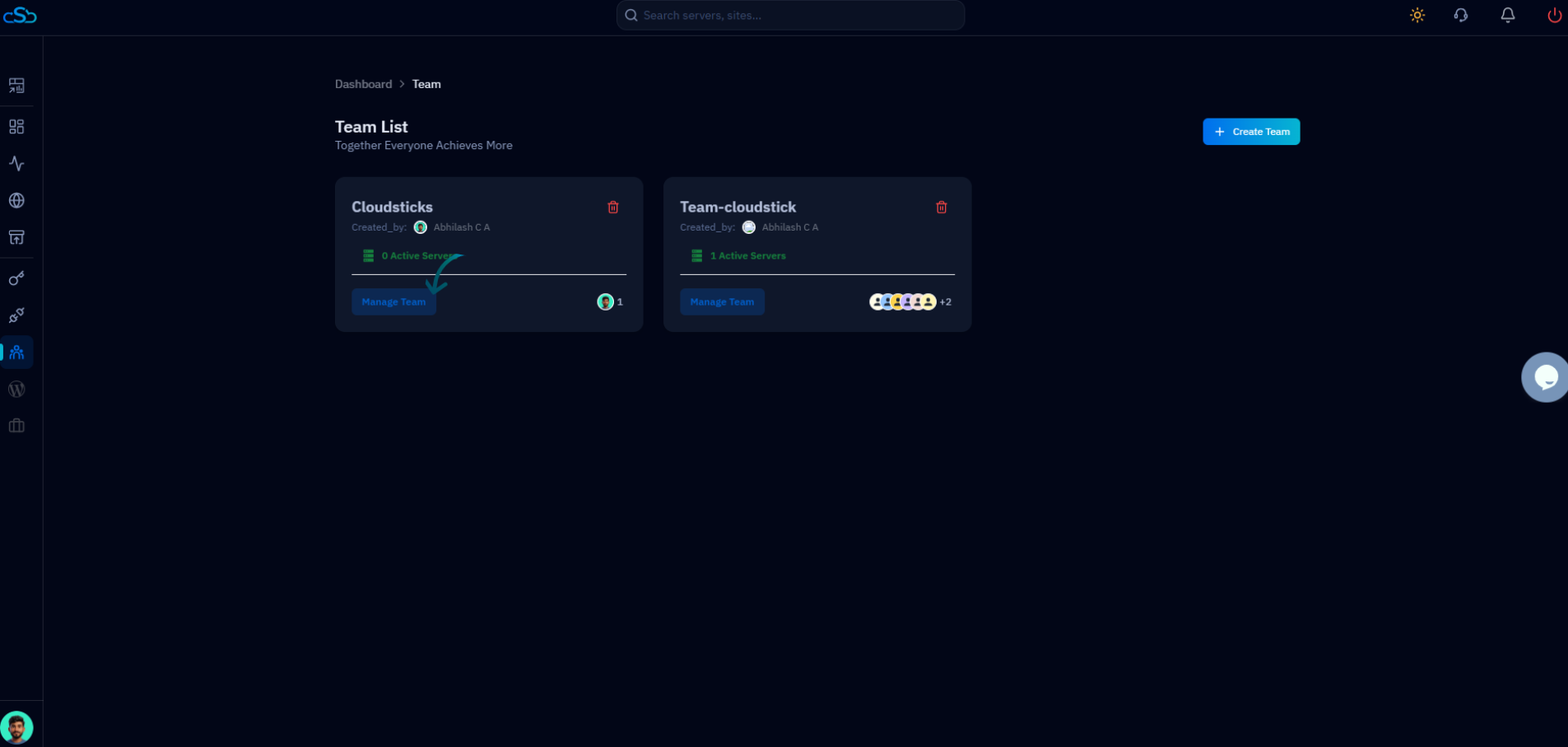
In CloudStick, this is a team transfer rather than a rebuild: invite the client as a team member on the server with owner-level permissions, have them accept and set up their own billing, and only then remove your agency's team membership. Because CloudStick's role-based access control lets you scope exactly what a team member can see, you can also keep read-only visibility during a transition window if the client wants your agency on standby, without holding the keys to the whole account.
Confirm the client can independently log in, see billing, and manage the server before you remove your own account. An ownership transfer that leaves the client locked out because a confirmation email landed in spam is not actually complete — verify it live on a call rather than assuming the invite worked.
Rotating SSH Keys and Passwords Your Agency No Longer Needs
Every credential your agency used to manage the server needs to be audited and either removed or rotated, not just the primary login you handed the client. That includes SSH keys added under any system user, database passwords, API tokens for Cloudflare or third-party services, and any personal or contractor accounts created during the engagement.
Don't forget credentials that live outside SSH entirely — SFTP accounts, WordPress admin users tied to your agency's email, and any API keys stored in wp-config.php or a .env file for services like Cloudflare, S3 backups, or transactional email. If your agency's staging environment or CI pipeline had deploy access to the production server, that key needs to be revoked too, not just accounts a human logs into directly.
Updating DNS Registrar and Nameserver Contacts
DNS is the piece most likely to be forgotten because it usually isn't touched again after initial setup, yet it's the one that locks a client out of their own domain if it stays in your agency's account. Check three things: who owns the domain registration itself, who controls the nameservers or DNS zone (often Cloudflare), and whose email address is listed as the administrative contact for renewal notices.
If the domain is registered under your agency's account "for convenience," initiate a registrar transfer or an internal ownership change well before the handoff date — transfers can take days and sometimes require an unlock period. If you manage DNS through Cloudflare, transfer the zone to the client's own Cloudflare account rather than leaving it under yours with the client only holding record-level access.
Update the administrative and technical contact emails on the domain registration itself, not just the account login. A domain that expires because a renewal notice went to an agency inbox nobody checks anymore is an entirely avoidable outage.
Documenting What You Configured
A handoff document should let the client's next provider start productive on day one instead of reverse-engineering your setup from scratch. At minimum, record the PHP version and any non-default extensions enabled, the backup schedule and where backups are stored, any custom Nginx or Apache rewrite rules and why they exist, cron jobs and what they do, third-party integrations (payment gateways, email providers, CDN), and SSL certificate details including renewal method.
Keep this documentation updated throughout the engagement, not written from memory the week you hand off. A setup note added when you configure something is accurate; one reconstructed six months later at project close is a guess.
CloudStick reduces how much of this needs writing down in the first place, because standard configuration — PHP-FPM pool per site, Nginx/Apache stack, SSL issuance and auto-renewal, backup scheduling through the Visual Database Manager — is visible directly in the dashboard the client now owns, rather than buried in config files only you knew to look at.
The Handoff Checklist
A clean handoff is confirmed, not assumed — walk through account ownership, credential rotation, DNS, and documentation as a checklist before you consider the engagement closed. Verify the client can log in independently, confirm every agency-owned SSH key and password has been rotated or removed, confirm domain and DNS contacts point to the client, and hand over the documentation as a living file they can add to.
Leaving an old SSH key or API credential active after handoff is one of the most common sources of post-engagement breaches. A former agency, a departed contractor, or a compromised laptop with a still-valid key becomes an open door into a server you no longer manage or monitor. Treat every handoff as a full credential rotation, not a partial one — "we probably got most of them" is not an acceptable outcome.
Once ownership, credentials, DNS, and documentation are all confirmed, send the client a short written summary of what changed and who to contact for support going forward. That final message is what actually closes the engagement — everything before it is just the work of getting there.

