How to Manage 20+ Client WordPress Sites from One Dashboard

%203.png&w=256&q=75)
Why 20 Separate Logins Doesn't Scale
Twenty client sites means twenty different cPanel, Plesk, or bare-SSH logins scattered across bookmarks, password managers, and sticky notes on a whiteboard nobody updates. The moment a site goes down at 11pm, the bottleneck isn't fixing the problem — it's remembering which host, which port, and which of three password resets got applied last.
Each per-client hosting account also tends to drift: different PHP versions, different backup tools, different Nginx or Apache configs, because whoever set up client #7 in 2023 made different choices than whoever set up client #19 last month. Every support ticket becomes an investigation before it becomes a fix. That investigation time is pure overhead — it doesn't get billed, it doesn't make the client happier, and it compounds linearly with every new site you take on.
Centralize SSH Keys and Server Access First
The single highest-leverage fix is putting every server behind one SSH key pair (or a small, rotated set) instead of per-client credentials your team re-learns each time. Generate one agency key, add it to every server's authorized_keys, and use an SSH config file so any team member can jump into any client's box without hunting for a password:
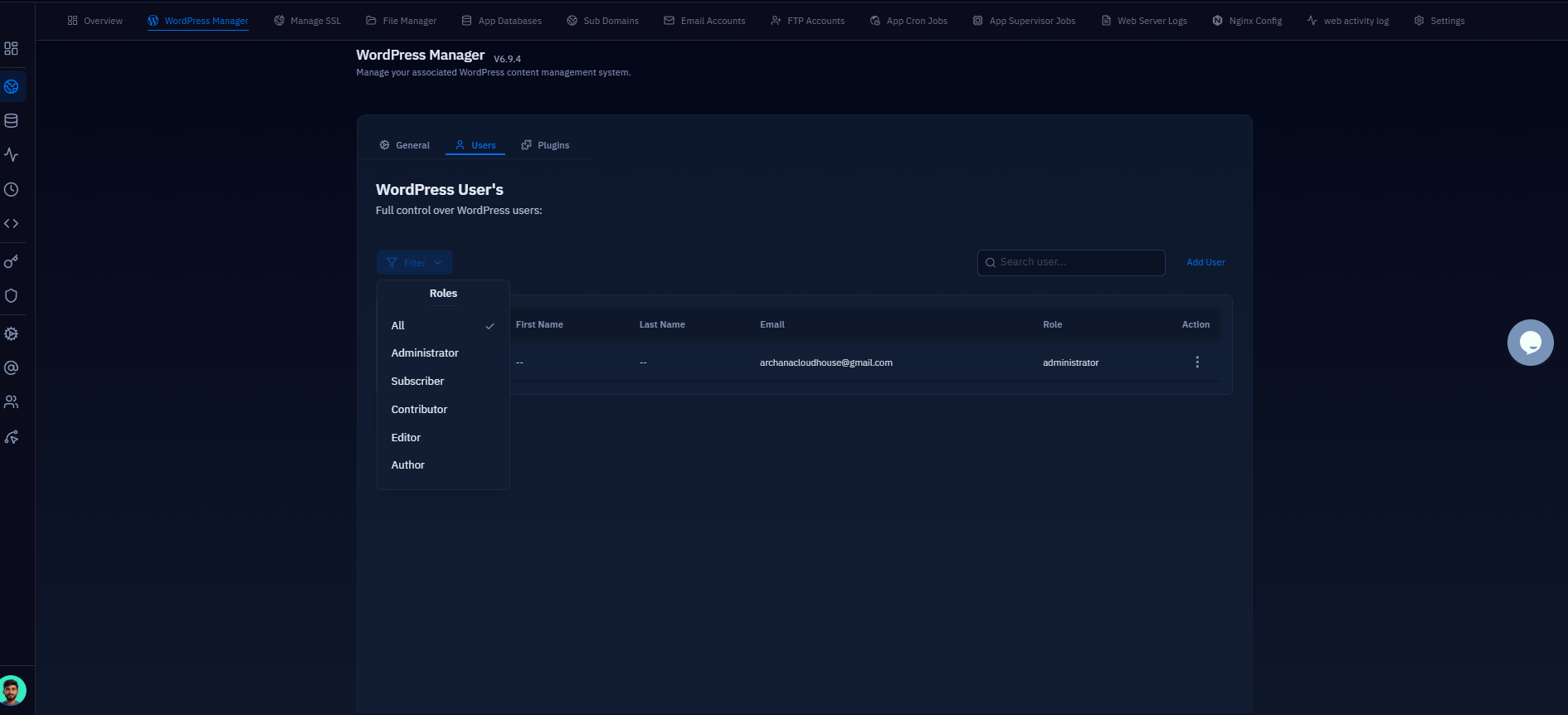
When someone leaves the team, you revoke one key from every server instead of chasing down twenty separate passwords. If you're managing servers through a control panel rather than raw SSH, role-based access takes this further: you can give a junior team member owner-level access to one client's site without exposing server-wide settings or any other client's files.
Before centralizing access, audit every client server for lingering root-password logins and disable password authentication (PasswordAuthentication no in sshd_config) once your key is confirmed working. Test the key login in a second terminal before closing your existing session.
Standardize PHP Versions and Backup Schedules
Support becomes predictable the moment every client site runs the same PHP version and the same backup cadence, because your team is troubleshooting one known stack instead of twenty bespoke ones. Pick a baseline — say PHP 8.2 for anything not explicitly pinned by a plugin compatibility issue — and treat deviations as documented exceptions, not the default.
The same applies to backups: daily database backups with a 14-day retention window, weekly full-site backups, applied uniformly, mean that when a client calls about a corrupted post or a bad plugin update, the answer is always "restore from last night" rather than "let me check if this site even has backups configured." CloudStick's per-site PHP-FPM pool isolation means you can standardize the PHP version per site through EasyPHP without SSH, and the Visual Database Manager lets you schedule and retain per-database backups the same way across every client — so the policy is enforced by the tooling, not by memory.
See Every Client Site's Health at a Glance
A single dashboard view of server health, SSL expiry, and backup status across all client sites replaces twenty individual login sessions with one screen you check every morning. Instead of logging into client #3's cPanel to notice its SSL cert expires in four days, then into client #11's server to check whether last night's backup actually completed, you scan one list and immediately know which sites need attention.
This is the operational difference between a control panel built for one server and one built for agencies managing many: CloudStick's free Let's Encrypt SSL renews automatically across every site you manage, so the dashboard is there to confirm renewal happened rather than to remind you it's about to fail. Combined with per-server pricing instead of per-site fees, adding client #21 doesn't mean a new bill line item for hosting software — it means one more row in the same dashboard.
Onboarding and Offboarding Clients Cleanly
Onboarding a new client server is the same 10-15 steps every time — point DNS, issue SSL, install WordPress, apply your standard PHP and backup policy — which is exactly why it should be templated rather than repeated from memory each time you sign a new client. Documenting that checklist once and reusing it for client #21 the same way you did for client #4 removes the guesswork about whether this new site got the same hardening and monitoring as the rest of the portfolio.
Offboarding matters just as much: handing a server back to a client at the end of an engagement means transferring account ownership, DNS, and credentials without breaking the live site, and leaving behind documentation of exactly what was configured. A dashboard where every site's PHP version, SSL status, and backup schedule is already visible in one place makes that handoff a five-minute export instead of a week of digging through server notes to reconstruct what was actually set up.
Next Steps: Consolidate Before You Add Client #21
Start with the SSH key consolidation this week — it's the fastest win and the one that most directly reduces after-hours incident response time. Then move each client server onto a standard PHP version and backup schedule as you touch it for other reasons, rather than doing a risky bulk migration all at once.
Once access is centralized and configs are standardized, a unified dashboard stops being a nice-to-have and starts being the thing that actually lets you take on client #21, #22, and #23 without adding a proportional amount of support overhead. The goal isn't a prettier login screen — it's turning twenty separate operational surfaces into one you can actually keep in your head.