How to Manage Background Processes on a Linux Server

%203.png&w=256&q=75)
Why & and nohup eventually fail you
There is a ladder of process management on Linux, and most outages happen because someone stopped climbing too early. The bottom rung is the ampersand: append & to a command and the shell runs it in the background. It works until you log out — the process belongs to your login session, and when the session ends, the kernel sends it SIGHUP and it dies. nohup exists to patch exactly that: it makes the process ignore SIGHUP and redirects output to nohup.out, so it survives your logout.
What nohup cannot do is the part that matters in production. If the process crashes at 3 a.m., nothing restarts it. If the server reboots, nothing starts it at all. And it dies quietly — no alert, no status you can query beyond grepping ps output, just a log file that stopped growing and a customer email the next morning. & and nohup are fine for a one-off task you will check on within the hour. Everything longer-lived deserves a rung higher on the ladder.
tmux and screen for interactive long tasks
tmux is the right tool when the job is long and you want to watch it — a database migration, a multi-gigabyte rsync, a compile that takes forty minutes. It runs a terminal session on the server that outlives your SSH connection: start the job inside tmux, detach, close your laptop, and reattach tomorrow to find the session exactly as you left it, scrollback and all. screen is the older tool with the same idea; tmux is what you should reach for on a fresh Ubuntu 24.04 box (sudo apt install tmux).
The workflow is three commands: tmux new -s migrate starts a named session, Ctrl+b then d detaches from it, and tmux attach -t migrate picks it back up — even from a completely new SSH connection after your Wi-Fi dropped mid-task. But be clear about what tmux is for: it protects an interactive task from a flaky connection. It does not restart anything, does not start at boot, and a session someone forgot about is invisible until you run tmux ls. It is a cockpit, not an autopilot — services still belong further up the ladder.
systemd services: the OS-native answer
systemd is the init system already running on Ubuntu 24.04, and it does everything nohup cannot: restart your process when it crashes, start it at boot, run it as an unprivileged user, and capture every line it prints into a queryable journal. A unit file is a dozen lines in /etc/systemd/system/:
Every line earns its place. Restart=on-failure is the crash insurance nohup never gave you. User= means the app does not run as root, so a compromised process cannot own the box. WorkingDirectory= saves you from the classic bug where relative paths resolve against / instead of the app folder. Then three commands wire it up:
enable --now registers the service for boot and starts it in one step. Logs need no configuration at all: everything the process writes to stdout and stderr lands in the journal, and journalctl -u myapp filters to just this service — timestamped, rotated, and searchable.
When debugging a live issue, run journalctl -u myapp -f --since "10 min ago". The -f flag follows new lines in real time like tail -f, and --since trims the backlog to the window you actually care about — you see the crash, the restart, and every log line in between, without scrolling through a week of history.
Supervisor for app-level process fleets
Supervisor shines when one app needs a fleet of identical workers — eight Laravel queue consumers, four Node workers draining the same Redis list. Where systemd manages one unit per service, Supervisor's numprocs directive stamps out N copies from a single config block, and supervisorctl gives you one command surface for the whole group:
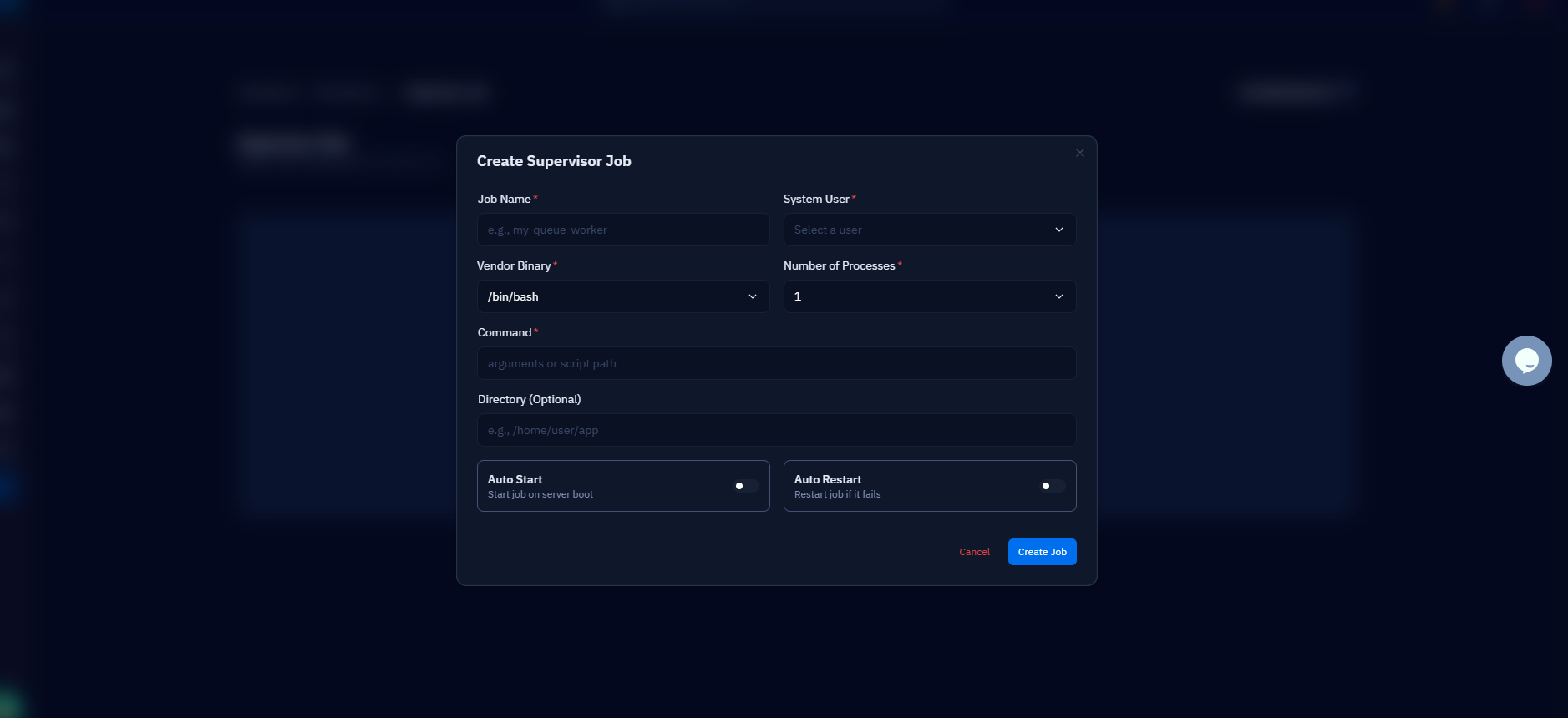
That restart queue-worker:* line is why deploy scripts love Supervisor — one command cycles all eight workers onto the new code. If your server runs on CloudStick, this whole layer lives in the dashboard: the Supervisord Management section lets you add a program, set its command, user, and process count, and restart it with a click — Laravel queues and Node workers stay alive without opening an SSH session, and the config it writes is exactly the kind shown above.
PM2 for Node — and when to pick which
PM2 is a process manager built specifically for Node.js, and for Node apps it earns its place with features the generic tools lack: cluster mode forks one process per CPU core behind a shared port, pm2 reload cycles them one at a time for zero-downtime deploys, and pm2 monit gives a live CPU and memory view per process. pm2 start app.js -i max, pm2 save, and pm2 startup (which generates a systemd unit so PM2 itself survives reboots) is the standard trio.
So which rung do you stand on? Use & or nohup only for throwaway tasks you will check within the hour. Use tmux when you need to watch a long interactive job and survive a dropped connection. Use systemd for anything that should be part of the machine — one service, one unit file, journald logging, starts at boot, no extra software. Use Supervisor when an application owns a fleet of identical workers you want to manage as a group, or when your control panel manages Supervisor for you. Use PM2 when the app is Node and you want cluster mode and zero-downtime reloads without writing them yourself. These layers also stack: PM2 and Supervisor are themselves started by systemd, which is the only thing the kernel actually launches.
Inspecting what is running, and your next step
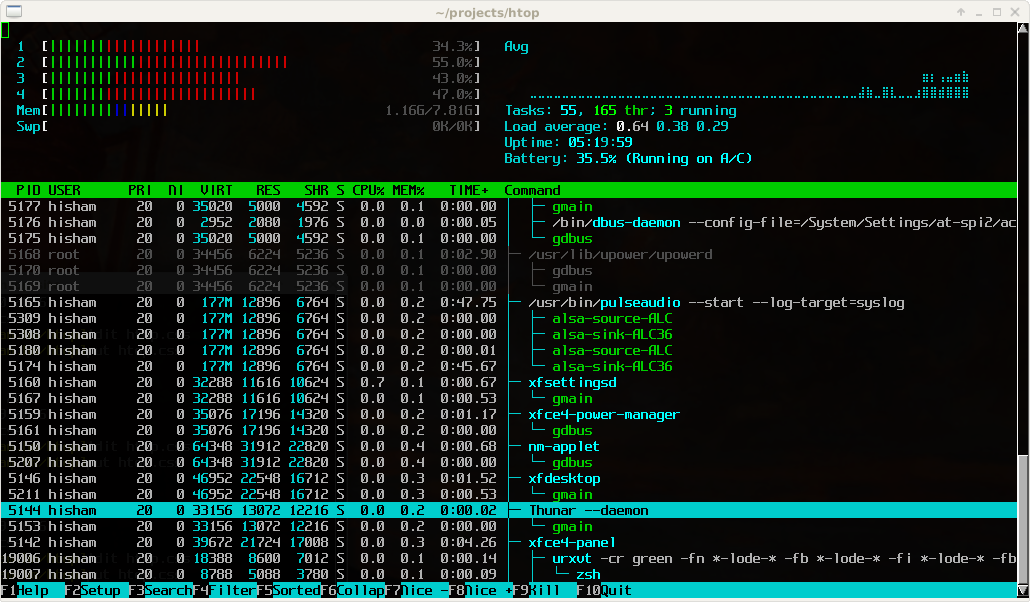
Managing processes starts with seeing them. ps aux is the raw census — every process, its user, PID, CPU, and memory — and piping it through grep finds the one you care about: ps aux | grep node. systemctl list-units --type=service --state=running shows the systemd view: every service currently up, which is usually the more useful question than "every process". And htop (sudo apt install htop) gives you the live, sortable version — press F6 to sort by memory and the leaking worker is at the top of the screen. Add supervisorctl status and pm2 ls for the layers those tools own, and you can account for everything the server is doing in under a minute.
The practical next step: pick the one process on your server that is still running under nohup or inside a forgotten tmux session, and promote it. Write the ten-line unit file, systemctl enable --now it, and confirm the crash-recovery actually works — kill the PID and watch systemctl status show it running again with a new one. Then do the same for your queue workers under Supervisor. An hour of this converts "the app is down and nobody knows why" into a service that restarts itself and a journal that tells you what happened — which is the entire point of the ladder.