How to Pass Core Web Vitals on WordPress

%203.png&w=256&q=75)
What Are Core Web Vitals?
Core Web Vitals are the three field metrics Google uses to score real-world page experience: Largest Contentful Paint (LCP) measures how long the biggest visible element takes to render, Interaction to Next Paint (INP) measures how responsive the page feels to clicks and taps, and Cumulative Layout Shift (CLS) measures how much content jumps around while loading. Google flags a page as "Needs Improvement" or "Poor" using the 75th-percentile thresholds: LCP under 2.5s, INP under 200ms, and CLS under 0.1 are all required to pass.
WordPress sites typically fail on one metric at a time for a predictable reason: LCP fails because of slow server response and unoptimized hero images, INP fails because of heavy JavaScript from plugins and ad scripts blocking the main thread, and CLS fails because of images or ads without reserved dimensions and web fonts that swap in late. Each metric has a distinct fix — there is no single plugin toggle that solves all three.
This guide works through each metric in the order that matters most for WordPress: server response and image delivery (LCP), JavaScript execution and caching (INP), then layout stability (CLS), followed by the server-level tuning that supports all three at once.
Measure Your Baseline
Google Search Console's Core Web Vitals report shows field data from real visitors (the Chrome UX Report, or CrUX) — this is what actually affects your search ranking. PageSpeed Insights and Lighthouse show lab data from a single simulated run, which is useful for debugging but will not always match the field report. Check both, but treat Search Console as the source of truth.
Record your starting LCP, INP, and CLS for both mobile and desktop — Google scores them separately, and mobile almost always fails first on shared hosting because of CPU throttling in the field. Re-run the same URL after each change below so you can attribute improvement to a specific fix.
These instructions assume a CloudStick-managed server running Ubuntu 22.04 with Nginx (nginx-cs) as the frontend, Apache (apache2-cs) on port 81 as the backend, and PHP-FPM managed through CloudStick's EasyPHP packages. Verify your PHP version is 8.1 or above before proceeding — anything older will bottleneck LCP before you reach the front-end layer.
Improving LCP (Largest Contentful Paint)
LCP is almost always the hero image, a large heading, or a full-width banner. Two things determine how fast it paints: how quickly the server delivers the HTML (Time to First Byte) and how quickly the browser can fetch and decode the LCP element itself. Fix server response first with Nginx FastCGI full-page caching — a cache hit removes PHP and MySQL from the request path entirely and typically drops server response time from 400–800 ms to under 20 ms.
Once server response is fast, the LCP image itself needs to load without competing for bandwidth. Preload it directly in the <head> so the browser starts fetching it before it finishes parsing the rest of the page, and never lazy-load an above-the-fold hero image — lazy-loading the LCP element is one of the most common WordPress mistakes and directly delays LCP:
Serve the hero image as WebP or AVIF at the exact display size, not the original upload size — a 4000px camera photo scaled down with CSS still forces the browser to download the full file. CloudStick's WordPress manager can convert uploads to WebP automatically and serve them through Nginx with Brotli compression enabled, cutting typical hero image payloads by 40–60% with no visible quality loss:
Improving INP (Interaction to Next Paint)
INP replaced First Input Delay (FID) as a Core Web Vital in 2024, and it is stricter — it measures every interaction during the page's lifetime, not just the first one, so a slow menu click three scrolls down can still fail the metric. The dominant cause on WordPress is JavaScript blocking the main thread: page builders, sliders, chat widgets, and ad networks each add scripts that run long tasks the browser cannot interrupt to handle a click.
Audit third-party scripts first — they are usually the biggest single contributor and the easiest to remove or defer. In Chrome DevTools, open the Performance panel, record a page load plus one interaction, and look at the "Long Tasks" flagged in red; hovering each one shows which script caused it.
For plugin-generated JavaScript you cannot remove, use a performance plugin's "delay JS execution" feature, or break large inline scripts into smaller chunks so the browser can yield to input between them. Reducing PHP execution time also helps INP indirectly: on WooCommerce and membership sites, ajax-driven interactions (add to cart, filters) call back into PHP, and a slow PHP-FPM pool makes every one of those interactions feel sluggish even if the JavaScript itself is lightweight.
Sites that remove 2–3 heavyweight third-party scripts (chat widgets, autoplaying video embeds, and unused analytics tags) typically see INP drop from 350–500 ms into the 100–180 ms "Good" range without touching a single line of their own code.
Improving CLS (Cumulative Layout Shift)
CLS is caused by content that changes position after the initial render. On WordPress the three repeat offenders are: images and iframes without a reserved width/height (the browser doesn't know how much space to leave until the file loads), web fonts that swap in and reflow text (FOIT/FOUT), and ads or cookie banners that inject themselves into the layout without a placeholder.
Always set explicit width and height attributes on every image — most WordPress themes already do this for content images, but manually inserted images in the block editor and third-party embeds frequently omit them. Use aspect-ratio in CSS as a backstop for responsive images that scale with the viewport:
For web fonts, use font-display: optional or swap paired with matching fallback font metrics so the swap doesn't visibly reflow the paragraph below it, and self-host Google Fonts rather than loading them from Google's CDN — this also removes a third-party DNS lookup that delays LCP:
Ad slots and dynamic embeds should always have a fixed-height container reserved before the ad script loads, even if the ad itself doesn't fill it — an empty placeholder that never shifts scores better than one that resizes when content arrives.
Server-Level Tuning
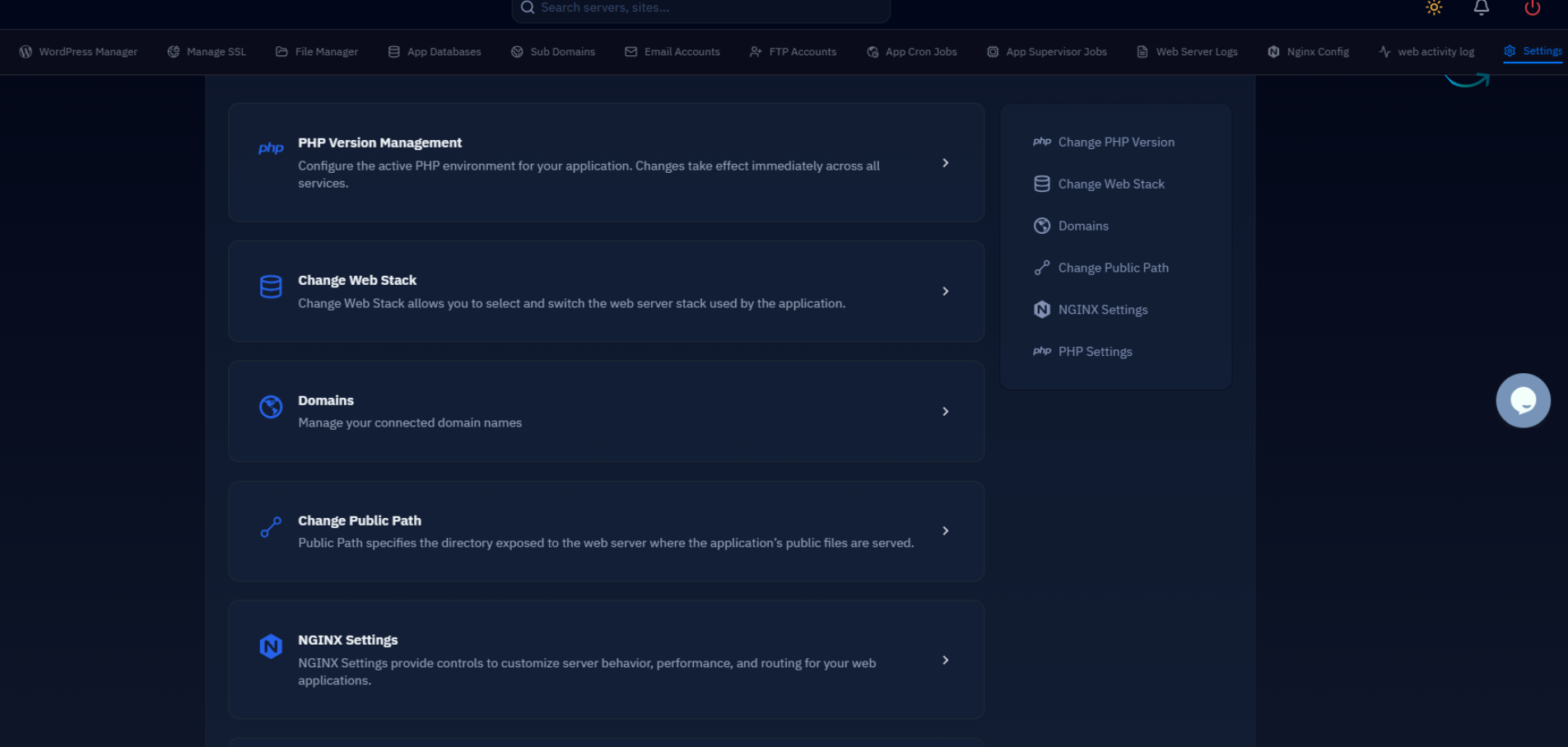
All three metrics benefit from the same underlying server work: a fast, warm PHP-FPM pool and a Redis object cache reduce the uncached response time that gates LCP, and they reduce the ajax round-trip time that gates INP on interactive elements. Size your PHP-FPM pool based on available RAM, and confirm OPcache is enabled so WordPress isn't re-compiling PHP on every request:
Enable Redis via Service Management in your CloudStick dashboard, install the phpredis extension through EasyPHP, and connect WordPress over the local Unix socket for the lowest possible latency:
Server tuning moves LCP and INP, but it cannot fix CLS — layout shift is a front-end problem that no amount of caching or PHP tuning will resolve. Treat server work and front-end work as two separate checklists that both need to pass.
Finally, enable Nginx FastCGI full-page caching for anonymous visitors through CloudStick's WordPress manager — a cache hit serves the fully rendered HTML straight from disk, which is the single biggest lever for LCP on any WordPress site with meaningful anonymous traffic.
Next Steps
Core Web Vitals are scored at the 75th percentile over a rolling 28-day window in Search Console, so changes take up to four weeks to fully reflect in the field report — don't panic if a fix doesn't move the dashboard overnight. Use PageSpeed Insights and Lighthouse for immediate lab feedback while you wait for field data to catch up.
The checklist to work through, in order:
- Enable Nginx FastCGI page caching and Brotli compression via CloudStick's WordPress manager.
- Preload the LCP image with
fetchpriority="high"; never lazy-load above-the-fold hero images. - Audit third-party scripts with DevTools' Performance panel; defer or remove the worst long-task offenders.
- Set width/height on every image and iframe; reserve space for ads and cookie banners.
- Self-host web fonts with
font-display: optional. - Size PHP-FPM and enable Redis object cache so interactive requests stay fast.
- Re-check PageSpeed Insights, then re-check Search Console after 28 days for the field verdict.
Most WordPress sites that pass all three Core Web Vitals combine exactly these two categories of fix: server-level caching and PHP tuning to win LCP and INP, and disciplined front-end markup — explicit image dimensions, self-hosted fonts, reserved ad space — to win CLS. Neither category alone is enough.

