How to Push a Staging Site Live Safely

%203.png&w=256&q=75)
The Risk of a Blind Push
Pushing staging live isn't a mirror of the staging-clone process — you can't just overwrite production with staging's database, because production has kept accepting real orders, comments, and form submissions the whole time staging existed. A naive full-database overwrite silently deletes every transaction that happened since the clone.
The fix is to separate what changed in staging (code: theme, plugins, custom files) from what changed in production (data: new posts, orders, users) and move only the code changes forward, never the full database.
Decide What Actually Moves
Code changes — theme edits, plugin updates, new files — are safe to push wholesale because they don't hold user data. Database changes require more care: if you added a new options row, a new page, or a schema change (a new plugin's tables), you need to move just that delta, not the entire table.
Keep a written log of every database-affecting change you make on staging — new options, new pages, new plugin activations. That log becomes your exact "what to move" list instead of relying on memory or guesswork under deadline pressure.
Back Up Production First
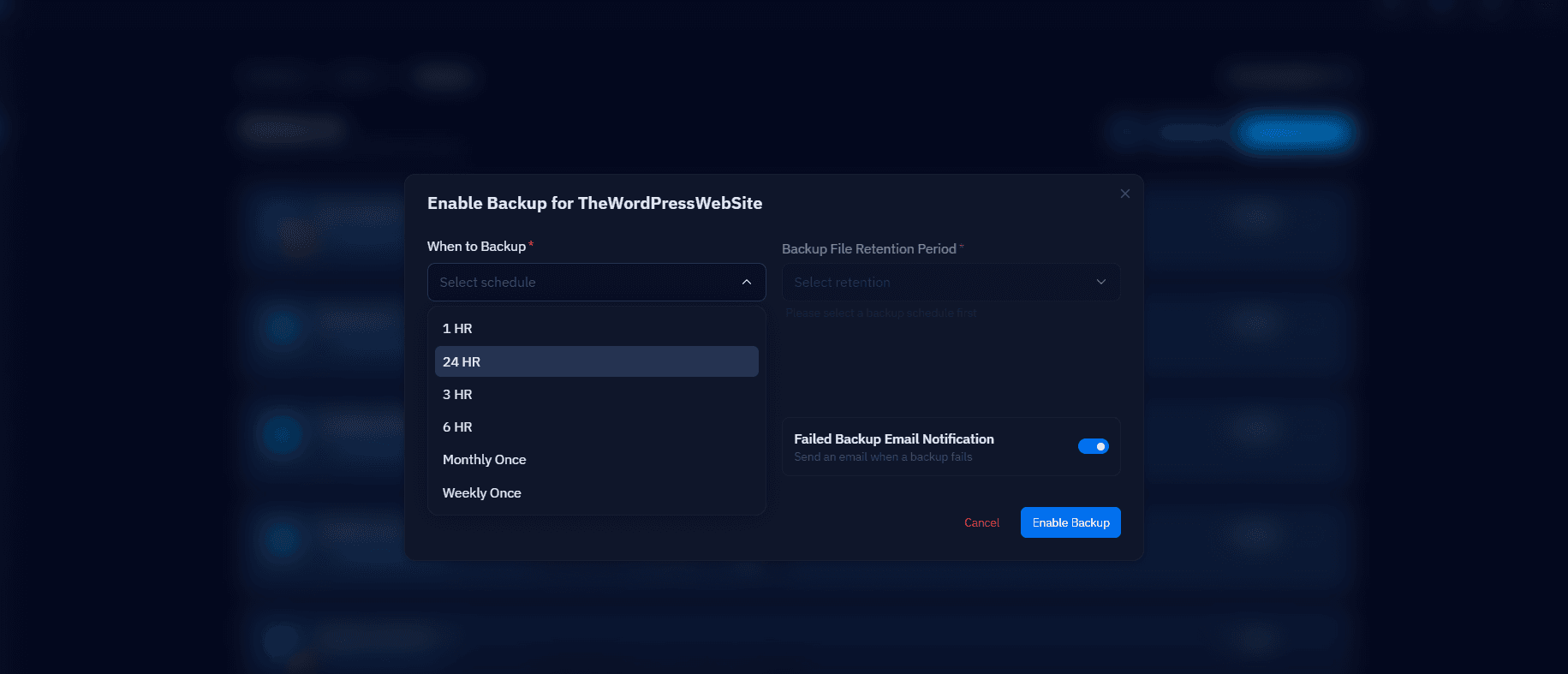
Take a full backup of production files and database immediately before the push — this is your rollback path if the push goes wrong. CloudStick's automated backup schedule covers this if it's already enabled; if not, take a manual snapshot:
Push Code, Then Database
Sync the code with rsync, excluding uploads and any directory that holds live user content, then apply only the specific database changes you logged — new option rows, new pages, new plugin tables — via targeted SQL or WP-CLI rather than a full import:
Smoke-Test Immediately
Check the homepage, one recent post or product, checkout if it's WooCommerce, and the admin login within the first two minutes after pushing — these four checks catch the majority of push-related breakage before a visitor does. If anything looks wrong, restore from the backup you took a few steps ago rather than trying to debug live.

