How to Set Up a Catch-All Email Address

%203.png&w=256&q=75)
What a catch-all address actually does
A catch-all email address accepts every message sent to your domain that does not match an existing mailbox or alias. Mail your server for anything@example.com, typo@example.com, or a name that never existed, and instead of bouncing with a 550 "user unknown" error, the message lands in one designated mailbox you choose. That is the whole feature: one mailbox becomes the safety net under every possible address at the domain.
Under the hood the mechanism is simple. When a remote server delivers mail, your MTA looks up the recipient in its address tables. Normally an address with no matching mailbox is rejected at the SMTP stage. A catch-all inserts a wildcard rule — "any local part at this domain" — that matches whenever no exact entry does, and rewrites the recipient to a real mailbox. Exact matches always win, so your existing addresses keep working exactly as before; the wildcard only fires for mail that would otherwise be refused.
Legitimate uses worth the trouble
The classic use case is never losing a misspelled address. Customers will write to sale@ instead of sales@, suport@ instead of support@, or transpose letters in a name — and without a catch-all, every one of those messages bounces back to a confused sender who may not try again. A catch-all turns each of those near-misses into a delivered email you can answer.
The second use is per-service aliases without any setup. With a catch-all in place, you can sign up for Netflix as netflix@yourdomain.com, your bank as bank@yourdomain.com, and a random newsletter as news2026@yourdomain.com — none of those addresses exist anywhere, yet all of them deliver. When spam starts arriving addressed to netflix@yourdomain.com, you know precisely which company leaked or sold your address, and you can block that single alias without touching anything else. Third, catch-alls cover employee departures: when someone leaves and their mailbox is removed, mail from clients who still have the old address keeps arriving instead of bouncing.
A catch-all is a trade: you exchange the guarantee of never losing a legitimate message for the certainty of receiving more junk. Whether that trade is worth it depends entirely on how much filtering you put in front of it.
Setting up a catch-all in Postfix
In Postfix, a catch-all is one line in a virtual alias map. First make sure main.cf points at a virtual alias table:
Then edit /etc/postfix/virtual. List your real addresses explicitly first, and put the catch-all line — a bare @example.com with no local part — after them. Postfix checks for an exact user@domain match before falling back to the @domain wildcard, so explicit entries always take precedence:
Compile the table into the hashed database Postfix reads at runtime, then reload:
Test it by sending a message to an address that has never existed — madeupname@example.com — and confirming it arrives in the catchall mailbox, then send to sales@ and confirm it still lands in its own mailbox. Remember to re-run postmap after every edit to the virtual file; forgetting it is the most common reason a new mapping "does not work".
Catch-alls in hosting control panels
If your mail runs behind a hosting panel or a hosted provider, the concept is identical even when the config file is hidden: somewhere in the email settings there is a "default address", "catch-all", or "unrouted mail" option that lets you pick between rejecting unknown recipients and forwarding them to a mailbox of your choice. The panel writes the same kind of wildcard alias behind the scenes; you are choosing the destination mailbox and nothing else.
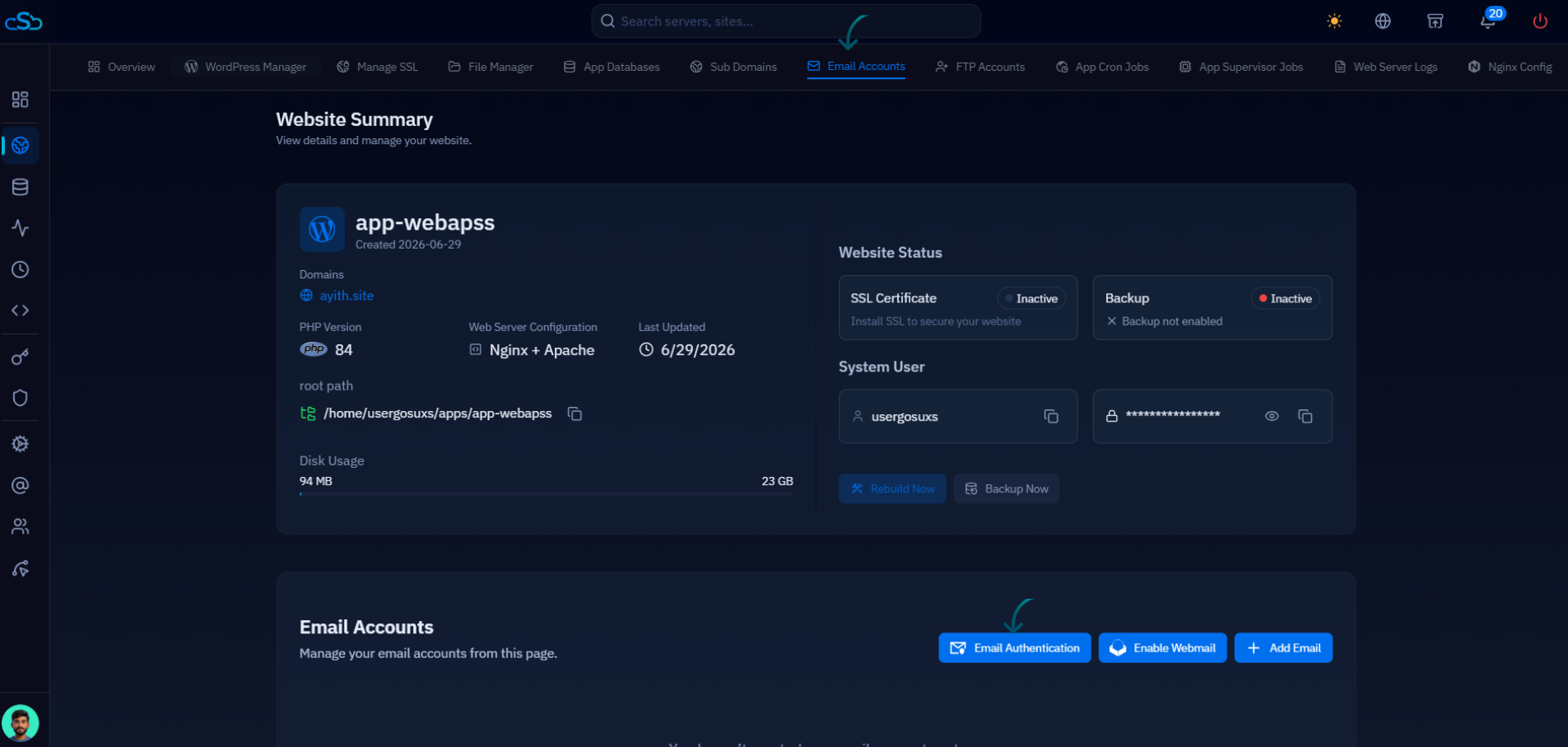
On a server managed by CloudStick, the mail layer is part of the dashboard: CloudStick's mail management lets you create mailboxes and aliases for your domains without touching Postfix directly, and it handles the DNS side — MX, SPF, DKIM, and DMARC records — that determines whether the mail you receive and send is trusted at all. Create the destination mailbox there first, and the alias work above becomes a two-minute job instead of an afternoon.
The downsides, handled honestly
A catch-all is a spam magnet, and it is worth being blunt about why. Spammers run dictionary attacks — they blast common names at every domain they can find: john@, admin@, info@, mary@, test@. A normal server rejects nearly all of these at the SMTP stage because the mailboxes do not exist. A catch-all accepts every single one, so your junk volume can jump by an order of magnitude the day you enable it. There is also backscatter risk: if your server accepts a message and only later decides to bounce or auto-reply, the reply goes to a forged sender address — making you an unwitting spam relay and hurting your IP reputation. And there is the quieter cost: a mailbox that receives everything makes inbox zero genuinely harder, because real mail from misspelled addresses sits in the same pile as the dictionary-attack noise.
Never point a catch-all at a mailbox with an auto-responder or vacation reply attached. Every dictionary-attack probe with a forged sender will trigger a reply to an innocent third party — that is backscatter, and it can land your server on blocklists within days.
The mitigations are straightforward. Put aggressive spam filtering in front of the catch-all, not behind it — Rspamd or SpamAssassin scoring at SMTP time, plus strict SPF and DKIM checks, so most dictionary noise is rejected or quarantined before it reaches the mailbox. Prefer specific aliases over the catch-all wherever you can predict the address you need. And monitor the volume: if the catch-all mailbox suddenly balloons, that is your signal a dictionary attack is under way and it may be time to tighten filtering or disable the wildcard temporarily.
Alternatives, and your next step
Two alternatives cover most of what people want from a catch-all with far less spam exposure. Explicit aliases are the precise version of the same idea: add netflix@example.com as a real alias line in the virtual map when you need it, and unknown addresses still bounce. You lose the "works instantly for any name" convenience but keep the leak-tracking benefit. Plus-addressing is even cheaper: most mail servers, Postfix included (via recipient_delimiter = +), deliver user+anything@example.com straight to user@example.com, so you can hand out user+netflix@ and user+bank@ today with zero configuration — the only catch is that the base address is visible before the plus, and a few badly built signup forms reject the + character.
The practical next step: decide which trade you are making. If missed mail is expensive for your business — sales inquiries, client domains, support — set up the catch-all exactly as above, route it to a mailbox someone actually reads, and put real spam filtering in front of it. If you mostly want alias tracking for signups, start with plus-addressing today and add explicit aliases as needed. Either way, send yourself the test messages before you walk away: one to a real address, one to a fake one, and confirm both do what you decided they should.

