How to Set Up a UFW Firewall the Right Way

%203.png&w=256&q=75)
What Is UFW and Why Use It?
UFW (Uncomplicated Firewall) is a frontend for iptables that makes managing Linux firewall rules straightforward without requiring you to learn the complex iptables syntax. It ships with Ubuntu and Debian and is the standard tool for controlling which network traffic is allowed to reach your server.
A correctly configured UFW does one thing: it blocks everything by default and allows only the specific ports and protocols your services need. A fresh VPS without a firewall is exposed to every service running on it — databases, caches, admin interfaces — all accessible to anyone who can reach the server IP.
UFW is available on Ubuntu 24.04 by default. Verify it is installed with sudo ufw version. If not installed: sudo apt install ufw.
Set Default Policies First
The most important UFW decision is your default policies. Set these before enabling the firewall — getting them wrong in the other direction (deny outgoing) will break your server's ability to download packages and connect to external services.
With these policies, every inbound connection is blocked unless explicitly allowed. Your server can still make outbound connections — package downloads, API calls, DNS lookups — but nothing can reach inbound services without a matching allow rule.
Allow the Services You Need
Only open ports for services that actually need to accept inbound connections. For a typical web server running WordPress or a web app, that is SSH, HTTP, and HTTPS. Never open database ports (MySQL 3306, Redis 6379, PostgreSQL 5432) to the public internet.
UFW also understands application profiles. Check available profiles with sudo ufw app list. For Nginx, you can use sudo ufw allow 'Nginx Full' which opens both 80 and 443 under a named profile — cleaner than individual port rules when you are running multiple web services.
WARNING: Always allow SSH before running ufw enable. Enabling UFW before adding an SSH allow rule will immediately cut your SSH connection and lock you out.
Rate Limiting SSH with UFW
UFW includes a built-in rate limiting feature that automatically blocks an IP if it attempts more than 6 connections in 30 seconds. This is a lightweight alternative to Fail2Ban for SSH brute-force protection and takes a single command to enable.
Rate limiting with UFW operates at the iptables level before Fail2Ban even sees the traffic. It is a good first layer that handles volumetric brute-force efficiently without spawning a separate process. Running both UFW rate limiting and Fail2Ban together is perfectly fine — they complement each other rather than conflict.
Logging and Rule Auditing
UFW logging gives you visibility into what traffic is being blocked. Enable it at the low level to start — high-level logging floods the syslog with volume that makes it hard to spot real events.
Periodically audit your rules with sudo ufw status numbered and remove any rules that no longer correspond to active services. Stale allow rules are a common security drift issue on long-running servers — a service gets removed but its firewall rule stays open indefinitely.
CloudStick Firewall Panel
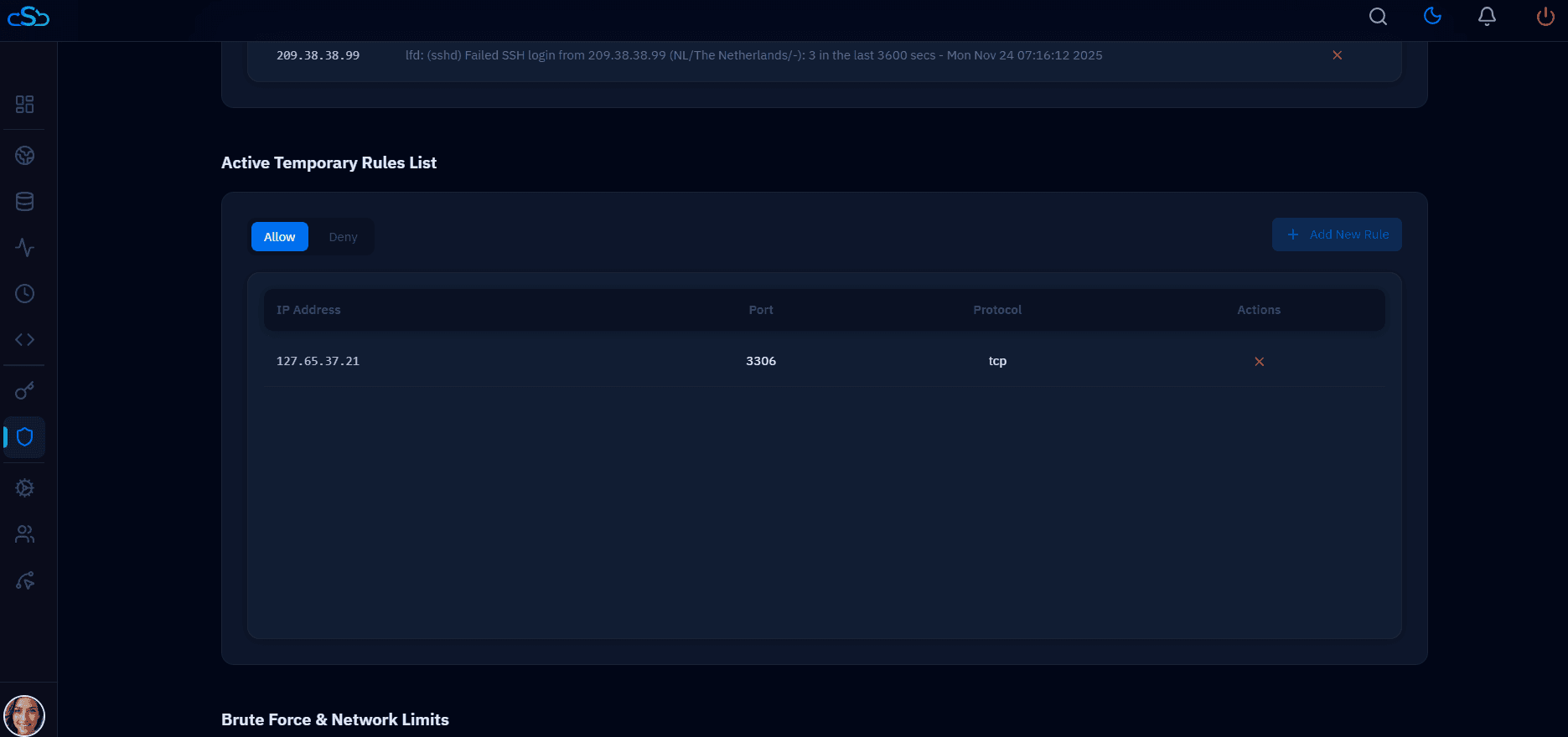
CloudStick provides a visual firewall management panel within the server dashboard. You can add, remove, and review UFW rules for any connected server without opening a terminal — useful for teams where not everyone is comfortable with command-line firewall management.
When CloudStick installs its agent on a new server, it configures a secure baseline firewall automatically — SSH allowed on the correct port, web ports open, all other inbound traffic blocked. This means you do not need to run through the manual setup above for servers managed through CloudStick; the hardened baseline is applied at provisioning time.