Is a Server Control Panel Worth It vs Managing Servers Manually?

%203.png&w=256&q=75)
What a Control Panel Actually Does
Before you can weigh the trade-offs, you need an accurate picture of what a server control panel replaces. The short answer is: everything you would otherwise do in a terminal, repeated indefinitely, every time you add a site, change a PHP version, renew a certificate, or update firewall rules.
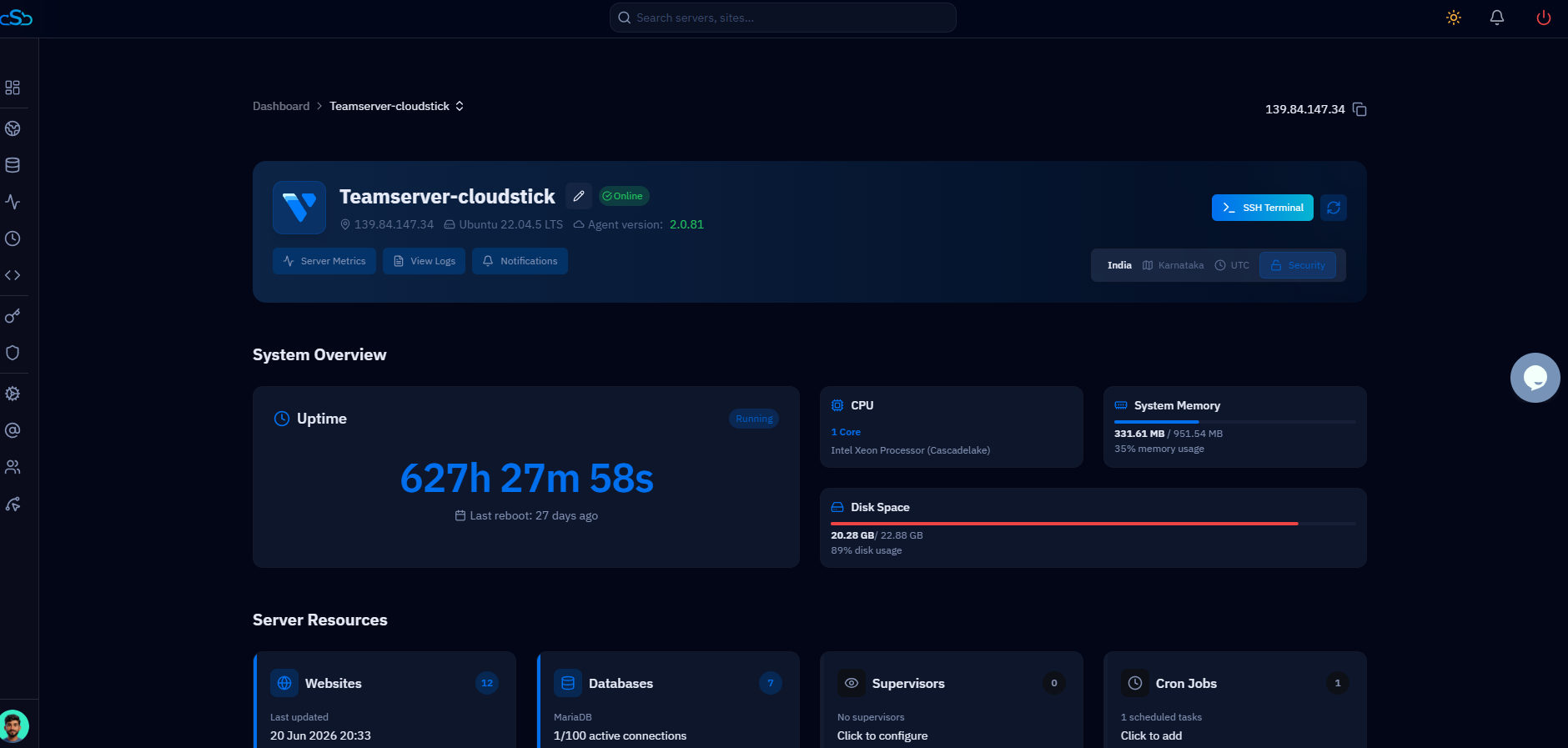
A modern control panel like CloudStick is not just a pretty wrapper around SSH commands. It manages the full lifecycle of a server and all its hosted applications. That means provisioning Nginx virtual hosts with correct configurations, creating isolated PHP-FPM pools per site, issuing and auto-renewing Let's Encrypt SSL certificates, configuring firewall rules via CSF, managing MySQL databases and users with scoped permissions, setting up cron jobs, deploying from Git repositories, and providing real-time monitoring of CPU, memory, and disk — all from a single web interface.
CloudStick specifically automates SSL renewal, PHP pool management per site, CSF firewall rule application, and scheduled backups with configurable retention — tasks that when done manually require not just initial configuration but ongoing attention, monitoring for failures, and periodic updates as software versions change. The question of whether a panel is "worth it" is really a question of how you value that time.
The Real Time Cost of Manual Management
The most common objection to paying for a control panel is "I can just do this in the terminal." That is technically true. The question is how long it takes, how often you do it, and whether those hours belong to you or to your employer and clients.
Consider a realistic new-site setup on a freshly provisioned Ubuntu server. You need to write the Nginx server block, configure a PHP-FPM pool with appropriate worker limits, set up the Let's Encrypt certificate and configure auto-renewal via certbot, create an isolated system user, write the MySQL grants, set up a cron job for a WordPress health check, apply firewall rules to restrict the new app's user, and test the whole stack. An experienced sysadmin who has done this a hundred times will still spend 45 minutes to an hour on a clean setup. Someone less experienced will spend two to three hours, and may get something subtly wrong that surfaces a week later.
That is the one-time cost. But the recurring cost is where manual management really adds up. SSL certificates expire every 90 days — certbot renews automatically, but when it silently fails (and it does, especially after OS updates or network changes), you find out when users start seeing certificate warnings. Backup scripts stop running when disks fill up. Firewall rules need updating when software changes its listening ports. PHP pools need tuning as traffic grows. None of this is dramatic, but all of it takes time — usually developer time, since sysadmins are expensive.
Before deciding to go fully manual, assess whether your team has dedicated sysadmin capacity. A developer spending 4 hours/week on server tasks is a developer not building your product. At typical developer billing rates, that opportunity cost far exceeds the $9–$49/month cost of a panel.
What You Give Up Without a Panel
Going fully manual does not just mean doing more typing. It means rebuilding, from scratch, many features that a mature panel has already hardened and tested across thousands of server deployments.
Security isolation is one of the least-appreciated areas. CloudStick creates a separate system user for each website and configures PHP-FPM pools to run under that user with strict open_basedir restrictions. This means a compromised WordPress plugin on site A cannot read the files of site B. Implementing this manually, correctly, and maintaining it as you add sites takes real knowledge and time. Most developers running manual stacks do not implement per-site user isolation, which means a single site compromise can expose every other site on the server.
Backup infrastructure is another area. Writing a backup script is straightforward. Writing one that handles failures gracefully, sends you alerts when backups do not complete, rotates old snapshots, and stores copies off-server is a project. CloudStick ships this fully built with configurable retention, scheduled execution, and an archive browser. The same goes for monitoring: real-time CPU, memory, and disk graphs in the CloudStick dashboard are fed by Zabbix Agent 2, which CloudStick installs and configures automatically. Replicating that monitoring stack manually involves installing Zabbix or Prometheus, configuring exporters, and setting up dashboards — days of work for a proper setup.
Automation is not about avoiding the command line. It is about compressing the time between "I need this done" and "it is done correctly and safely" — and freeing engineers to work on the things only they can do.
The Case for Going Manual
There are legitimate reasons to manage servers without a control panel, and it is worth taking them seriously rather than dismissing them.
Deep learning: If your goal is to become a serious Linux systems engineer, there is no substitute for building things from scratch. Understanding how Nginx really works — how server blocks are evaluated, how proxy_pass interacts with PHP-FPM, how socket files are created and what permissions they need — requires doing it yourself. A control panel abstracts all of this, which is exactly what makes it powerful and exactly what makes it limiting for someone trying to learn the layer underneath.
Exotic stack requirements: Control panels are optimized for common stacks: Nginx or OpenLiteSpeed, PHP, WordPress, MySQL. If you are running something unusual — a Go microservices architecture, a custom Rust web server, a multi-tenant application with non-standard isolation requirements — the panel's abstractions may get in your way more than they help. When your requirements are far enough outside the mainstream, building a custom configuration from scratch may be more efficient than fighting the panel's assumptions.
Air-gapped or compliance environments: If your server cannot reach external services for any reason — PCI-DSS environments, government networks, air-gapped infrastructure — a SaaS panel that requires an agent connection to a cloud backend is not an option. Manual management or an on-premises tool is the only path.
Advanced automation workflows: Teams that have already invested in infrastructure-as-code pipelines — Terraform, Ansible, Puppet, Chef — often find that a control panel duplicates functionality they already have and introduces a second source of truth for server configuration. If your team can spin up a fully configured server from an Ansible playbook in 10 minutes, a panel adds more overhead than it removes.
Breaking Down the Math
The financial argument for a control panel is straightforward once you put actual numbers on developer time. CloudStick's Basic plan is $9/month. At a conservative developer billing rate of $50/hour — much lower than market rate in most regions — CloudStick pays for itself if it saves just 11 minutes of developer time per month. At $100/hour billing, it pays for itself in under 6 minutes of saved time.
In practice, CloudStick saves far more than 11 minutes per month. A single SSL certificate issue investigated and resolved manually takes 20–30 minutes. A backup failure discovered and diagnosed takes an hour. A PHP-FPM tuning session when a site starts throwing 502s under load takes 45 minutes. Any one of these events, once per month, already justifies the cost.
The math becomes even more compelling for teams managing multiple servers. CloudStick Pro is $19/month for unlimited servers. If your team manages 5 servers manually and each server generates 1 hour of sysadmin work per month — a modest estimate for any production stack — that is 5 hours of work at $50/hour = $250 in labor. The panel costs $19. The ROI is not close.
Even at the most conservative estimate: if CloudStick saves 1 hour of developer time per month, at any reasonable billing rate, it pays for itself many times over. The question becomes not "can I afford the panel?" but "can I afford to keep doing this manually?"
The Decision Framework
Use a control panel if any of the following describe your situation: you are a developer or agency running production websites on VPS infrastructure; you manage more than one server; you need reliable SSL, backups, and monitoring without building that infrastructure yourself; your team includes non-sysadmin members who need to deploy or manage sites; or you want to grow the number of servers you manage without proportionally growing your operational overhead.
Go fully manual if any of the following describe your situation: you are actively learning Linux server administration and want to build deep understanding from first principles; your infrastructure requirements are sufficiently exotic that no panel fits your stack; you are operating in a compliance environment that prohibits external agent connections; or you already have a mature infrastructure-as-code pipeline that handles everything the panel would otherwise do.
For the vast majority of developers and agencies running PHP and WordPress applications on standard Linux VPS infrastructure, a control panel is not just worth it — it is the rational default. The total cost of ownership for manual management, when you account for developer time honestly, is almost always higher than the panel subscription cost.
CloudStick offers a 7-day free trial with no credit card required. Connect your existing server and run both approaches in parallel for a week. Track the time you would have spent doing things manually. The data will make the decision for you.
Start by connecting a non-production server to CloudStick on the free trial. Deploy one test site, set up backups, and walk through the firewall and SSL configuration. You will immediately see how much of your current manual workflow the panel handles — and can make a fully informed decision before committing to a paid plan.

