MySQL vs MariaDB: Which Should You Choose?

%203.png&w=256&q=75)
Origin and the Fork: Why Two Databases Exist
MariaDB is a direct fork of MySQL, created by MySQL's original developers after Oracle acquired Sun Microsystems in 2010. The lead developer, Michael "Monty" Widenius, forked the codebase to create a community-driven alternative, naming it after his daughter Maria — just as MySQL was named after his other daughter My. The intention was to keep a fully open-source database engine independent of Oracle's commercial interests.
At the time of the fork, MariaDB was a drop-in replacement for MySQL — every query, every config directive, every client tool worked identically. That compatibility has eroded somewhat as both projects evolved independently over the past 15 years. Today MySQL and MariaDB share DNA but have genuinely different feature sets, storage engines, optimizer implementations, and release cadences.
MySQL is now owned and maintained by Oracle, with a Community Edition (GPL) and a commercial Enterprise Edition. MariaDB is maintained by the MariaDB Foundation and MariaDB Corporation, fully open-source under the GPL. Both are actively developed in 2026 — this is not a case of choosing an active project over an abandoned one. The decision comes down to technical fit, licensing philosophy, and the specific workloads you run.
Performance Differences: Where Each Wins
For most WordPress and PHP application workloads — read-heavy, moderate write volume, tens of concurrent connections — the performance difference between MySQL 8.0 and MariaDB 10.11 is negligible. Both use InnoDB as the default storage engine (MariaDB calls its fork of InnoDB simply InnoDB; its own implementation shares lineage with the original). On standard OLTP benchmarks with a tuned configuration, the results are within a few percent of each other in either direction.
MariaDB has a performance advantage in specific scenarios. Its query optimizer historically made better decisions for complex joins and subqueries, though MySQL 8.0's hash join implementation closed much of that gap. MariaDB's Aria storage engine (used for internal temporary tables) performs faster than MySQL's equivalent for certain query patterns involving large temporary result sets. MariaDB also includes thread pooling in the community edition — MySQL reserves this for its Enterprise Edition.
MySQL 8.0 leads in analytical and reporting workloads. Its window functions implementation is more complete, and its JSON support is more mature. If you are running complex reporting queries or building applications that store semi-structured data in JSON columns, MySQL 8.0 is ahead.
For a typical WordPress server handling 500-5,000 requests per day, the performance difference between MySQL 8.0 and MariaDB 10.11 will not be the bottleneck. PHP execution time, unoptimized queries, and missing indexes matter far more than which database engine you chose.
Compatibility and SQL Dialect: Where They Diverge
MariaDB is no longer a true drop-in replacement for MySQL in all scenarios. The divergence accelerated with MySQL 8.0 and MariaDB 10.4+. If you are migrating an existing application from MySQL to MariaDB or vice versa, you will generally succeed, but there are real compatibility gaps to be aware of.
MySQL 8.0 introduced roles, invisible columns, functional indexes, and a completely rewritten data dictionary stored in InnoDB rather than flat files. MariaDB has its own implementations of these features, but the syntax and behavior differ in subtle ways. MySQL 8.0 also changed the default authentication plugin from mysql_native_password to caching_sha2_password, which breaks older clients that have not been updated. MariaDB does not use caching_sha2_password at all — it stayed with mysql_native_password as default, which avoids this class of compatibility problem entirely.
MariaDB's unique additions include the Sequence engine (generate numeric sequences without a table), the Spider storage engine for sharding, and CONNECT engine for accessing external data sources. These have no MySQL equivalents. MariaDB also added system versioned tables (temporal tables) in 10.3, before MySQL added similar functionality. If your application relies on any of these MariaDB-specific features, migration to MySQL is not straightforward.
WordPress and PHP Applications: Which to Use?
Both databases work with WordPress. WordPress officially supports MySQL 8.0 and MariaDB 10.4 and later. For a straightforward WordPress installation, either will work without any code changes or configuration adjustments — WordPress uses standard SQL that both engines handle identically.
The practical consideration is what ships with your OS. Ubuntu 22.04 and 24.04 provide MariaDB 10.6 and 10.11 respectively via the default APT repositories. Obtaining MySQL on Ubuntu requires either the official MySQL APT repository from Oracle, or the Ubuntu universe repository which ships MySQL 8.0. If you install a fresh Ubuntu 24.04 server and run apt install mysql-server, you get MySQL 8.0 from the universe repo. If you run apt install mariadb-server, you get MariaDB 10.11, which is an LTS release with support through 2028.
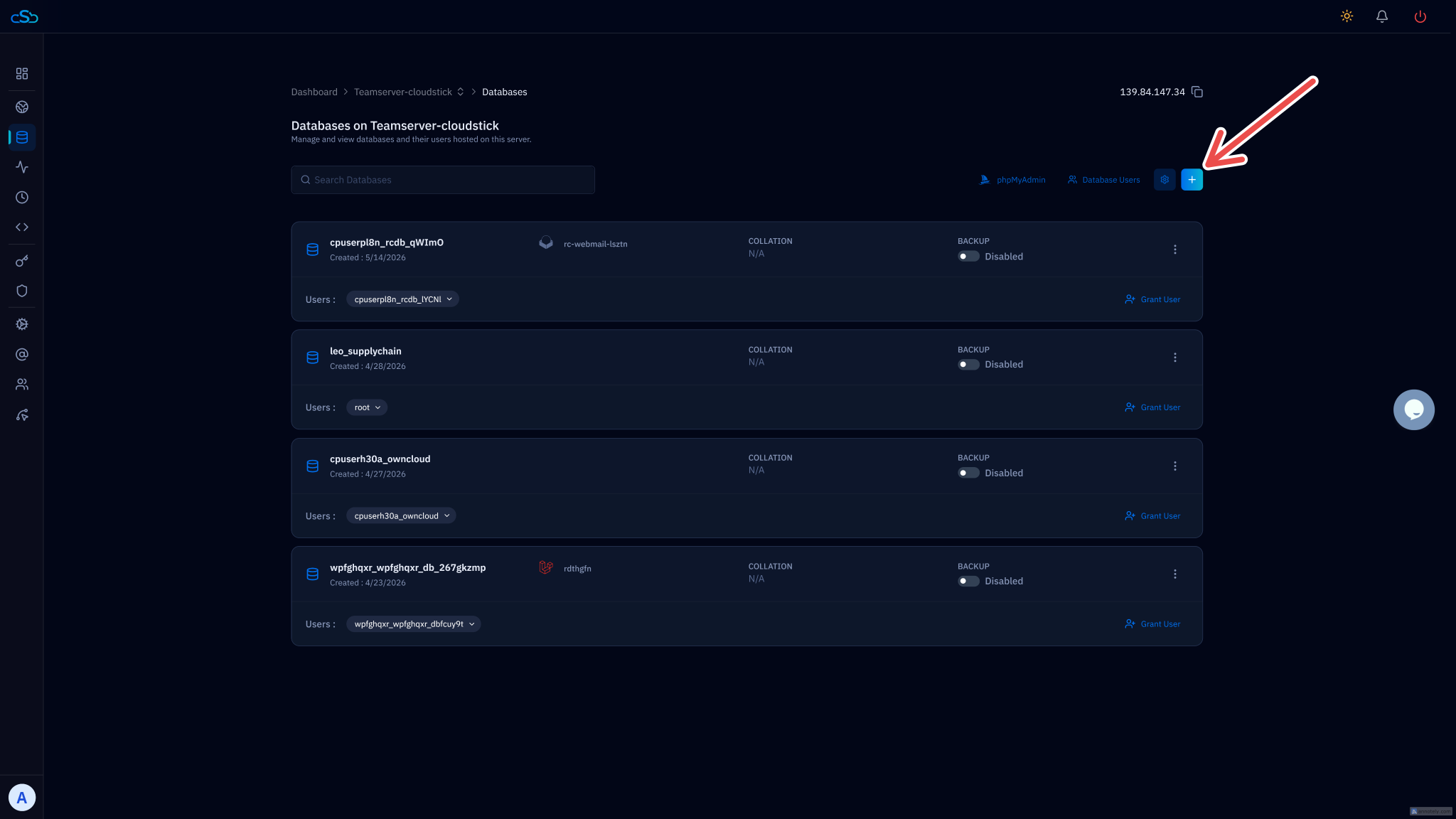
CloudStick installs MariaDB 10.6 on managed servers by default — it is the version in Ubuntu 22.04's repositories and has been stable in production for years. When you create a WordPress site through the CloudStick dashboard, the database and user are provisioned automatically with the correct permissions, so you never need to touch the MySQL or MariaDB CLI for day-to-day site management.
If you are running WooCommerce at scale, enable the slow query log on either database engine. Set long_query_time = 1 and slow_query_log = ON in your database config, then use mysqldumpslow or pt-query-digest to find which queries are hurting checkout performance. The query log works identically on both MySQL and MariaDB.
Installing on Ubuntu 24.04
Both databases install cleanly on Ubuntu 24.04 LTS (Noble Numbat). The commands differ only in the package name. Install MariaDB 10.11 from the Ubuntu Noble repositories:
To install MySQL 8.0 instead, add Oracle's official APT repository for the latest release, or use the version in Ubuntu's universe repository:
Both services start automatically after installation and are managed via systemd. Use systemctl status mariadb or systemctl status mysql respectively to confirm the service is running and listening on 127.0.0.1:3306.
Which Should You Choose?
Choose MariaDB if you are running WordPress, WooCommerce, Laravel, or any standard PHP web application on a VPS. MariaDB 10.11 LTS is the easier choice on Ubuntu 24.04 — it installs from the default repositories with no extra configuration, the authentication defaults are simpler, and the LTS support window runs through 2028. For most hosting workloads the performance is equivalent or marginally better than MySQL 8.0, and the thread pooling feature in the community edition is a meaningful advantage at scale.
Choose MySQL 8.0 if your application was developed specifically against MySQL 8.0 and uses features like caching_sha2_password authentication, MySQL-specific JSON functions, or relies on the exact behavior of MySQL's window functions implementation. Also choose MySQL if your team uses Oracle's enterprise tooling — MySQL Enterprise Monitor, MySQL Router, or MySQL Shell — which are tightly integrated with the commercial MySQL ecosystem and have no MariaDB equivalent.
If you are migrating between the two, always dump and restore rather than trying an in-place upgrade. A mysqldump of your databases from one engine imports cleanly into the other for standard schemas. Test on a staging server first — the authentication plugin difference and subtle SQL dialect changes are where migrations break.
For a new server being set up today to host WordPress or PHP applications, MariaDB 10.11 is the practical default. It is what ships with Ubuntu 24.04, it is fully open-source with no Oracle involvement, and its compatibility with the MySQL protocol means every tool that supports MySQL works with it — including every PHP database library, WordPress itself, and every database GUI you are likely to use.

