Self-Hosted Email vs Google Workspace: Which Is Right for You?
7 min read
CloudStick Team
Backend Developer
Share this article
Self-Hosted vs Workspace
The short answer
If your team lives in Docs, Drive, and Meet, or nobody on staff wants to think about a mail server, pay for Google Workspace. If you already run a server, mostly need plain email, and want a flat cost that stays the same whether you have three mailboxes or thirty, self-hosting wins on money and ownership — as long as you take deliverability seriously. That is the whole argument; the rest of this article is the evidence for each side, honestly weighed.
Technically the two options end at the same place: an MX record pointing the world at whoever accepts your mail. The only difference visible from outside is whose server answers.
$ dig +short MX workspace-company.com
1 smtp.google.com.
$ dig +short MX self-hosted-company.com
10 mail.self-hosted-company.com.
Everything that matters — cost, control, deliverability, maintenance — hangs off that one line of DNS. So compare the two the way you would compare any infrastructure decision: with numbers first.
Cost: the 10-person team math
Google Workspace bills per user per month, roughly $7 for Business Starter and $14 for Business Standard. For a 10-person team on Standard that is $140 a month — $1,680 a year — and the number moves in lockstep with headcount. Hire five people and email now costs $2,520 a year. The pricing is fair for what you get, but it is a tax on growth: mailbox eleven costs exactly as much as mailbox one, forever.
A self-hosted mail server is a flat cost. A $12-a-month VPS with 4 GB of RAM runs Postfix and Dovecot for ten mailboxes without breaking a sweat — around $144 a year, and the price does not change when you add mailbox eleven, or thirty. Many teams do not even need a new server: mail runs happily alongside the websites already on the box. The honest caveat is your time. Setup is a weekend the first time, and upkeep is an hour or two a month; if your hourly rate is high and nobody enjoys server work, that gap narrows. But for a team that already administers a server, the marginal effort is small and the savings are not: over three years, the 10-person example is roughly $5,000 versus $450.
Control and privacy
Self-hosting means your company's entire correspondence sits on a disk you control, in a standard format (Maildir) you can copy, back up, and move at will. Retention policy is whatever you decide — keep everything for ten years or purge after ninety days; no plan tier decides for you. If your clients or regulators care about data residency, you can point at the exact machine, in the exact country, where every message lives. And mailboxes are free to create: a new hire, a billing@ address, a per-project inbox — none of them shows up on an invoice.
With Workspace, your mail lives in Google's cloud under Google's terms. To be fair, those terms are strong: Workspace business data is not used for advertising, access controls are excellent, and Google's security team is better than yours. The trade is subtler — every additional human needs a paid license, retention and export run through Google's tooling on Google's schedule, and an account suspension (rare, but not unheard of) locks you out of your own history until support resolves it. Control is not about distrusting Google; it is about whether you are comfortable renting access to your own archive.
Deliverability: the hard part
Here Workspace has an advantage no amount of configuration can copy on day one: when you send through smtp.google.com, you send from IP ranges with a decade-plus of world-class reputation. Receiving servers everywhere trust Google's outbound infrastructure by default. Your first email from a brand-new Workspace account lands in the inbox because millions of legitimate senders came before you.
Deliverability is not a feature you install — it is a reputation you earn. Google rents you theirs by the user, per month. Self-hosting means building your own, and the build takes weeks, not hours.
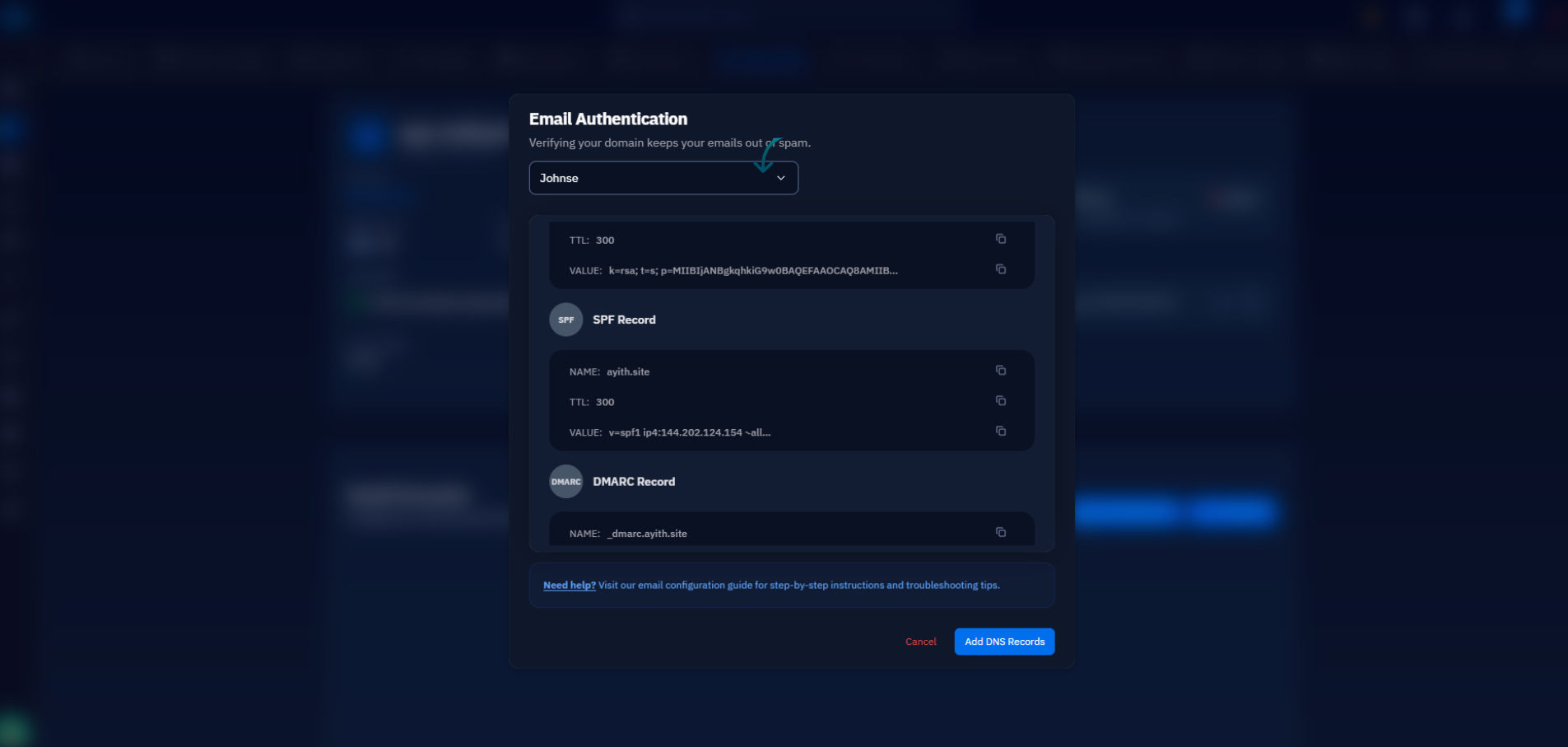
A self-hosted server starts from zero. To earn trust you need a clean IP (check it against blocklists before you commit to the server), a PTR record so the IP resolves back to your mail hostname, and correct SPF, DKIM, and DMARC records so receivers can verify your mail cryptographically. Then you warm up: send normal volumes to real correspondents for a few weeks rather than blasting a newsletter from a cold IP on day two. Done properly, a low-volume business server reaches reliable inbox placement and stays there. Skipped, your proposals silently land in spam and you find out from an awkward phone call. This is the single strongest argument for Workspace — and the reason the hybrid setup at the end of this article exists.
The deliverability groundwork for self-hosted mail — SPF, DKIM, and DMARC published correctly from day one.
Maintenance, features, and lock-in
Workspace is zero-ops: Google patches the servers, tunes the spam filtering, and keeps the service up to an SLA you could never match alone. It is also more than mail — Docs, Drive, Calendar, and Meet are woven into the same login, and for many teams that ecosystem, not email, is what they are actually paying for. A self-hosted box, by contrast, is yours to run: security updates, spam filtering (rspamd or SpamAssassin), disk space for growing mailboxes, and an occasional check that your IP has not landed on a blocklist. None of it is hard, but it never fully stops.
Lock-in cuts the other way. Self-hosted mail is standard IMAP in standard Maildir folders — moving to a new server, or even to a paid provider later, is an rsync and a DNS change. Leaving Workspace means exporting every user's data through Google's tools, migrating calendars and shared drives, and untangling every document that lives at a docs.google.com URL. The deeper your team sinks into the ecosystem, the more expensive the exit — which is exactly why the ecosystem is so good.
Side-by-side comparison
The trade-offs compress into one table. Neither column wins every row — which is the point.
Factor
Self-hosted
Google Workspace
Cost (10 people)
~$144/yr flat, any mailbox count
~$1,680/yr, grows per user
Data ownership
Your disk, your retention rules
Google's cloud, Google's terms
Deliverability
Earned over weeks (PTR, SPF, DKIM, warm-up)
World-class from day one
Maintenance
Updates, spam filtering, monitoring
Zero-ops
Beyond email
Mail only
Docs, Drive, Calendar, Meet
Migration out
Standard IMAP/Maildir — easy
Export tooling, ecosystem untangling
Which should you choose?
Choose self-hosted if you already run a server, your team mostly needs email rather than a collaboration suite, per-mailbox cost matters (agencies with role addresses and client inboxes feel this most), or you have data-ownership or residency requirements that make a third-party cloud awkward. Choose Workspace if Docs, Drive, and Meet are genuinely how your team works, nobody wants to own server maintenance, or cold-start deliverability risk is unacceptable — for example, if sales outreach is your lifeblood from week one.
There is also a third pattern that quietly takes the best of both: self-host your mailboxes for flat-cost storage and full data ownership, but relay outbound mail through an established SMTP service such as Amazon SES, Postmark, or Mailgun. Inbound and storage stay on your server; outgoing messages leave through IPs with earned reputation, so you skip the warm-up problem almost entirely. For a low-volume business the relay costs a few dollars a month — a fraction of per-user licensing.
If the setup work is what holds you back from self-hosting, that burden has shrunk. Paid CloudStick plans include Professional Email on your own server: mailboxes are created and managed from the dashboard, and the DNS records that deliverability depends on — MX, SPF, DKIM, DMARC — are configured for you instead of hand-assembled from tutorials. Your practical next step is thirty minutes of arithmetic: count your mailboxes, multiply by your Workspace tier, and compare it with the server you may already be paying for. Then run dig +short MX yourdomain.com and decide whose name you want on the answer.

%203.png&w=256&q=75)