Why Your Emails Go to Spam (and How to Fix It)

%203.png&w=256&q=75)
Authentication comes first: SPF, DKIM, and DMARC
Failed or missing authentication puts more mail in spam than every other cause combined, so start here. Three DNS records tell receiving servers your mail is legitimate. SPF is a TXT record on your domain listing the IPs allowed to send for it. DKIM is a cryptographic signature your mail server adds to every message, verified against a public key published in DNS. DMARC ties the two together: it tells receivers what to do when a message fails both checks, and — critically — it requires the domain in the From header to align with the domain SPF or DKIM validated. Since 2024, Gmail and Yahoo junk or reject bulk mail that lacks SPF and DKIM, and require a DMARC policy from anyone sending five thousand messages a day. Verify all three from any terminal:
If any query returns nothing, that is your problem. The common failure modes are just as fixable: two SPF records on one domain (invalid — merge them into one), an SPF record ending in +all (which authorizes the entire internet and is treated as spam-adjacent), more than ten DNS lookups inside the SPF chain (a permanent error), or a DKIM selector published in DNS that does not match the selector your mail server actually signs with. For DMARC, start at p=none while you read the reports it sends you, then move to quarantine and finally reject once legitimate mail passes cleanly.
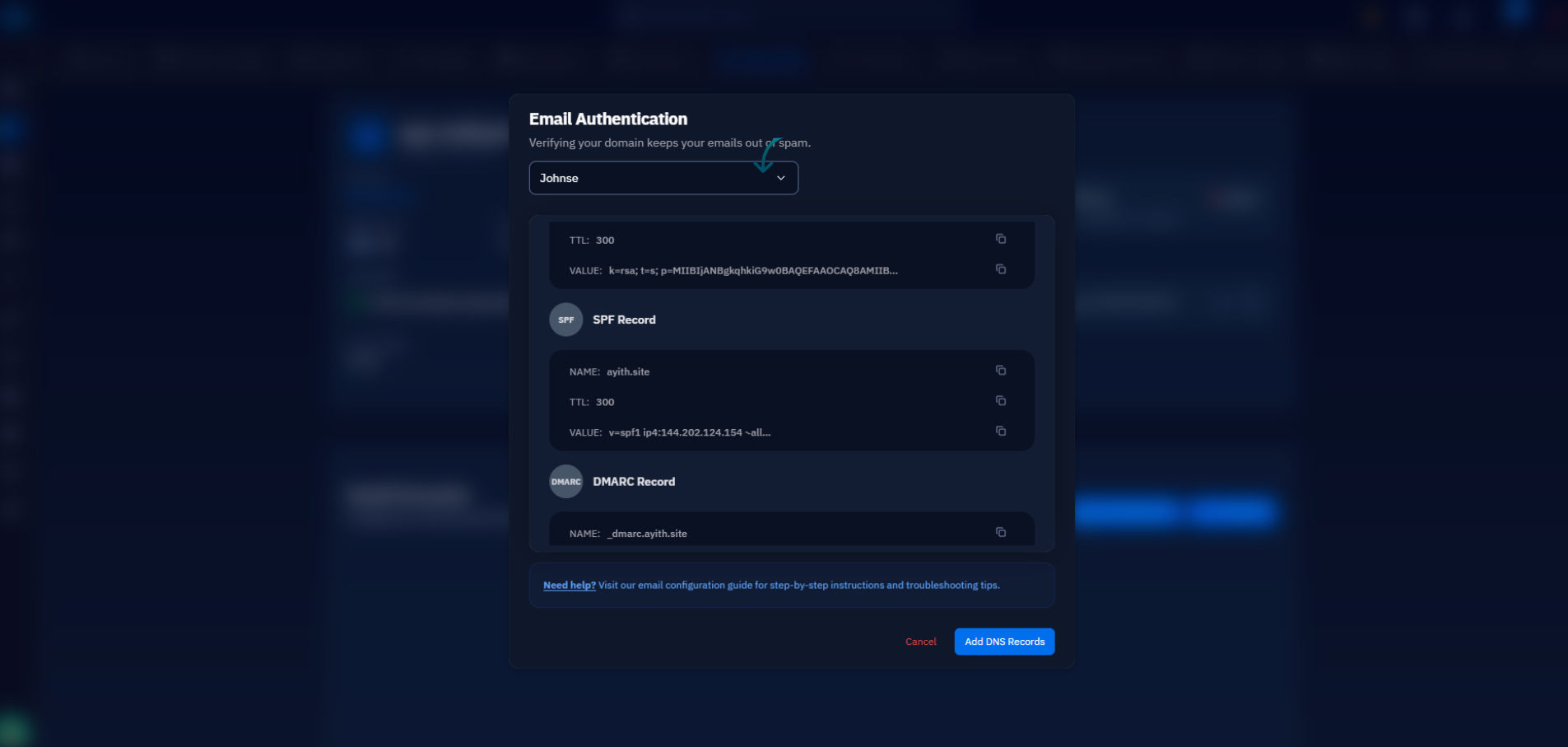
If your server runs on CloudStick, you can skip the record-writing entirely: CloudStick configures SPF, DKIM, and DMARC records for you during mail setup through its Cloudflare DNS integration. Enable email for a site and the correct records land in your zone automatically — the dig checks above pass on day one instead of after a week of trial and error.
Reverse DNS: the PTR record most servers fail
Every serious receiver does a reverse lookup on your sending IP, and if it returns nothing — or a hostname that does not resolve back to the same IP — your mail is scored as spam or refused during the SMTP handshake. This is the check self-hosted mail servers fail most often, because a PTR record does not live in your DNS zone at all. It belongs to whoever owns the IP block, which means you set it in your hosting provider's control panel: DigitalOcean and Hetzner derive it from the droplet or server name, while Vultr and Linode expose an explicit reverse DNS field. Point it at your mail hostname and confirm the loop closes both ways:
The same hostname should appear in your mail server's HELO greeting (myhostname in Postfix's main.cf). A generic PTR like 203-0-113-25.static.provider.net technically resolves, but reputation systems treat provider-default hostnames as a strong spam signal — set a real one.
IP and domain reputation: blacklists and cold IPs
Perfect authentication cannot save an IP the world already distrusts, and reputation problems come in three flavors. A fresh IP has no sending history, and no history reads as risk — Gmail throttles or junks mail from IPs it has never seen before. A shared IP inherits its neighbors' sins: if another tenant on the same range spammed last month, you pay for it now. And a listed IP sits on a DNS blacklist, usually because the server relayed spam at some point — a compromised WordPress contact form is the classic cause. Checking a blacklist is a plain DNS query: reverse the octets of your IP and look it up against the list's zone. Any answer in 127.0.0.x means you are listed; empty output means you are clean.
For a broader sweep, mxtoolbox.com/blacklists checks your IP against a hundred-plus lists in one pass. If you are listed, fix the cause first — an open relay, a hijacked form, a compromised mailbox — then request delisting through the list's own lookup page; delisting without plugging the leak gets you relisted within days. If your IP is clean but cold, the fix is patience and warm-up, covered next.
Content and sending behavior that trip the filters
Once the infrastructure is clean, filters judge the message itself — and a handful of patterns do most of the damage. Link-heavy HTML with little real text looks like a phishing lure. URL shorteners (bit.ly, tinyurl) are near-automatic penalties because spammers use them to hide destinations; always link the real domain. A message with an HTML part but no plain-text alternative is a classic spam fingerprint — every legitimate mail library (PHPMailer, Nodemailer, wp_mail with a filter) can send multipart/alternative, so do it. Image-only emails, all-caps subject lines, and link text that does not match the underlying href all add to the score.
Behavior matters as much as content. A sudden volume spike from an IP that normally sends fifty messages a day is the loudest anomaly a receiver can see — it is exactly what a hijacked server looks like. Warm up instead: start with a few dozen messages a day to your most engaged recipients, roughly double the volume each week, and watch bounce and complaint rates as you go. Keep the From domain and sending IP consistent; every change resets the reputation clock to zero.
List hygiene: bounces, spam traps, and unsubscribes
Who you send to is a ranking signal in itself. A hard-bounce rate above roughly two percent tells receivers your list is old or scraped, and providers score the sender, not the message. Worse are spam traps: addresses that never belonged to a real person, or mailboxes abandoned so long that providers recycled them into tripwires. Hitting one is close to proof you did not collect the address legitimately, and a single pristine trap can land you on Spamhaus. The fixes are unglamorous but absolute: never buy or scrape a list, use confirmed (double) opt-in so every address has proven it is real, remove hard bounces immediately and automatically, and drop subscribers who have not opened anything in six months — dormant segments are where recycled traps hide.
Finally, make leaving easy. Gmail and Yahoo now require one-click unsubscribe (the List-Unsubscribe header, RFC 8058) for bulk senders and enforce a spam-complaint ceiling of 0.3 percent. A visible unsubscribe link is not a loss — every person who unsubscribes instead of clicking "report spam" is protecting your domain's reputation.
Your deliverability checklist, in order
Work the causes in the order the filters weight them. First, run the three dig queries from the top of this article — SPF, DKIM, DMARC — and fix whichever returns nothing or returns something malformed. Second, verify FCrDNS: dig -x on your IP must return your mail hostname, and that hostname must resolve back to the same IP. Third, check the IP against Spamhaus ZEN and the MXToolbox aggregate, and only request delisting after fixing the underlying leak. Fourth, audit one real message: multipart with a plain-text part, no shorteners, honest links, and a working one-click unsubscribe. Fifth, if the IP is new, warm it up over three to four weeks instead of blasting the full list on day one.
Then measure. Send a message to mail-tester.com and read the itemized score, and register your domain with Google Postmaster Tools to watch reputation and spam-rate trends over time. Most senders who work this list top to bottom find the problem in the first two steps — authentication and reverse DNS are boring, mechanical, and responsible for the overwhelming majority of "why is this in spam?" tickets. Fix those, keep the list clean, and the inbox stops being a lottery.

