How to Delete a Server
Overview
When you decommission a server or migrate to a new infrastructure, you can remove it from your CloudStick account to keep your dashboard clean and free up any associated plan slot. Deleting a server from CloudStick removes it from your management dashboard — it does not delete the underlying VPS from your cloud provider.
This guide explains how to permanently remove a server from your CloudStick account.
Deleting a server from CloudStick is permanent and cannot be undone. Back up any data and export any configurations you need before proceeding. This action does not stop or delete the actual server at your cloud provider — it only disconnects CloudStick's management link.
Step 1: Go to the Dashboard and Select the Server
The delete option is available directly from the main server list on your Dashboard.
1. Log in: Sign in to your CloudStick account.
2. Locate the server: On the Dashboard, find the server card for the server you want to delete.
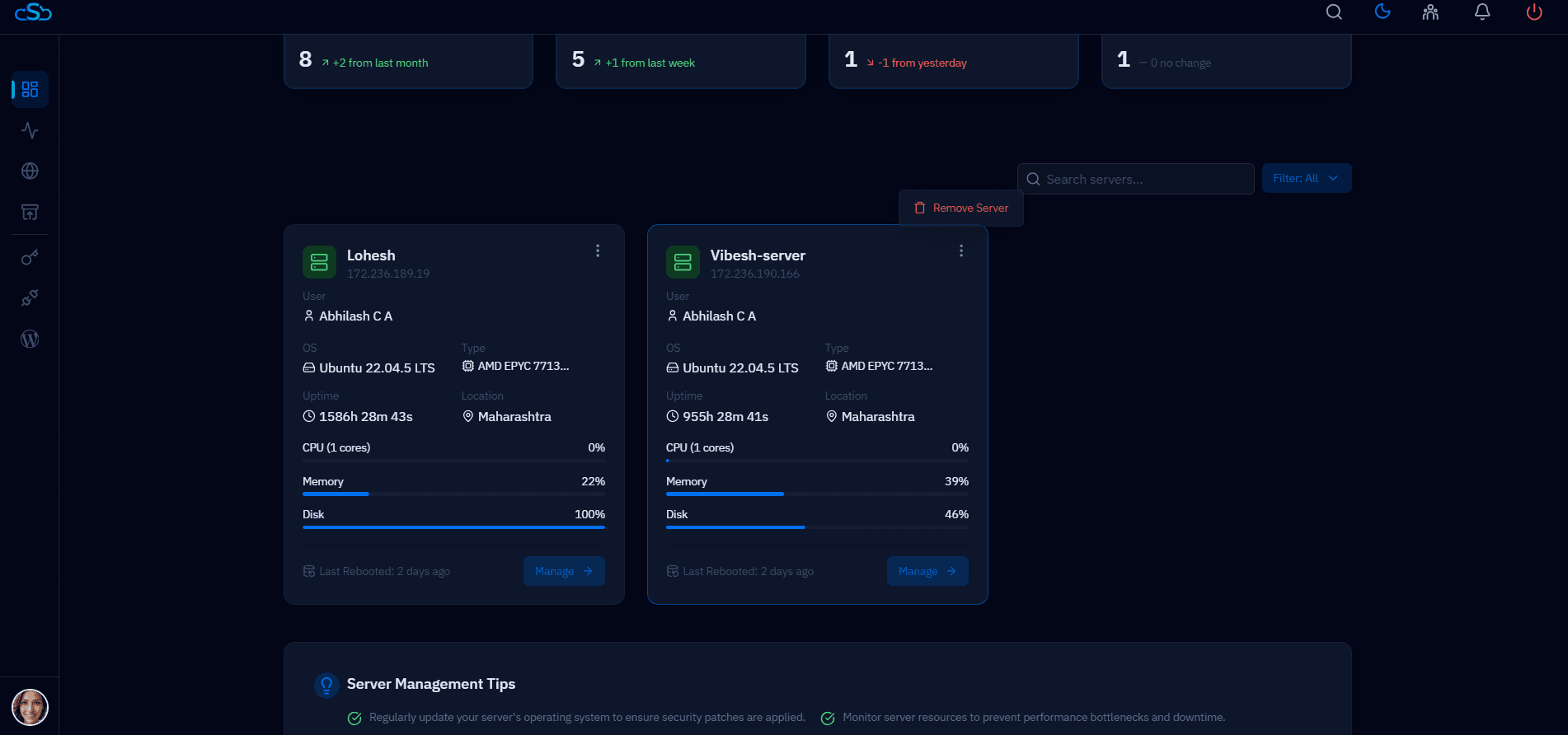
Fig. 01 — CloudStick Dashboard showing the server list with the Remove option accessible from each server card.
Step 2: Click the Remove Option
Each server card on the Dashboard has a Remove action that initiates the deletion process.
1. Find Remove: On the server card, click the Remove option. This is typically available via a menu or action button on the server box.
Step 3: Confirm the Deletion
CloudStick will ask you to confirm before permanently removing the server from your account.
1. Confirm: When the confirmation prompt appears, confirm the deletion to proceed.
2. Server removed: The server will be permanently removed from your CloudStick account and will no longer appear in your Dashboard.
If you plan to reconnect this server in the future, you will need to go through the full Add Server process again.