How to Remove a Cloudflare Account from the CloudStick Dashboard
Overview
If you need to disconnect a Cloudflare account from CloudStick — for example, to switch to a different account or revoke access — you can remove the integration in a few clicks from the Third-Party Integrations section of your dashboard.
This guide walks you through locating and deleting a connected Cloudflare integration from CloudStick.
Step 1: Navigate to Third-Party Integrations
Access your CloudStick dashboard by logging in with your account credentials, then navigate to the integrations area:
1. Log in to your CloudStick Dashboard at app.cloudstick.io.
2. Go to the Third-Party Integrations section from the dashboard menu.
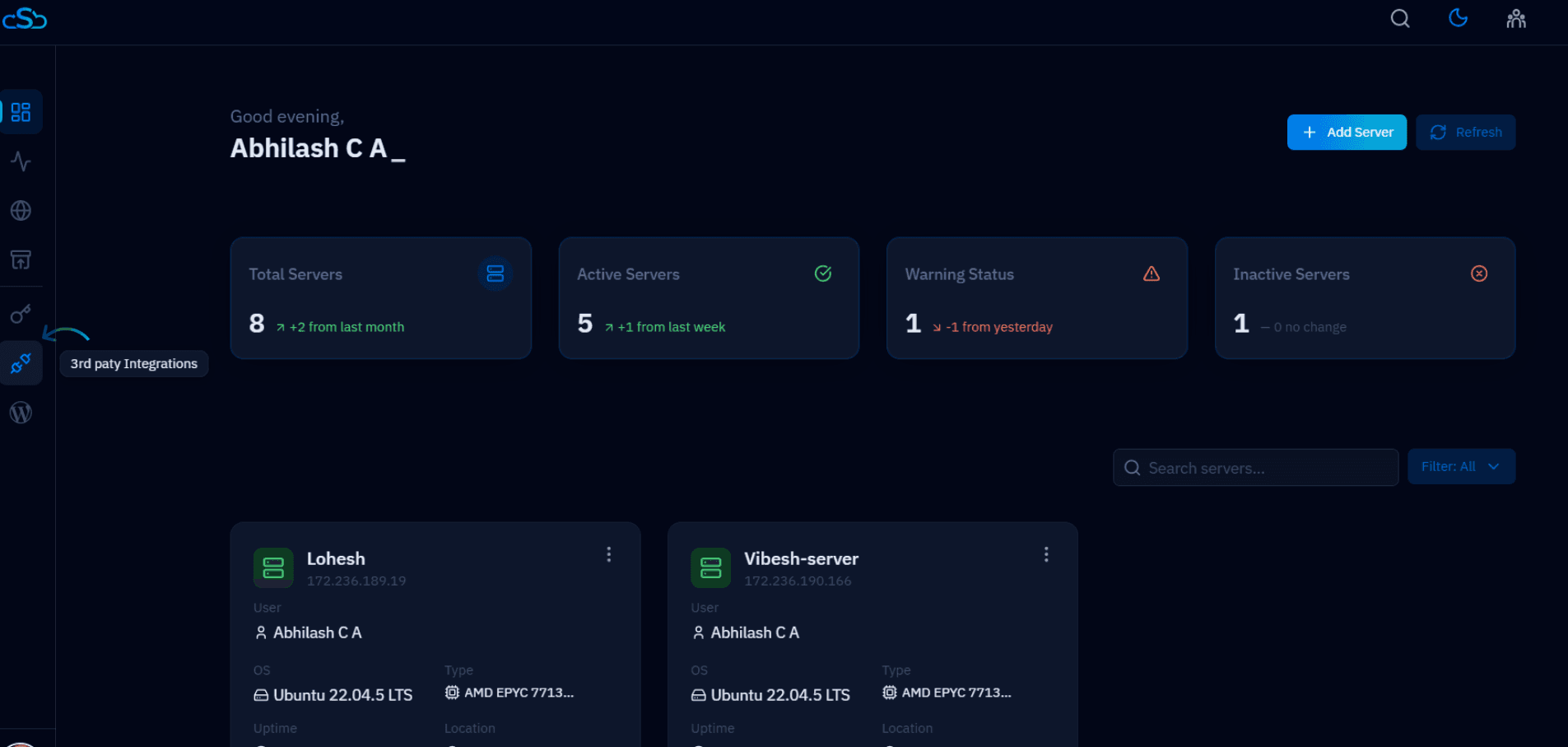
Fig. 01 — CloudStick dashboard with the Third-Party Integrations section highlighted.
Step 2: Delete the Cloudflare Integration
In the Third-Party Integrations list, locate your connected Cloudflare account and remove it:
1. Locate your Cloudflare integration in the integrations list.
2. Click the Delete icon next to the Cloudflare integration to remove it.
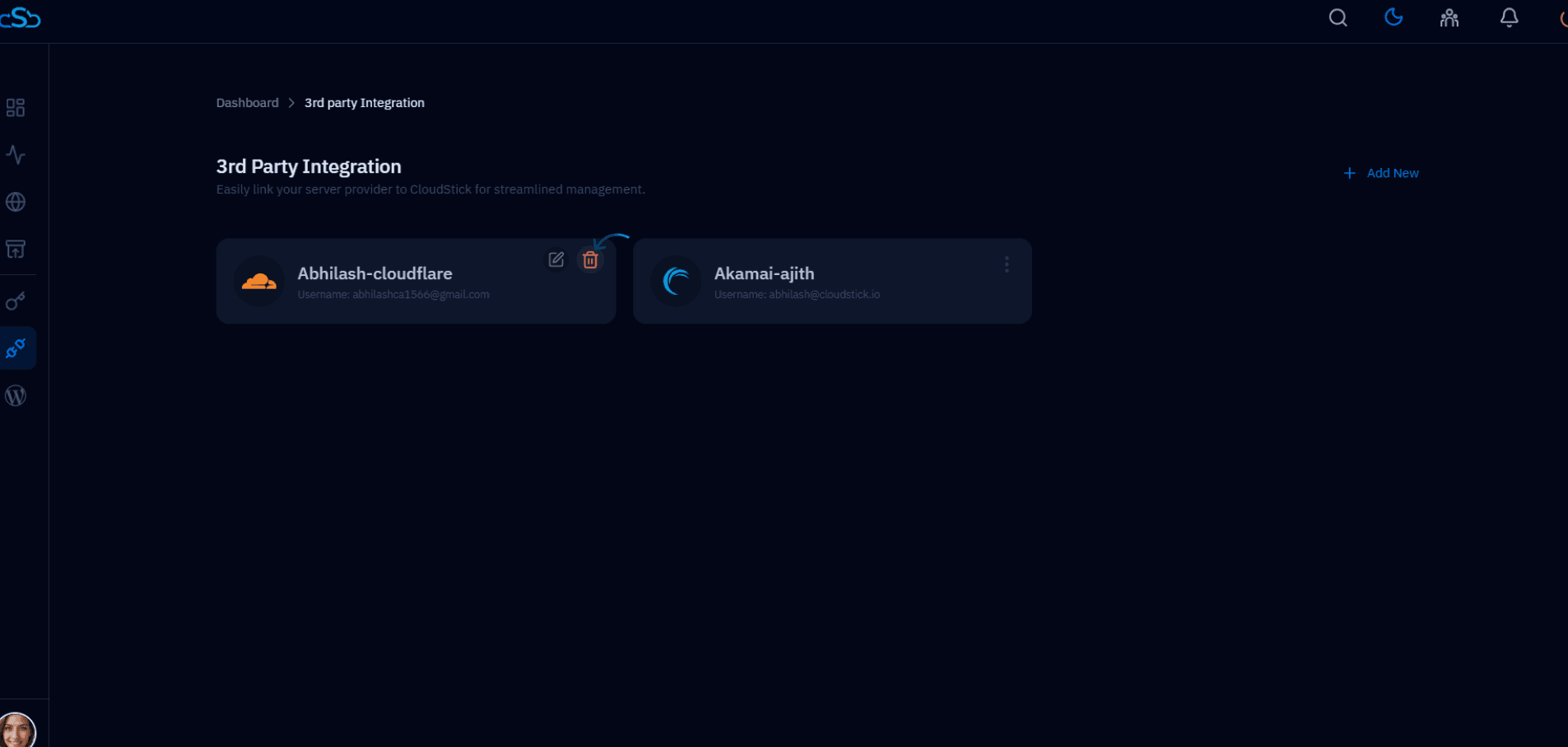
Fig. 02 — Third-Party Integrations list with the Cloudflare Delete icon highlighted.
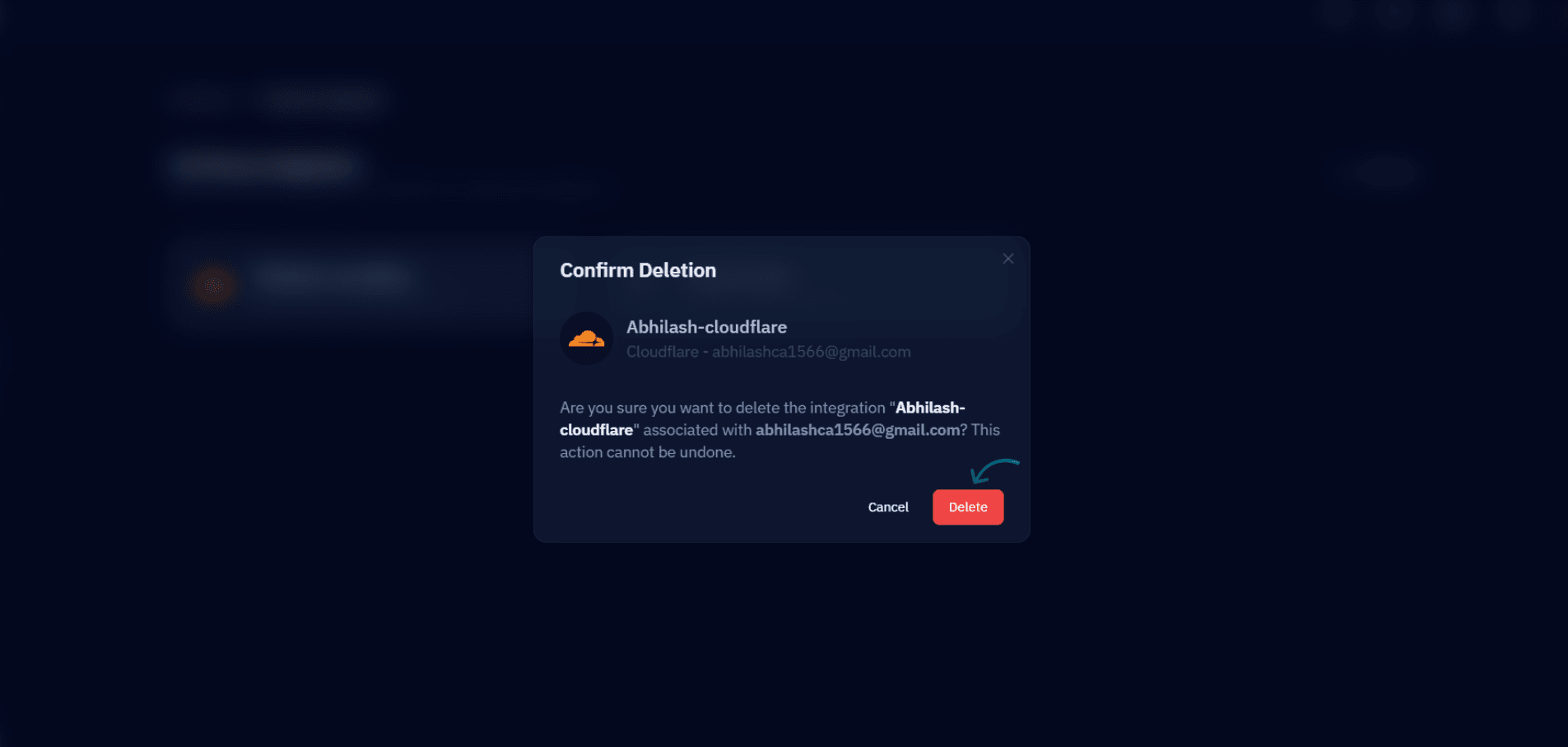
Fig. 03 — Confirmation that the Cloudflare account integration has been successfully removed.
Your Cloudflare account integration has now been successfully removed from the CloudStick dashboard. Any websites previously linked to this Cloudflare account will no longer have automatic DNS management through CloudStick.